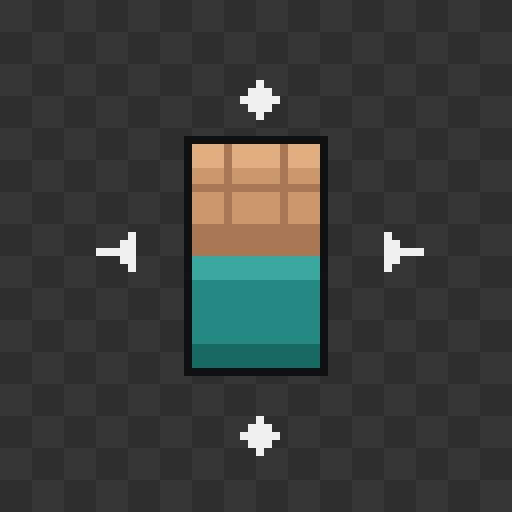
Custom Hand GUI
A lightweight client-side Fabric mod that lets you fully customize how your hands and held items are positioned in first person — no more items clipping through your screen or sitting in an awkward spot.
Features
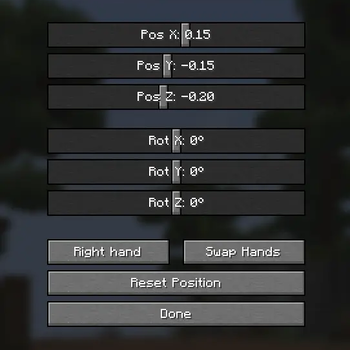
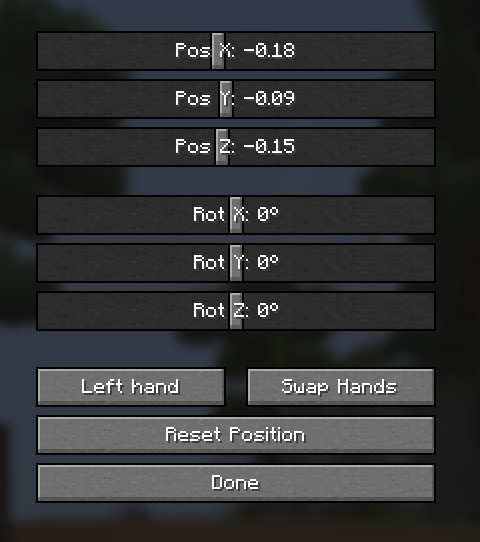
- Position & rotation sliders — fine-tune X/Y/Z offset and rotation for each hand independently, right from an in-game config screen.
- Swap hands — instantly flip which side your main hand renders on (left ↔ right), item and animation included.
- Reset & randomize — reset a single hand (or both) back to default, or randomize positions if you just want to mess around.
- Per-hand settings — left and right hand offsets are stored separately, so you can set up asymmetric positions if you want.
- Settings are saved automatically and persist between sessions.
Default keybinds
| Key | Action |
|---|---|
| Numpad 4 | Open the hand config GUI |
| Numpad 5 | Change main hand (swap sides) |
| Numpad 6 | Randomize hand position |
| Numpad 7 | Reset hand position |
All keybinds can be rebound in Options → Controls.
Compatibility
- Minecraft: 1.21.4
- Loader: Fabric
- Requires: Fabric API
- Side: Client only
Notes
Purely cosmetic and client-side — safe to use on any server, no server-side installation needed.
Quick facts
- Edition: Minecraft Java
- File type: .jar
- Minecraft versions listed: 1.21.4, 1.21.5, 1.21.6
- How to install: Install the matching mod loader (Forge, Fabric or NeoForge) for your Minecraft version. → Download the .jar. → Put it in the .minecraft/mods folder and launch that loader profile.
- Where to get it: Opens on Modrinth — not every file is mirrored on our own servers.
Install steps are the general flow for this file type — How to install Minecraft Java mods & modpacks walks through it step by step.
Verified by MCModsHub
- Ships as customgui-1.21-2.0.0.jar — drop this file into the mods folder
- Download size: 111 KB
- Download link checked 19 Sept 2026 — working
These come from our own check of the pack file, not from the source page.