
chronovault-backup
Java mod listed for Minecraft 1.21. Downloads from the MC Java Mods app on Android.
Incremental backup — only saves changed chunks. Hot-restore any region without restart, or rollback selected chunks from any snapshot. Built-in web panel.
⬇ Download on Modrinth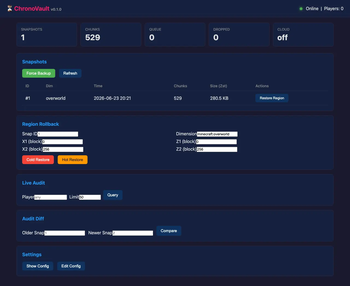
ChronoVault — Streaming Incremental Backup for Fabric
Real-time chunk-level backup with SHA-256 dedup, Zstd compression, web panel, and cloud sync. Only stores what changed — no more wasteful full-world dumps.



Why ChronoVault?
Traditional backup mods dump the entire world on a timer — slow, wasteful, and disruptive. ChronoVault captures chunks as they are saved via Mixin injection, computes a SHA-256 hash, and only stores what actually changed. This is backup built for production servers.
| Feature | ChronoVault | Vanilla Backup | Fast Backups |
|---|---|---|---|
| Incremental (changed chunks only) | ✅ | ❌ | ❌ |
| SHA-256 dedup (no duplicates) | ✅ | ❌ | ❌ |
| Hot restore (no restart) | ✅ | ❌ | ❌ |
| Chunk-level rollback | ✅ | ❌ | ❌ |
| Web dashboard | ✅ | ❌ | ❌ |
| Cloud sync (S3/WebDAV) | ✅ | ❌ | ❌ |
| Player evacuation on restore | ✅ | ❌ | ❌ |
| Live audit (who broke/placed what) | ✅ | ❌ | ❌ |
| Section-level audit diff | ✅ | ❌ | ❌ |
| Zstd compression (~6.4:1 ratio) | ✅ | ❌ | ❌ |
| SQLite metadata (instant queries) | ✅ | ❌ | ❌ |
| Notification webhooks | ✅ | ❌ | ❌ |
| Config hot-reload | ✅ | ❌ | ❌ |
Features
Streaming Incremental Backup
ChronoVault hooks into Minecraft's chunk serialization pipeline via Mixin. Every time a chunk is saved, we capture it in real-time, hash it, and store it only if it's new. No polling, no wasted I/O.
Hot Restore with Player Evacuation
Roll back any region without restarting the server. Players in affected chunks are safely evacuated to spawn before the restore begins. Down to the minute — no world downtime.
Live Audit Tracking
Real-time block break, block place, and explosion event logging via Mixin injection. Query by player name in-game (/cv audit <player>) or via Web API. Every block change is timestamped and attributable.
Section-Level Audit Diff
Compare two snapshots at chunk-section granularity (16×16×16) using NBT hash comparison. Cross-reference with live audit logs for full player attribution on every change.
Web Dashboard (port 27480)
Built-in single-page web app for monitoring and management:
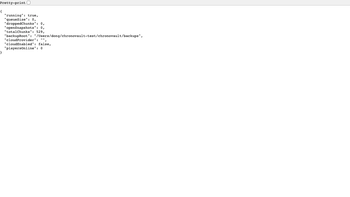
- Status — engine health, queue size, dropped chunks, player count
- Snapshots — browse, inspect, trigger manual backup
- Restore — cold or hot region restore via coordinate inputs
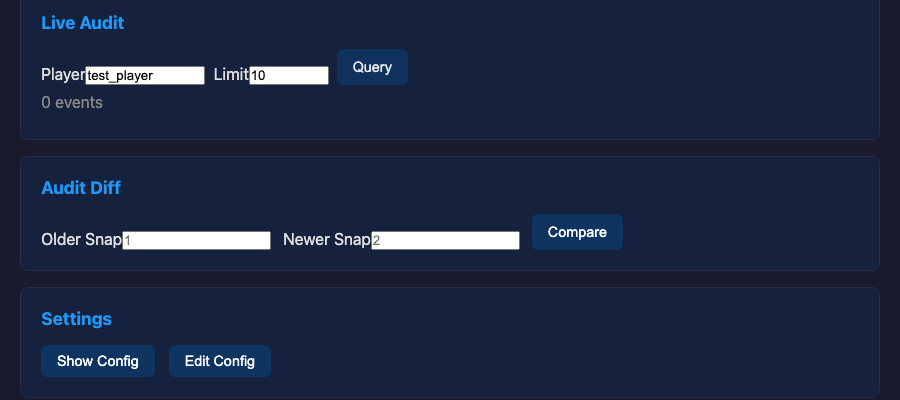
- Live Audit — query real-time block events by player
- Audit Diff — section-level comparison between any two snapshots
- Config — hot-reload all settings without restart
Cloud Sync
Auto-upload snapshots to S3 or WebDAV. Async worker pool never blocks the server tick. Tiered retention keeps recent snapshots local, archives older ones to cloud.
Layered Retention
Configurable retention policy: keep all snapshots for N hours, then hourly for M days, then daily for K days. Old snapshots auto-rotate with optional cloud offload.
Notification Webhooks
Discord, Slack, and Feishu webhook integration. Get notified on backup completion, restore events, and errors.
Configuration Hot-Reload
Change any setting in config/chronovault.json while the server is running. No restart needed.
Installation
- Download from Modrinth
- Place it in your server's
mods/folder - Requires Fabric Loader ≥ 0.16.0 and Fabric API ≥ 0.100.0
- Start the server — ChronoVault auto-configures and begins capturing on first chunk save
- Open
http://your-server:27480for the web dashboard
Configuration: all settings in config/chronovault.json.
Commands
All commands use /cv prefix. Run them from server console or as an OP.
| Command | Description |
|---|---|
/cv backup |
Force a new snapshot immediately |
/cv list |
List all snapshots with time, chunks, size |
/cv snapshots |
Alias for /cv list |
/cv status |
Show engine status (queue, dropped, online) |
/cv delete <id> |
Delete a snapshot permanently |
/cv restore <id> [x1 z1 x2 z2] |
Cold-restore a region (restart required) |
/cv hot-restore <id> <x1> <z1> <x2> <z2> |
Hot-restore a region (no restart, players evacuated) |
/cv audit [player] [limit] |
Query live audit events by player |
/cv config [key] [value] |
View or set config (hot-reloads) |
/cv schedule [now] |
Show schedule or trigger scheduled backup |
/cv reset |
Reset dropped chunk counter |
License
MIT.
Built for server admins who take their worlds seriously.
- Edition: Minecraft Java
- File type: .jar
- Minecraft version listed: 1.21.11
- How to install: Install the matching mod loader (Forge, Fabric or NeoForge) for your Minecraft version. → Download the .jar. → Put it in the .minecraft/mods folder and launch that loader profile.
- Where to get it: Opens on Modrinth — not every file is mirrored on our own servers.
Install steps are the general flow for this file type — How to install Minecraft Java mods & modpacks walks through it step by step.
- Ships as chronovault-0.2.0.jar — drop this file into the mods folder
- Download size: 24.3 MB
- Download link checked 9 Oct 2026 — working
These come from our own check of the pack file, not from the source page.