
AFK Guardian
Java mod listed for Minecraft 1.21. Downloads from the MC Java Mods app on Android.
A mod which allows you to safely leave your pc and still be sure that you won't die to a random zombie or anything else. Stay aware of your status using…
⬇ Download on ModrinthAFK Guardian lets you walk away from your PC mid-game without coming back to a death screen. The moment something starts hurting your character while you're AFK, it grabs a screenshot, disconnects you from the server, and sends the screenshot straight to your phone over Telegram — so a creeper, another player, lava, or starvation never quietly ends your session.
And it's two-way: from Telegram you can check your status, pull a live screenshot, or yank yourself off the server — all from your phone, on any server you join.
🛡️ Client-side only. You install it on your client; nothing goes on the server. Works on every server you join — no admin needed.
What it does
- AFK detection — no keyboard/mouse input for a time you choose → monitoring starts.
- Damage watch + auto-disconnect — take damage while AFK and it captures a screenshot, leaves the server instantly, then uploads the shot. (Order is capture → disconnect → upload, so leaving is never blocked by the network.)
- Live screenshots to Telegram — on danger, or any time you ask for one.
- Status updates — health, hunger and coordinates when AFK starts and on a schedule you set.
- Hunger & disconnect alerts — a heads-up when hunger runs low, and if the server drops you while you're away.
Control it from your phone
Message your bot from anywhere:
/status— health, hunger, position, AFK time/screenshot— pull a live screenshot right now/leave— disconnect yourself from the server/id— get your chat id (used during setup)/help— list the commands
Works with or without Telegram
Leave the bot token empty and you still get the auto-disconnect-on-damage safety net. Telegram only adds the alerts and remote control on top.
Setup (Telegram, ~2 minutes)
- In Telegram, message @BotFather, send
/newbot, and copy the bot token it gives you — it's free. - In Minecraft, open Mods → AFK Guardian → Config (or edit
config/afkguardian-client.toml) and paste the token intotelegram.botToken. - Join a world and send your bot
/id— it replies with your chat id. (You must be in-game for this.) Put that number intotelegram.chatId. - Done. Walk away for the AFK threshold (default 5 min) and you'll get the "AFK detected" message.
Settings you can tune
In the in-game config screen or the config file: AFK delay, the health-drop threshold that counts as danger, whether to attach a screenshot, the low-hunger alert level, periodic-update interval, and whether to auto-disconnect at all.
Honest limitations — please read
- A burst kill (e.g. a sharp sword) can drop you from full to dead in under a second — faster than any mod can react. This reliably saves you from mobs, lava, fall, drowning and starvation, and is a fast alert + partial defense against PvP — not an invincibility cloak.
- Screenshots need the game to be rendering — run Minecraft windowed or borderless while AFK. In exclusive fullscreen some GPUs stop updating the frame when the window isn't focused, which can produce a black or stale screenshot.
- Some PvP/anarchy servers treat an instant logout-on-damage as "combat logging" and may punish it — turn auto-disconnect off on those servers and rely on the alerts instead.
Requirements
Minecraft 1.21.1 · NeoForge 21.1.x · client-side · MIT licensed.
💬 Found a bug or have an idea? Open an issue on the source repo — feedback very welcome.![The token can be put into the config file ]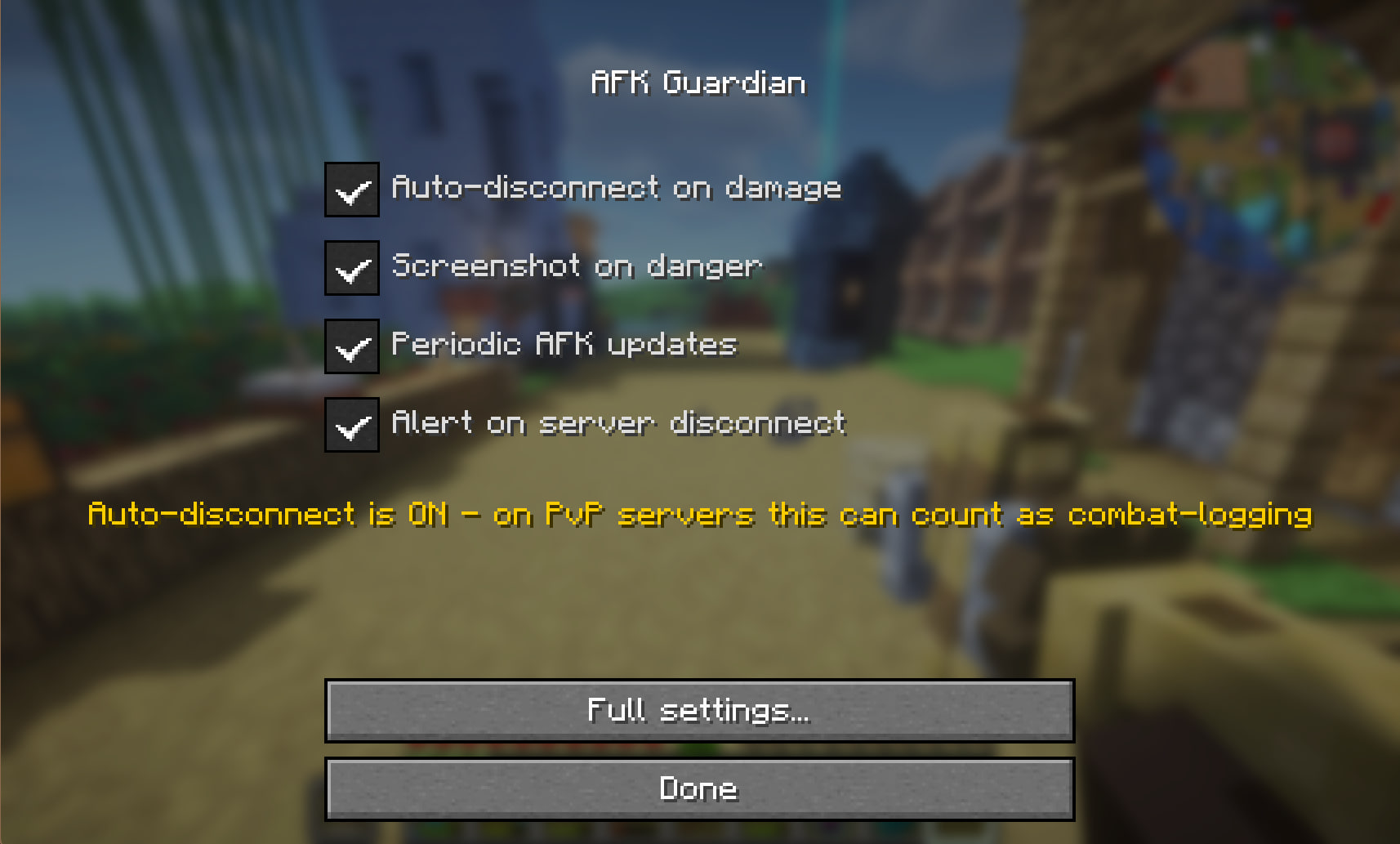
- Edition: Minecraft Java
- File type: .jar
- Minecraft version listed: 1.21.1
- How to install: Install the matching mod loader (Forge, Fabric or NeoForge) for your Minecraft version. → Download the .jar. → Put it in the .minecraft/mods folder and launch that loader profile.
- Where to get it: Opens on Modrinth — not every file is mirrored on our own servers.
Install steps are the general flow for this file type — How to install Minecraft Java mods & modpacks walks through it step by step.
- Ships as afkguardian-1.21.1(v1.2.1).jar — drop this file into the mods folder
- Download size: 29 KB
- Download link checked 9 Oct 2026 — working
These come from our own check of the pack file, not from the source page.