
Isometry
Java mod listed for Minecraft 26.x. Downloads from the MC Java Mods app on Android.
⬇ Download on Modrinth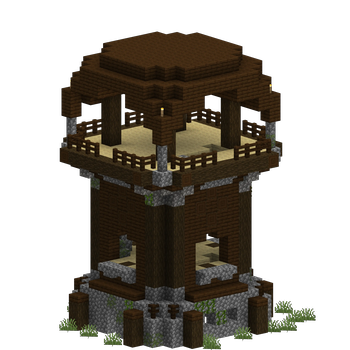
Take clean, high-resolution isometric renders of anything in Minecraft, straight from in-game. Blocks, items, entities, and whole regions of your world, all with a transparent background.
Built for making asset images: pack thumbnails, wiki art, item icons, build showcases.
What it renders
- Items: single items, or every item in a namespace, creative tab, or tag
- Blocks: any block state, with batch rendering for entire block sets
- Entities: including players, with NBT support
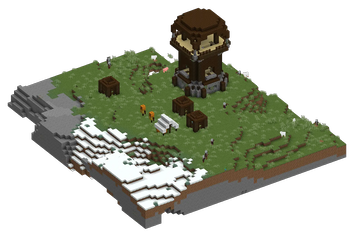
- World regions: select an area and render your build as an isometric scene
- Item atlases: grid overviews of many items in one image
- Tooltips: render item tooltips as images
Region Wand
Grab the Isometric Region Wand from the Tools tab. Right-click two corners to select a region and the render screen opens on that selection instantly. Corners can be placed mid-air, so you can frame a build from a distance. Sneak-click to clear.
Live preview and full control
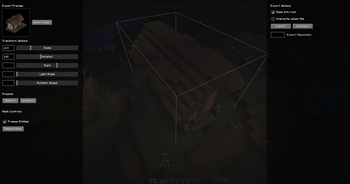
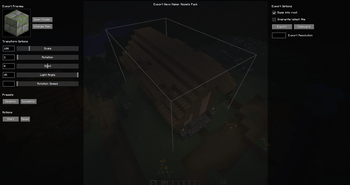
A live preview shows exactly what your exported PNG will look like, updating as you adjust:
- Scale, rotation, slant, and light angle
- X/Y offsets and framing
- Isometric and dimetric presets
- Custom export resolution
Drag with the mouse to rotate and tilt, scroll to zoom.
Export options
- Transparent-background PNGs at the resolution you choose
- Copy straight to clipboard
- Batch export hundreds of items or blocks in one pass
- One-click "Open Folder" to grab your renders
Usage
Command: /isometry followed by a target: item, block, entity, player, area, tooltip, namespace, creative_tab, tag
Examples:
/isometry namespace minecraft batch itemsrenders every vanilla item/isometry block minecraft:oak_stairs
Region Wand: click two corners in the world to render an area.
Keybind: C for area select (configurable).
Requirements
- Minecraft 26.2 (Fabric)
- Fabric API
- oᴡo lib
Client-side only. Works in singleplayer and on any server.
Credits & License
Isometry is a fork of Isometric Renders by glisco, which stopped receiving updates after 1.21.4. This fork has been updated to Minecraft 26.2 and substantially modified.
"The goal with Isometry is to keep this mod up to date to the latest versions as well as slighly introduce a more understandable GUI to manage everything overtime instead of commands. This mod is pretty new so, it will take a bit to get it fully there, happy screenshotting!"
Released under the MIT License, in keeping with the original project. Available in GitHub
- Edition: Minecraft Java
- File type: .jar
- Minecraft version listed: 26.2
- How to install: Install the matching mod loader (Forge, Fabric or NeoForge) for your Minecraft version. → Download the .jar. → Put it in the .minecraft/mods folder and launch that loader profile.
- Where to get it: Opens on Modrinth — not every file is mirrored on our own servers.
Install steps are the general flow for this file type — How to install Minecraft Java mods & modpacks walks through it step by step.
- Ships as isometry-0.4.10+26.2.jar — drop this file into the mods folder
- Download size: 208 KB
- Download link checked 10 Oct 2026 — working
These come from our own check of the pack file, not from the source page.