
ModsJava
CarbonAuction
Java mod listed for Minecraft 1.20–1.21. Downloads from the MC Java Mods app on Android.
⬇ Download on Modrinth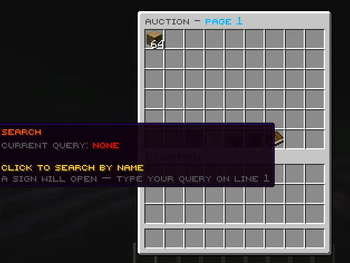
CarbonAuction
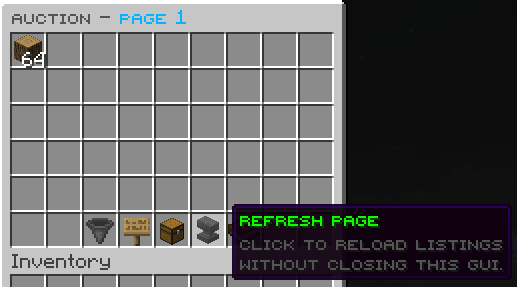
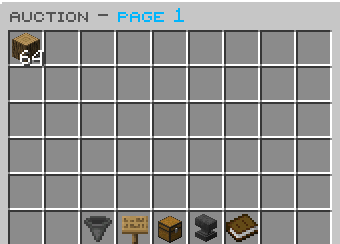
CarbonAuction is a lightweight, player-driven auction house plugin for Paper and Spigot servers. It allows players to buy and sell items securely through an interactive in-game GUI powered by Vault economy.
Features
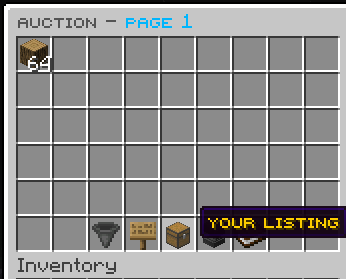
- Interactive GUI: Easy-to-use menu for listing, buying, and canceling listings.
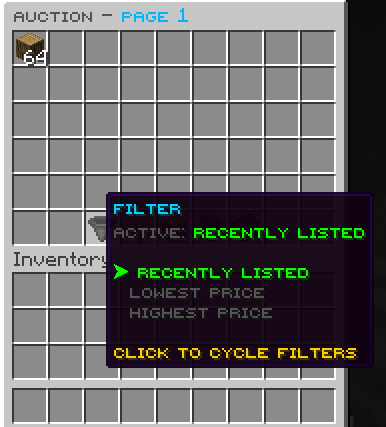
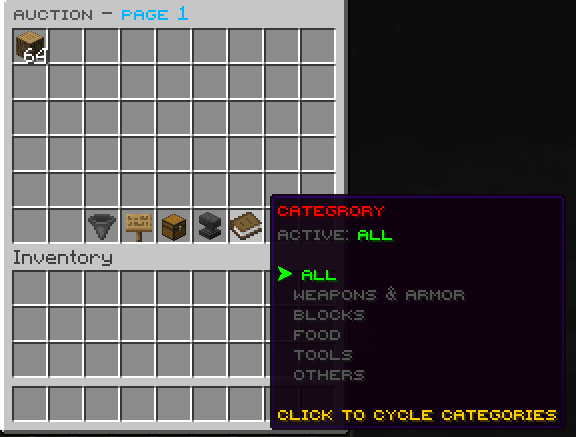
- Custom Filtering: Sort listings by price, date, or category (Weapons, Blocks, Food, Tools).
- Name Search: Quick chat or sign-based item lookup.
- No-Loss Return: Expired items are automatically returned straight to the player's inventory when they log in.
- Configurable Limits: Admin controls for listing limits, price limits, and full layout/color customization via
gui.yml. - SQLite Database: Fast, localized persistence for tracking all active and expired listings safely.
Commands
/auction(Alias:/ah) — Opens the auction house browse GUI./auction sell <price>— Lists the item in your main hand for sale at the specified price./auction mine— View and manage your own active listings./auction reload— Reloads the plugin configuration, messages, and GUI layouts.
Permissions
auctionhouse.use— Allows opening and buying from the auction house. (Default: true)auctionhouse.sell— Allows listing items for sale. (Default: true)auctionhouse.admin— Allows reloading the plugin config. (Default: op)auctionhouse.limit.unlimited— Bypasses the active listing limit. (Default: op)auctionhouse.limit.<number>— Sets the maximum number of items a player can list at once (e.g.,auctionhouse.limit.5).auctionhouse.bypass.price— Bypasses minimum and maximum listing price bounds. (Default: op)
Installation & Setup
- Download the plugin jar.
- Place the jar into your server's
plugins/directory. - Make sure you have Vault and a compatible economy plugin (like EssentialsX) installed.
- Restart your server to generate configuration files.
- Customize
config.yml,messages.yml, andgui.ymlas desired and use/ah reloadto apply the changes!
Quick facts
- Edition: Minecraft Java
- File type: .jar
- Minecraft versions listed: 1.20, 1.20.1, 1.20.2
- How to install: Install the matching mod loader (Forge, Fabric or NeoForge) for your Minecraft version. → Download the .jar. → Put it in the .minecraft/mods folder and launch that loader profile.
- Where to get it: Opens on Modrinth — not every file is mirrored on our own servers.
Install steps are the general flow for this file type — How to install Minecraft Java mods & modpacks walks through it step by step.
File checked by MCModsHub
- Ships as AuctionHouse-1.0.0.jar — drop this file into the mods folder
- Download size: 53 KB
- Download link checked 10 Oct 2026 — working
These come from our own check of the pack file, not from the source page.