
Anon Chat
Java mod listed for Minecraft 26.x. Downloads from the MC Java Mods app on Android.
Advanced Fabric chat mod for Minecraft — multi-window chat, LabyMod-compatible filters, profiles, macros & chat logging. MC 1.21.1–1.21.5 & 26.1.2 & 26.2
⬇ Download on Modrinth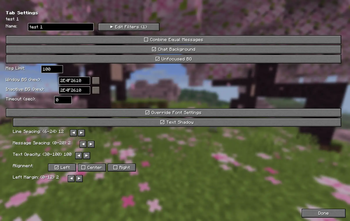
🗨️ AnonChat Mod
Advanced chat customization for Minecraft 1.21.1 – 1.21.5, 26.1.2 & 26.2
Take full control of your chat experience. Organize messages into separate windows, filter out noise, highlight player mentions, save chat history, and switch between complete configuration profiles — all without leaving the game.
✨ Features
📑 Multi-Window Chat
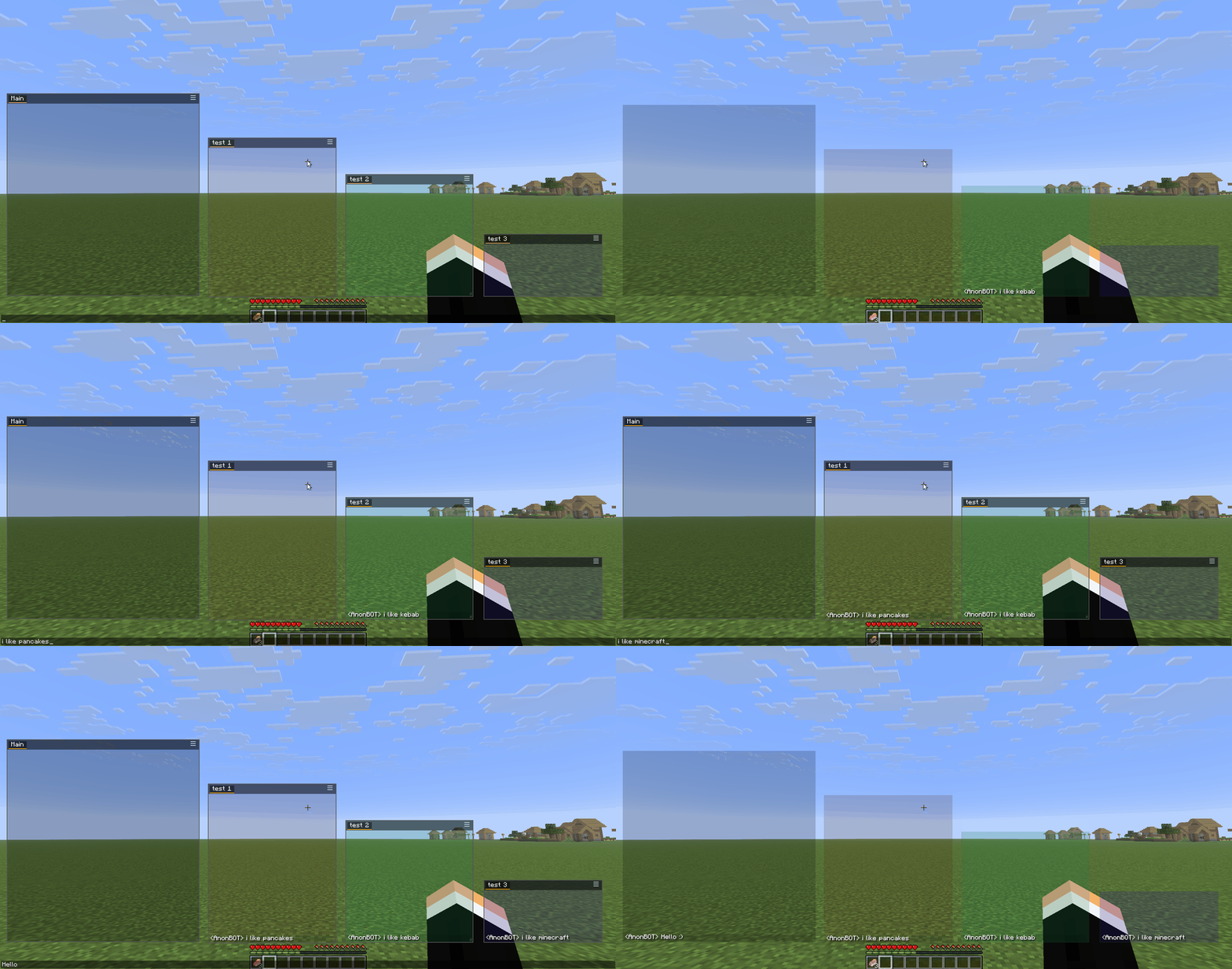
- Create unlimited chat windows — drag, resize, position anywhere on screen
- Each window holds multiple tabs for organizing different chat topics
- Independent font settings per tab (size, spacing, alignment, shadow)
- Smart edge snapping — windows snap to screen edges when dragged close
🔍 Advanced Filters
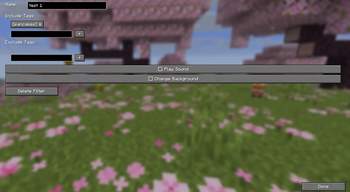
Define include and exclude tags for each tab to route messages exactly where you want them:
- Include tags — only messages containing these words appear in this tab
- Exclude tags — messages with these words are blocked from this tab
- Filters work with LabyMod's JSON format — you can migrate your existing filter setup
- Optional: play a sound, change background color, or highlight on match
🔔 Player Mention (Ping)
- Automatically highlights your username in chat messages when someone mentions you
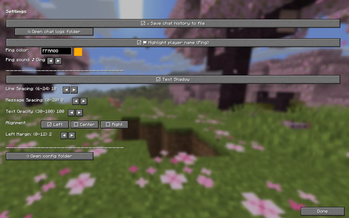
- Choose your highlight color and notification sound (6 sounds to pick from)
- Your own messages never trigger a ping — only others mentioning you
💾 Configuration Profiles
- Save your entire setup (windows, tabs, filters, macros, font settings) as named profiles
- Switch between profiles instantly — great for different servers or playstyles
- Export/import by copying profile files from
profiles/folder - "default" profile is always available and protected from deletion
⌨️ Autotext (Macros)
- Assign keyboard shortcuts to send messages or execute commands
- Perfect for frequently used commands or chat responses
📝 Chat Log
- Automatically saves all chat messages to daily text files
- Located in the
chatlog/folder next to your config - Enable/disable toggle in Settings
🌐 Internationalization
- Full English and Polish language support
- Language auto-detects from your Minecraft game settings
📦 Installation
- Install Fabric Loader —
0.16.9+for 1.21.1–1.21.5,0.19.3+for 26.1.2/26.2 - Install Fabric API —
0.110.0+1.21.1for 1.21.x,0.154.2+26.1.2/0.154.2+26.2for 26.x - Make sure you have the required Java version —
Java 21+for 1.21.x,Java 25+for 26.x - Download the AnonChat Mod JAR for your version
- Place the JAR in your
mods/folder - (Optional) Install ModMenu for an additional config entry point
🛠 Companion Tool: Filter Editor
The AnonChat Filter Editor is a standalone Windows app that lets you manage your filter tags outside the game.
The problem it solves: Minecraft's in-game text field strips the § color code, so you can't type precise tags like Money§8. The editor writes the JSON directly with literal §, so color-precise tags work.
What it does:
- Browse your profiles from
%APPDATA%/AnonChatMC/profiles/(the mainchat.jsonis protected) - Load daily chat logs or raw Minecraft logs (
latest.log) and see unique messages with occurrence counters - Add any log message as a tag to a filter with one click
- Bilingual UI (English/Polish) — language auto-detected and remembered
➡️ Download the latest version: GitHub Releases → download AnonChatFilterEditor-0.2.4.exe (no Python required)
🎮 How to Use
First Launch
- Press the hamburger icon (☰) on any chat window
- Click > Settings to open the configuration screen
- Or press the keybind (if set via ModMenu)
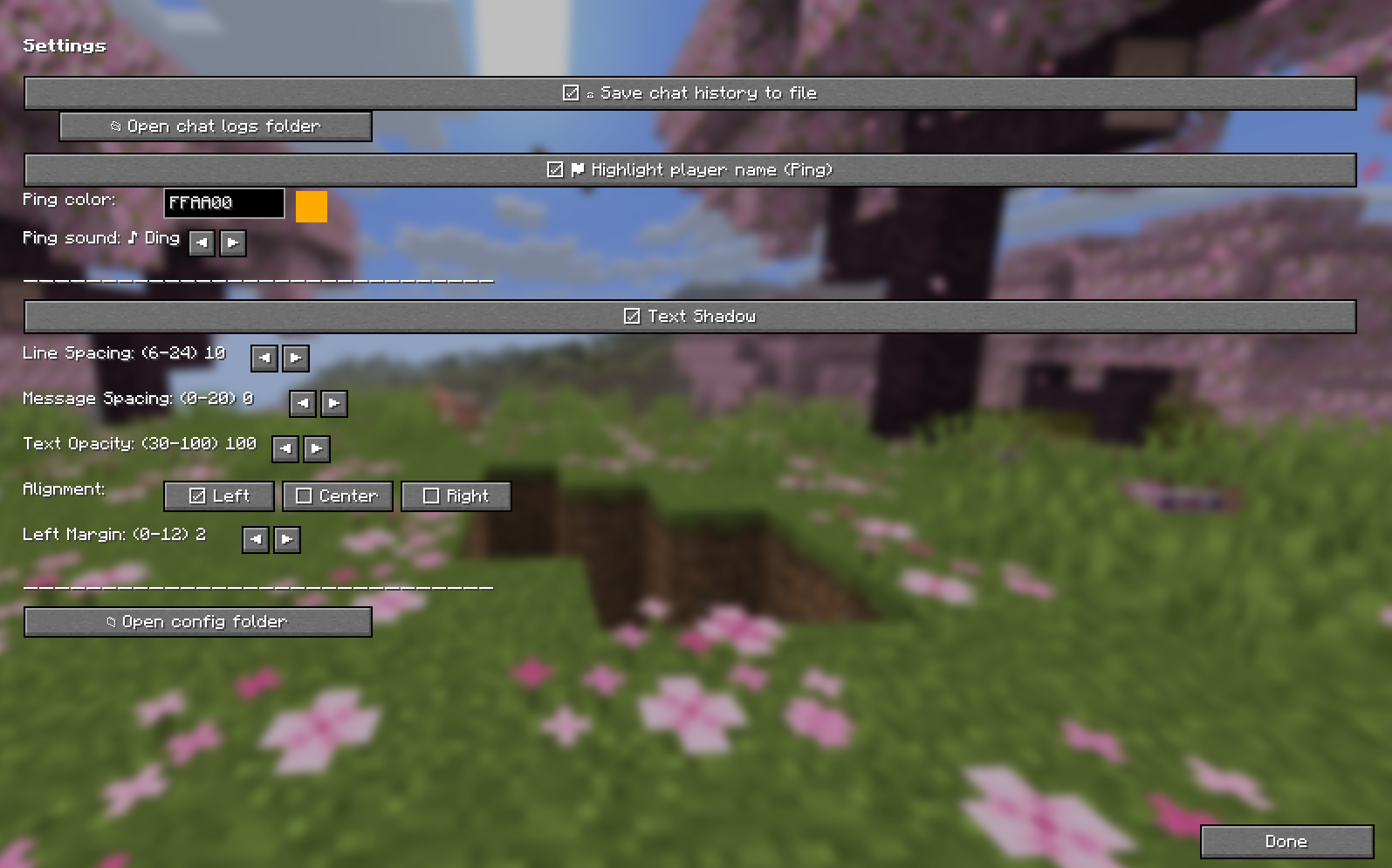
Creating Windows & Tabs
- Use the hamburger menu on any window to add/remove tabs or create new windows
- In Settings → left panel, expand/collapse windows and manage individual tabs
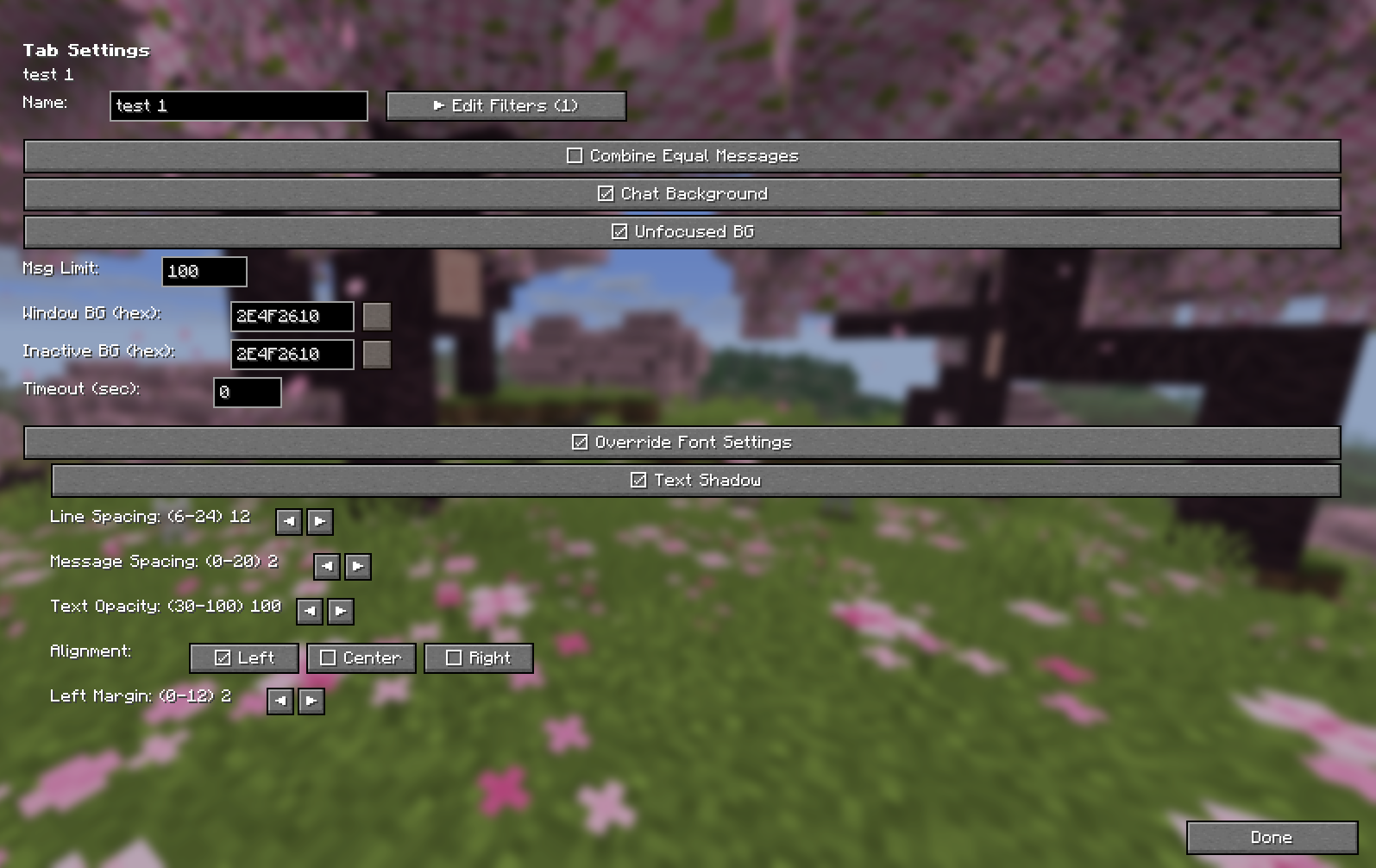
Setting Up Filters
- Select a tab in the left panel
- Click ▶ Edit Filters
- Add Include tags — messages with these words go to this tab only
- Add Exclude tags — messages with these words are blocked everywhere
- Configure additional actions: play sound, change background
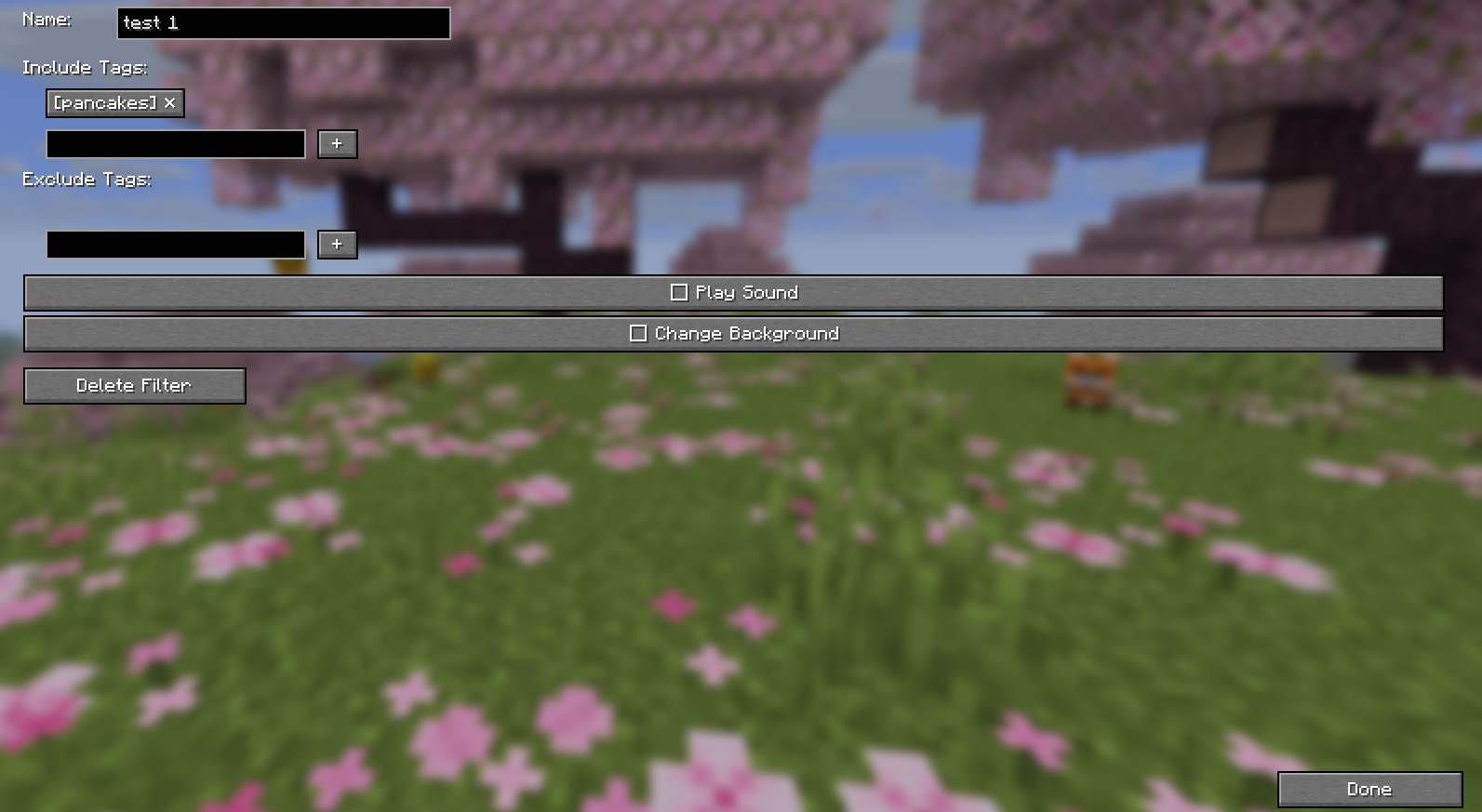
Using Profiles
- In Settings → ☰ Profiles
- Click ■ Save to save your current setup as a profile
- Click ▶ Load to switch to a different profile
- Use the ✕ button to delete custom profiles
Migrating from LabyMod
Your existing chat.json from LabyMod is fully compatible. Simply:
- Copy your
chat.jsonto%APPDATA%/AnonChatMC/chat.json(Windows) - Or use the profiles feature to import specific filter configurations
- All your filters, windows, and settings will work immediately
🖥️ Configuration File Location
| OS | Path |
|---|---|
| Windows | %APPDATA%/AnonChatMC/chat.json |
| macOS | ~/Library/Application Support/AnonChatMC/chat.json |
| Linux | ~/.local/share/AnonChatMC/chat.json |
Tip: Use the "Open config folder" button in Settings → Appearance to quickly access your files.
📜 License
This project is licensed under the GNU Affero General Public License v3.0 (AGPL-3.0).
TL;DR: You are free to use, modify, and distribute this mod. If you modify it and provide a service using it (e.g., a server or launcher), you must make your modified source code available to users.
🤝 Credits
- Author: AnonBOTpl
- Built with: Fabric Loom, Minecraft mappings
- Special thanks to: The LabyMod team for their excellent chat filter system which inspired this mod's design. AnonChat is fully compatible with LabyMod's
chat.jsonformat for easy migration.
- Edition: Minecraft Java
- File type: .jar
- Minecraft version listed: 26.2
- How to install: Install the matching mod loader (Forge, Fabric or NeoForge) for your Minecraft version. → Download the .jar. → Put it in the .minecraft/mods folder and launch that loader profile.
- Where to get it: Opens on Modrinth — not every file is mirrored on our own servers.
Install steps are the general flow for this file type — How to install Minecraft Java mods & modpacks walks through it step by step.
- Ships as AnonChatMod-26.2-0.2.4.jar — drop this file into the mods folder
- Download size: 190 KB
- Download link checked 10 Oct 2026 — working
These come from our own check of the pack file, not from the source page.