
Text Displays
Java mod listed for Minecraft 1.19. Downloads from the MC Java Mods app on Android.
⬇ Download on Modrinth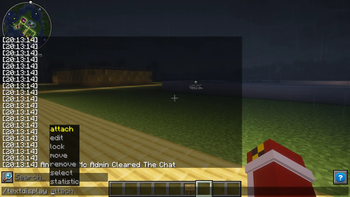
Fully Working Text Displays For A Minecraft Server
Commands - /td - /textdisplay
/td attach - Attaches the Text Display To The Block /td edit - Edits the text Display /td lock - TBC (locks the text display in the spot it is looking at you in) /td move - Moves the text display (You can also use this with /td attach) /td remove - Removes the text display /td select - Selects the text display before you do any other actions to any other text displays /td statisitc - Adds a statisitc like blocks walked and cobblestone mined
The Permission That Are Inside Of The Plugin Are F1GPUKMc.textdisplay.use - Use All Of The Text Display Commands F1GPUKMc.textdisplay.admin - Can Edit Any Text Displays That Anyone Has Created
At This Point In Time /td statistic and /td lock are not fully working but are functional for those people who are wanting to have them but at this point they are very complicated hopefully for the next version I will be able to make it more simple
- Edition: Minecraft Java
- File type: .jar
- Minecraft versions listed: 1.19, 1.19.1, 1.19.2
- How to install: Install the matching mod loader (Forge, Fabric or NeoForge) for your Minecraft version. → Download the .jar. → Put it in the .minecraft/mods folder and launch that loader profile.
- Where to get it: Opens on Modrinth — not every file is mirrored on our own servers.
Install steps are the general flow for this file type — How to install Minecraft Java mods & modpacks walks through it step by step.
- Ships as TextDisplays.jar — drop this file into the mods folder
- Download size: 17 KB
- Download link checked 20 Sept 2026 — working
These come from our own check of the pack file, not from the source page.