HomeJavaModsAura Building
Aura Building
ModsJava

Aura Building

A modern building assistant with 3D ghost block previews, 8 build modes, symmetry mirroring, hotbar palette mixing, terrain adaptation, and instant Ctrl+Z…

⬇ Download on Modrinth
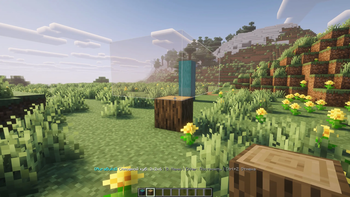
Aura Building — screenshot 1

AuraBuilding

Aura Building — Modern Building Assistant for Minecraft

Select an area, preview with translucent 3D ghost blocks, and build instantly. Supports 15 modes, Pixel Painter editor, copy/paste, terrain adaptation, 3D primitives, vertical gradients, enchantment support, and undo/redo.


Features

3D Ghost Preview — Real textures at 40% opacity, seamless face culling, and gentle pulsing animation.

Pixel Painter — Integrated 2D/3D pattern editor with pencil, eraser, fill, line tool, depth up to 32 layers, symmetry, rotation, flip, full block palette, and live in-world preview.

Copy & Paste — Select two points to copy structures, then paste 3D ghost objects relative to your crosshair.

15 Build Modes — Solid, Hollow, Walls, Floor, Circle, Cylinder, Sphere, Dome, Pyramid, Auto Roof, Arch, Smoothing, Terrain Road, Terrain Wall, Clear, Copy, Pattern.

Symmetry — Mirror along X or Z axes for automatic building duplication.

Palette Mixing — Randomly blend blocks directly from your hotbar slots; supports vertical gradients along the Y axis.

Smart Orientation — Stairs, slabs, and logs dynamically orient based on player direction and click position.

Undo/Redo — Full support for Ctrl+Z and Ctrl+Y with complete block restoration and inventory item return.

Dark GUI — Press B to access Modes, Options, and Tools. Options include symmetry, replacement, palette mixing, gradients, wireframe, color themes, and build speed (2 to 200 blocks/tick). Tools include undo history, Pixel Painter shortcut, and block counter.

Block Counter — Real-time display showing required blocks versus available inventory items with dynamic status indicators.


Controls

G — Toggle mode B — Open menu N — Open Pixel Painter Ctrl + Scroll — Switch mode V / Shift + RMB — Set point / Confirm R — Rotate selection 90° M — Toggle mirror Enter — Build Ctrl + Z — Undo Ctrl + Y — Redo


Requirements

Minecraft: 1.20.1 Loader: Forge 47.x+


License

MIT — free to use, modify, and distribute.

Verified by MCModsHub

These come from our own check of the pack file, not from the source page.

Explore more