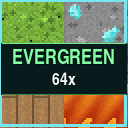
EverGreen 64x
A colorful 64× vanilla-style resource pack that refreshes blocks, items, animations, particles, and GUIs.
⬇ Download on Modrinth


🌲 EverGreen 64x
EverGreen 64x transforms Minecraft into a cleaner, brighter, and more detailed world while preserving the familiar style and colors of vanilla Minecraft.
✨ Main Features
- True 64× resolution for sharper and more detailed textures
- More than 1,300 block textures
- More than 800 item textures
- Over 2,600 graphical assets
- Colorful, clean, and recognizable vanilla-inspired art style
- Original vanilla textures for living mobs
- Redesigned blocks, items, particles, interfaces, and non-creature entities
- No shaders or mods required for the main pack
- Approximately 11 MB, making it much lighter than most 256× or 512× packs
🧱 Detailed Block Overhaul
EverGreen improves nearly every part of the Minecraft world while keeping each block easy to recognize.
The pack includes upgraded textures for:
- Natural terrain and stone families
- Ores and mineral blocks
- Every major wood family
- Leaves, plants, flowers, crops, vines, and roots
- Nether and End blocks
- Copper and its oxidation stages
- Deepslate blocks
- Amethyst and geode blocks
- Sculk blocks
- Redstone components
- Doors, trapdoors, fences, and building materials
- Furnaces, crafting stations, and utility blocks
- Water, lava, fire, portals, and other animated blocks
Colors are richer and surfaces contain more depth, shading, and variation without making Minecraft feel like a completely different game.
⚔️ Upgraded Items
Hundreds of item icons have been recreated at higher resolution, including:
- Tools and weapons
- Armor
- Food and ingredients
- Minerals and resources
- Potions and utility items
- Dyes
- Buckets and transportation items
- Spawn eggs
- Compass animation frames
- Clock animation frames
Items remain recognizable at a glance while receiving the cleaner EverGreen shading and color treatment.
🌊 Animated Textures
EverGreen contains 47 animated block textures that add movement without filling the pack with unnecessary animations.
Animated textures include:
- Water
- Lava
- Fire and soul fire
- Campfires and soul campfires
- Lanterns
- Magma
- Nether portals
- Sea lanterns
- Prismarine
- Command blocks
- Sculk blocks
- Respawn anchors
- Active furnaces and smokers
- Stonecutter saws
The animations are designed to feel smooth and natural while remaining close to Minecraft’s original behavior.
🪟 Connected Textures
When used with OptiFine or a compatible connected-texture mod such as Continuity, EverGreen adds enhanced connected textures for:
- Clear glass
- Glass panes
- All 16 stained-glass colors
- Ice and packed ice
- Bookshelves
Connected glass removes distracting interior borders and creates larger, cleaner windows while preserving an outer frame.
These features are optional. The resource pack still works normally without a connected-texture mod.
💡 Emissive Textures
EverGreen includes 29 optional emissive glow maps for compatible setups.
Supported glowing details include:
- Torches and soul torches
- Glowstone
- Sea lanterns
- Froglights
- Magma
- Redstone ores and lamps
- Diamond ore
- Amethyst
- Sculk
- Portals
- Furnaces and smokers
- Jack o’lanterns
- Crying obsidian
Without emissive-texture support, these blocks simply use their standard EverGreen textures.
🔄 Random Terrain Variations
Common terrain blocks include multiple visual variations and rotations to reduce obvious repeating patterns across large areas.
Variants are included for:
- Stone
- Cobblestone
- Cobbled deepslate
- Dirt
- Sand
- Gravel
- Netherrack
- End stone
- Granite
- Diorite
- Andesite
This makes caves, mountains, beaches, and large builds feel more natural.
❤️ GUI, HUD, and Particles
EverGreen also updates many interface and visual-effect elements:
- Inventory
- Crafting table
- Furnaces and smokers
- Brewing stand
- Enchanting table
- Anvil
- Chests and containers
- Hopper
- Dispenser and dropper
- Shulker box
- Hearts, hunger, armor, and air icons
- Experience and jump bars
- Hotbar and selection box
- Crosshair
- Menu buttons
- Particle effects
📦 Installation
- Download the EverGreen 64x ZIP file.
- Do not unzip it.
- Open Minecraft Java Edition.
- Go to Options → Resource Packs.
- Select Open Pack Folder.
- Move the downloaded ZIP into that folder.
- Return to Minecraft and enable EverGreen 64x.
If Minecraft reports that the pack was made for another version, confirm that you are using one of the versions listed on the Modrinth download page.
🔧 Optional Enhancements
The main pack does not require any mods.
For connected and emissive texture features, use a compatible setup such as:
- OptiFine
- Continuity or another compatible connected-texture mod
EverGreen 64x is an independent community resource pack and is not affiliated with Mojang Studios or Microsoft.
- Downloads as EverGreen_64x_v1.0.0.zip
- Download size: 11.1 MB
- Download link checked 10 Aug 2026 — working
These come from our own check of the pack file, not from the source page.