Easy view plantation
Java resource pack listed for Minecraft 26.x. Downloads from the MC Java Mods app on Android.
⬇ Download on Modrinth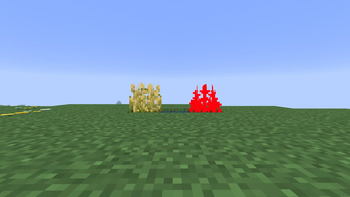
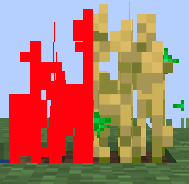
Tired of checking every crop in your farm just to see if it has finished growing? This resource pack is designed to make farming faster, easier, and much more convenient. This project changes the appearance of crops to make their growth stage immediately visible. Crops that have not reached their final growth stage are colored red, while fully grown crops keep their normal appearance. With a quick glance, you can instantly identify which plants are ready to harvest without inspecting every single block. This resource pack is especially useful for large farms where it can be difficult to tell which crops are fully grown. It helps you save time, harvest more efficiently, and avoid accidentally collecting crops before they are mature. The pack is purely visual and does not change Minecraft's gameplay or mechanics in any way. Crops still grow exactly as they do in vanilla Minecraft. Only their textures have been modified to improve visibility and make farming more comfortable. Lightweight and easy to install, this pack works perfectly for both single-player worlds and multiplayer servers that allow resource packs. It blends naturally into the game while providing a practical quality-of-life improvement for players who enjoy building and maintaining farms. Whether you're creating a small survival garden or managing a massive automatic farming area, this resource pack makes it easier to know exactly when your crops are ready. Spend less time checking your fields and more time enjoying Minecraft. Happy farming!
- Edition: Minecraft Java
- File type: .zip (resource pack)
- Minecraft version listed: 26.2
- How to install: Download the .zip resource pack — do not unzip it. → Put it in .minecraft/resourcepacks. → Enable it in Options → Resource Packs.
- Where to get it: Opens on Modrinth — not every file is mirrored on our own servers.
Install steps are the general flow for this file type — How to install Minecraft Java resource packs walks through it step by step.
- Downloads as assets.zip
- Download size: 18 KB
- Download link checked 11 Oct 2026 — working
These come from our own check of the pack file, not from the source page.