
FontThai DM
FontThai DM is a resource pack that modifies Thai and English fonts to make them rounder and easier to read
I don't know my version or loader
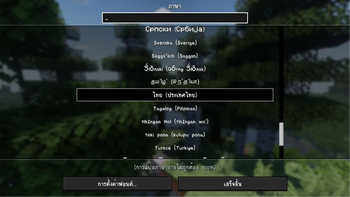
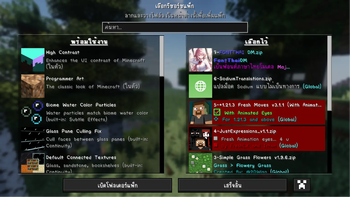
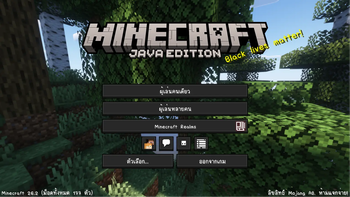
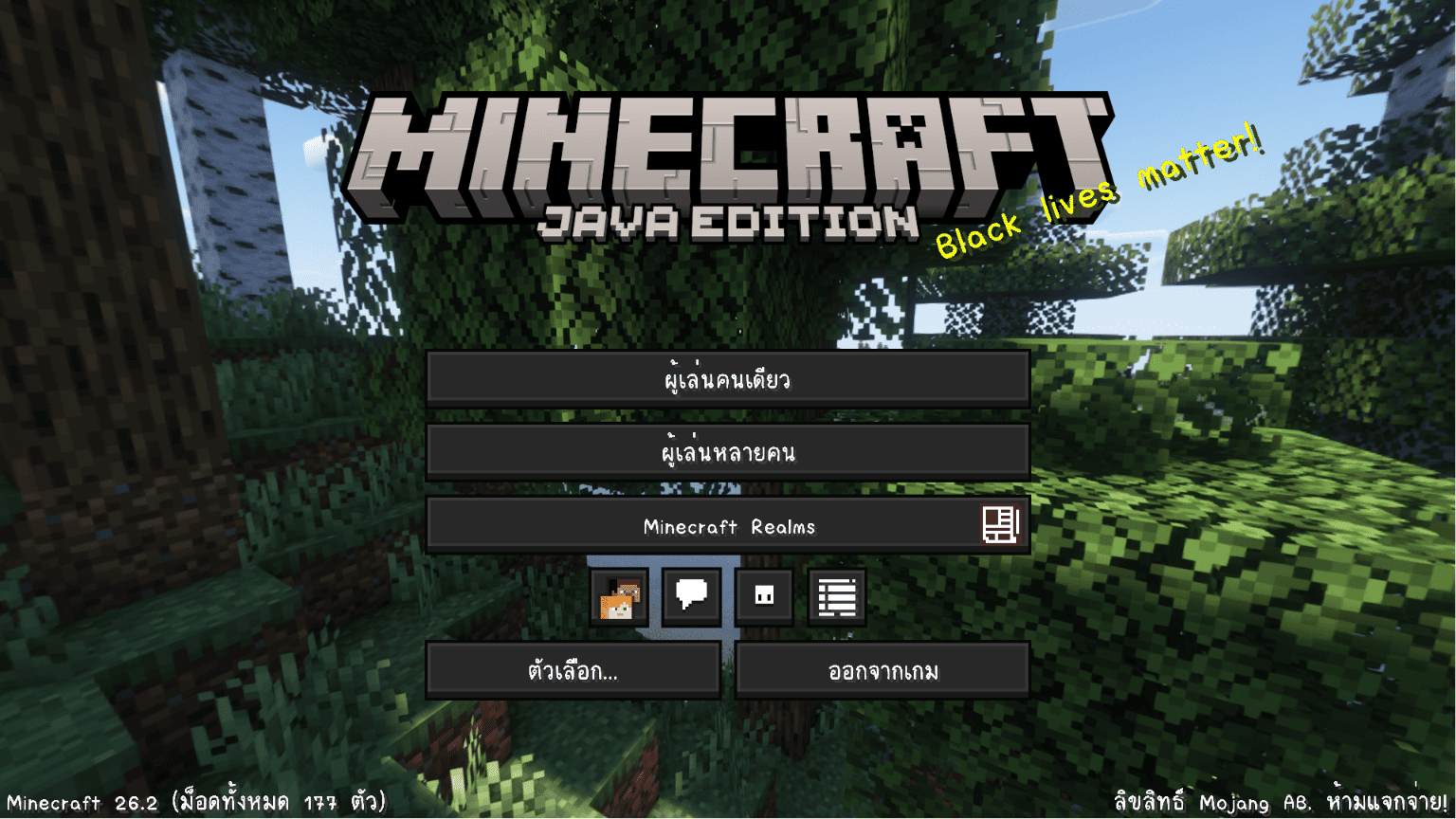
FontThai DM What is it? (FontThai DM มันคืออะไร?)
The FonThai DM resource pack is a simple pack that increases the resolution of Thai and English fonts in Minecraft, making the text easier to read than the old pixelated style (Resource Pack FonThai DM
Thai versionResource Pack FonThai DM เป็นรีซอร์ซเรียบง่าย แค่เป็นการแก้ไขให้ภาษาไทยภายในเกมมายคราฟ และภาษาอังกฤษให้มีความละเอียดเพิ่มขึ้น เพื่อให้ตัวอักษรนั้นอ่านง่ายกว่าแบบพิกเซลแบบเก่า
Ex Resource Pack FontThai DM (ตัวอย่าง Resource Pack FontThai DM)
How to install (วิธีติดตั้ง)
- Download the FontThai DM resource pack (make sure to download the version that matches your game).
- Once the download is complete, you will get a ZIP file named** §l§9FONTTHAI §bDM §aV?.?.?.ZIP** (do not extract the file).
- Drag and drop the ZIP file into this folder C:\Users\duang\AppData\Roaming.minecraft\resourcepacks
- Launch the game, go to Options > Resource Packs... > and activate the FontThai DM Resource Pack And that's it, you're good to go!!
- ดาวโหลดรีซอร์ซ FontThai DM (โหลดให้ตรงกับเวอร์ชั่นเกมที่คุณเล่น)
- เมื่อดาวโหลดเสร็จแล้วจะได้ไฟล์ ZIP ชื่อ §l§9FONTTHAI §bDM §aV?.?.?.ZIP (ไม่ต้องทำการแตกไฟล์)
- ให้ทำการลากไฟล์ ZIP ไปวางที่โฟลเดอร์ C:\Users\duang\AppData\Roaming.minecraft\resourcepacks
- เข้าเกมแล้วเข้าไปที่ ตัวเลือก > รีซอร์ซแพ็ก... > แล้วกดใช้งาน Resource Pack FontThai DM แค่นี้ก็เป็นอันเสร็จแล้ว!!
Frequently Asked Questions (คำถามที่พบบ่อย)
Q: Can this be used with Minecraft Bedrock?
A: No, it cannot be used with Minecraft Bedrock. It only works on Minecraft Java Edition.
Q: Can it be used with mods?
A: Yes, depending on whether the mods you are using have Thai or English text.
Q: Can it be used with older versions of the game?
A: Maybe, but it is highly recommended to download the version that matches your game.
Q: Are there plans to make a Bedrock version?
A: Maybe.
Q: How can I support you or report issues?
A: You can support me exclusively through Ko-Fi and report any issues on Github.
สามารถใช้กับ Minecraft Bedrock ได้หรือเปล่า?
- ไม่ ไม่สามารถใช้กับ Minecraft Bedrock ได้ ได้แค่ Minecraft Java เท่านั้น
ใช้กับ Mods ได้หรือเปล่า?
- ได้ ขึ้นอยู่กับว่า Mods ที่คุณใช้มีภาษาไทยหรือภาษาอังกฤษหรือเปล่า
สามารถใช้กับเวอร์ชั่นเกมเก่าได้หรือเปล่า?
- อาจจะ แต่แนะนำให้โหลดให้ตรงกับเวอร์ชั่นเกมจะดีกว่าครับ
มีแผนจะทำให้ของ Bedrock หรือเปล่า?
- อาจจะ
ผมสามารถสนับสนุนหรือติดต่อปัญหาทางไหนได้บ้างครับ?
Credit
Font Thai By: @DM
Font Model By: @Jilada Ritkhamrop
License
LicenseCopyright (c) 2024 @DM
Resource Pack FontThai DM นี้เป็นผลงานที่จัดทำขึ้นเพื่อให้ดาวน์โหลดและใช้งานได้ฟรี โดยมีเงื่อนไขดังต่อไปนี้:
สิ่งที่คุณสามารถทำได้:
- ดาวน์โหลดและนำไปใช้งานในการเล่นเกมส่วนตัว หรือเล่นกับเพื่อนในเซิร์ฟเวอร์ได้
- นำไปใช้งานประกอบการสตรีมเกม หรือทำคลิปวิดีโอลงโซเชียลมีเดียได้
- นำไปใช้กับงาน Modpacks ของคุณได้ถ้าคุณเป็นผู้สร้าง Modpacks แต่ต้องขออนุญาตจากเราก่อน
สิ่งที่คุณ "ไม่ได้รับอนุญาต" ให้ทำ:
- ห้ามนำไฟล์ Resource Pack FontThai DM นี้ไปอัปโหลดใหม่บนเว็บไซต์หรือแพลตฟอร์มอื่นเด็ดขาด
- ห้ามนำไปดัดแปลง แก้ไข หรือนำบางส่วนของ Resource Pack ไปใช้เป็นของตนเอง
- ห้ามนำผลงานนี้ไปใช้ในเชิงพาณิชย์เพื่อหารายได้ หรือนำไปขายต่อในทุกกรณี
- Downloads as §l§9FONTTHAI §bDM §aV23.6.19.zip
- Download size: 94 KB
- Download link checked 10 Aug 2026 — working
These come from our own check of the pack file, not from the source page.