DatapacksJava
Universal Font Tester Data Pack (1.21.11, 1.20.1) – Check Text Styles
Universal Font Tester Data Pack prints full alphabets and symbols directly into your chat box. It helps you check how different text styles look while you…
⬇ Download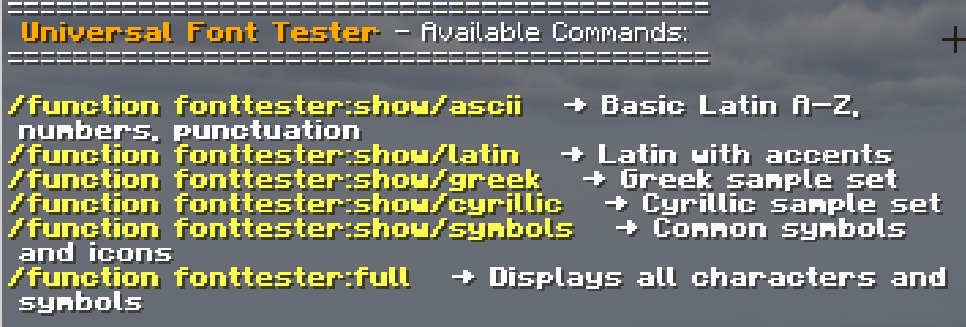
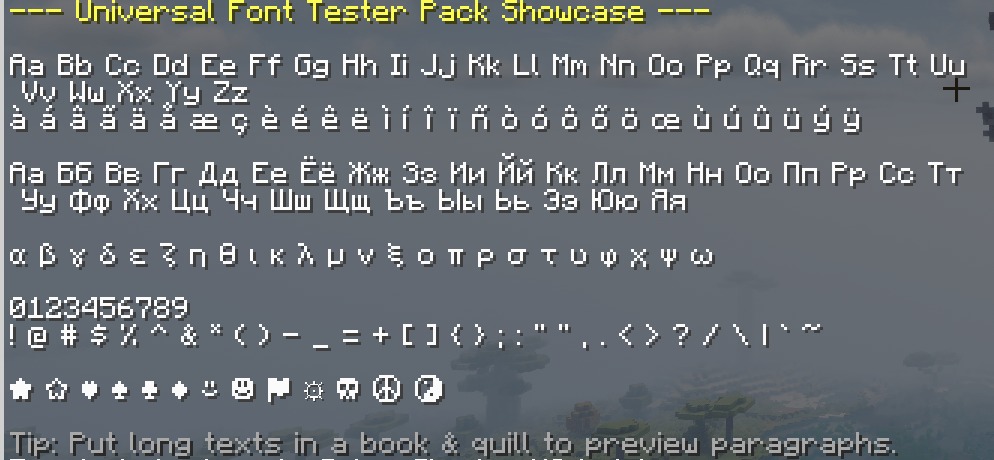
Universal Font Tester Data Pack prints full alphabets and symbols directly into your chat box. It helps you check how different text styles look while you play. You can quickly see numbers, special characters, and letters from multiple languages without leaving your world. This pack makes it easy to test readability when you try out new resource packs that change the game’s text.
Features:
- Real-Time Previews: Prints character sets directly into your chat screen.
- Helps you check if custom text is easy to read in menus and messages.
- Shows basic letters, numbers, and special symbols in a neat layout.
- Includes support for Greek, Cyrillic, and extended accented characters.
- Runs smoothly on servers and works safely in any of your worlds.
Commands:
/function fonttester:help: opens a clickable menu with all options./function fonttester:show/ascii: prints basic letters, numbers, and punctuation./function fonttester:show/latin: shows letters with special accents./function fonttester:show/greek: displays the Greek alphabet./function fonttester:show/cyrillic: displays the Cyrillic alphabet./function fonttester:show/symbols: prints common icons and special marks./function fonttester:full: shows every single character and symbol at once.
How to Use:
- Put the resource pack that contains your custom text at the very top of your active list.
- Type /reload in your chat to make sure the game loads the files.
- Type /function fonttester:help to open the main menu.
- Click on any of the green text options in your chat to print the test samples.
Screenshots:
Universal Font Tester Data Pack Download Links
Verified by MCModsHub
- Downloads as 396889.mcpack
- Download size: 573 KB
- Download link checked 10 Aug 2026 — working
- Mirrored on our own servers — the download does not depend on the original host
These come from our own check of the pack file, not from the source page.