
♡ !Ithaqualand
Bedrock add-on listed for Minecraft 26.x. File opened and checked on 9 Oct 2026; installs from the MC Bedrock Mods app on Android.
⬇ Download on CurseForge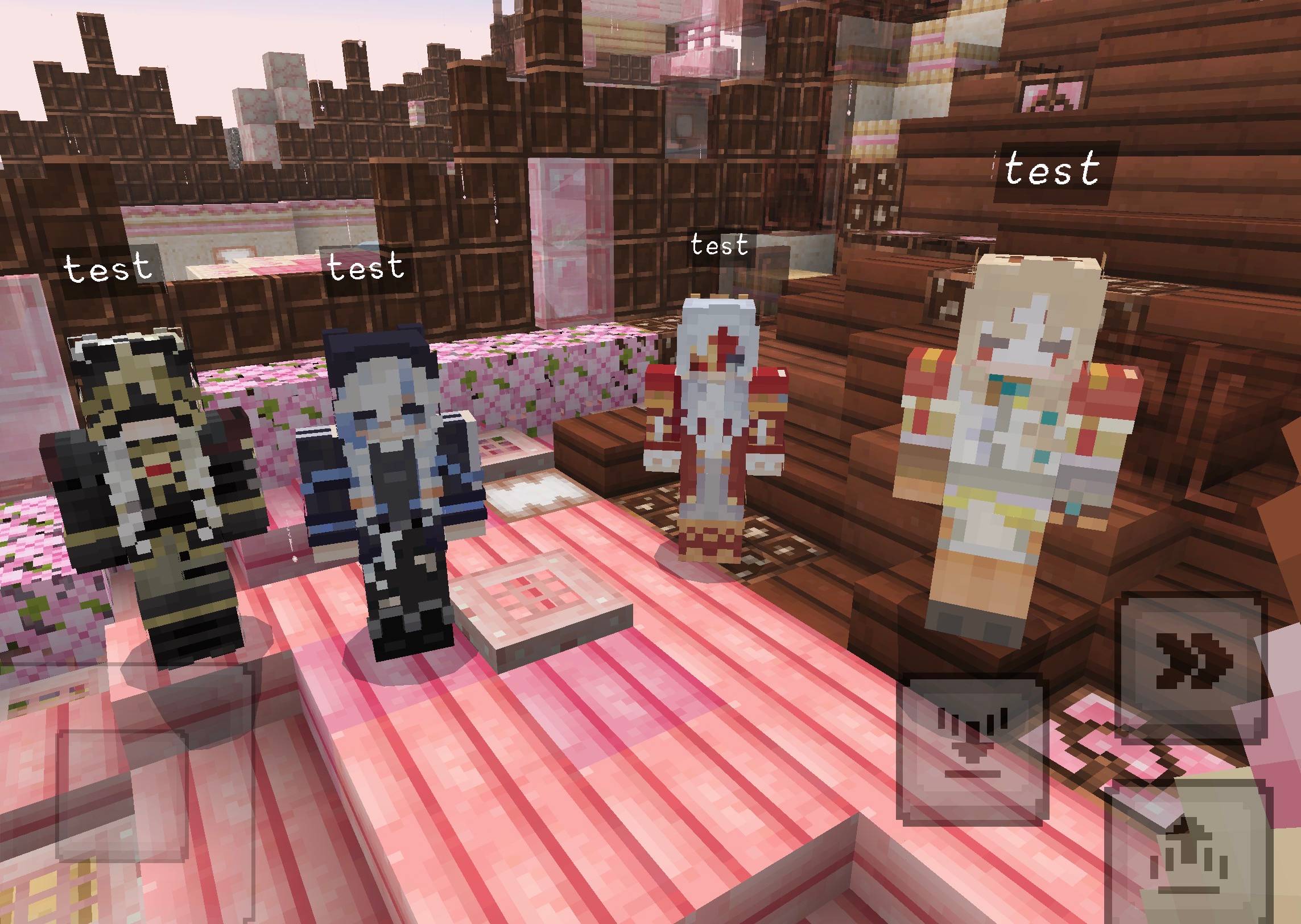
⊹₊˚‧︵‿₊୨ᰔ୧₊‿︵‧˚₊⊹
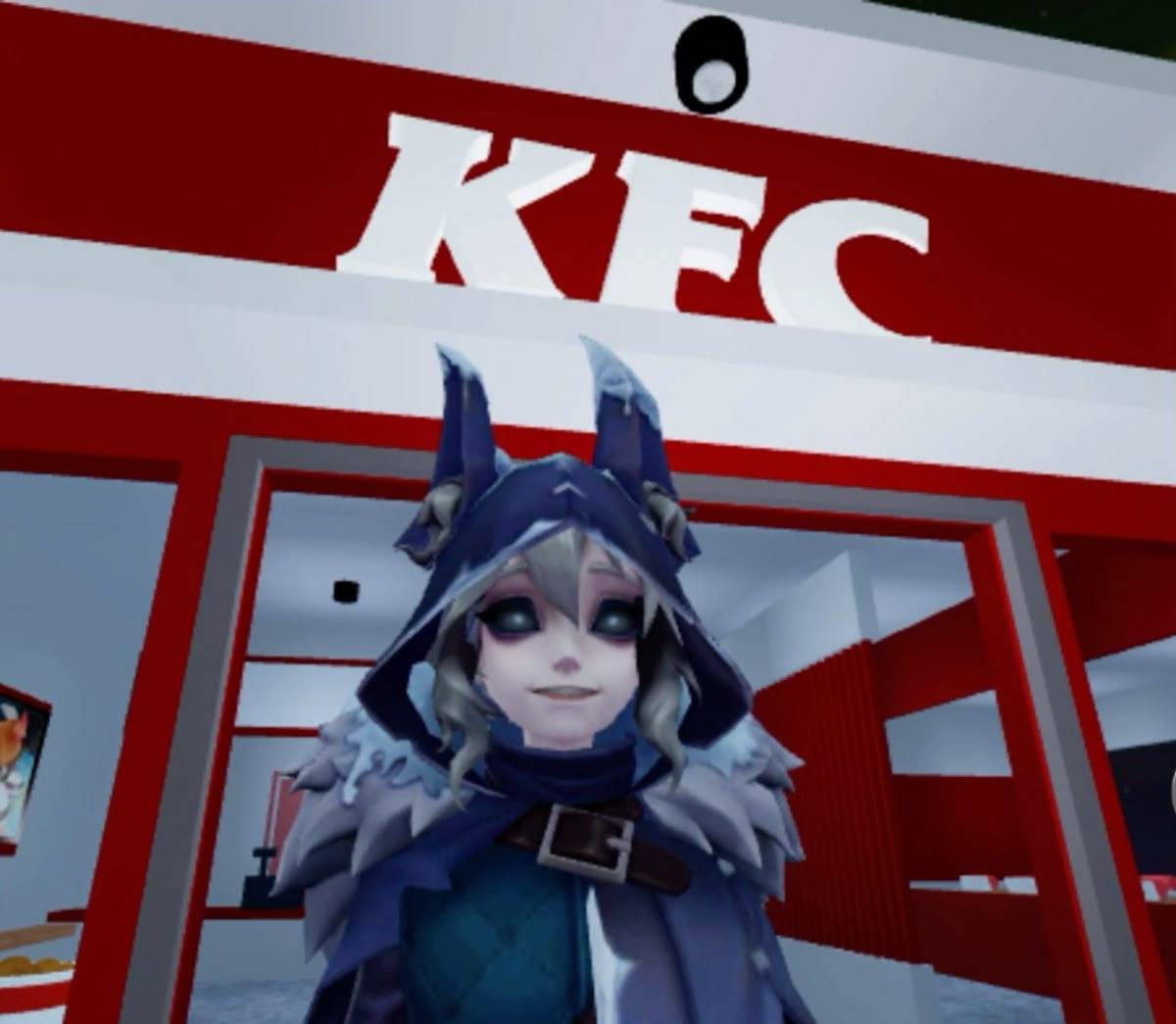
An identity v free Addon that adds Ithaqua's to your game!
! since it loads multiple Ithaqua's, It may cause some crashes and potential lags when spawning (or holding the eggs of) said ithaquas , but overall will not affect normal gameplay !
IMPORTANT !! this addon itself has some bugs on its own, so plz go thru my profile here and you'll find a seperate Addon that you MUST download / Import alongside this addon-- because the other Addon fixes the bugs of this Addon and therefore must be imported / downloaded together into the game for this Addon's best performance.
please be aware that this is still in the beta / early phase, so expect some bugs.
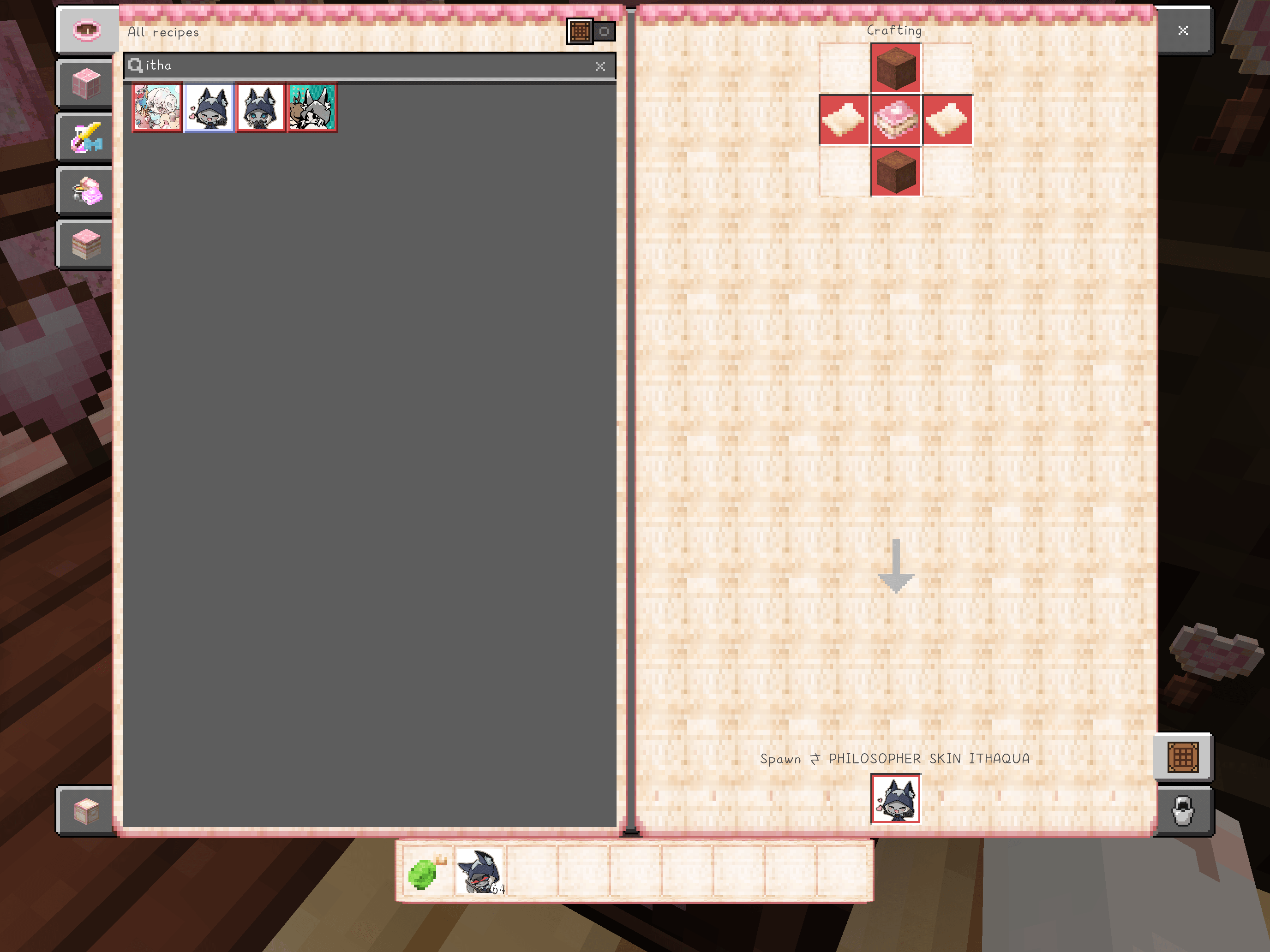
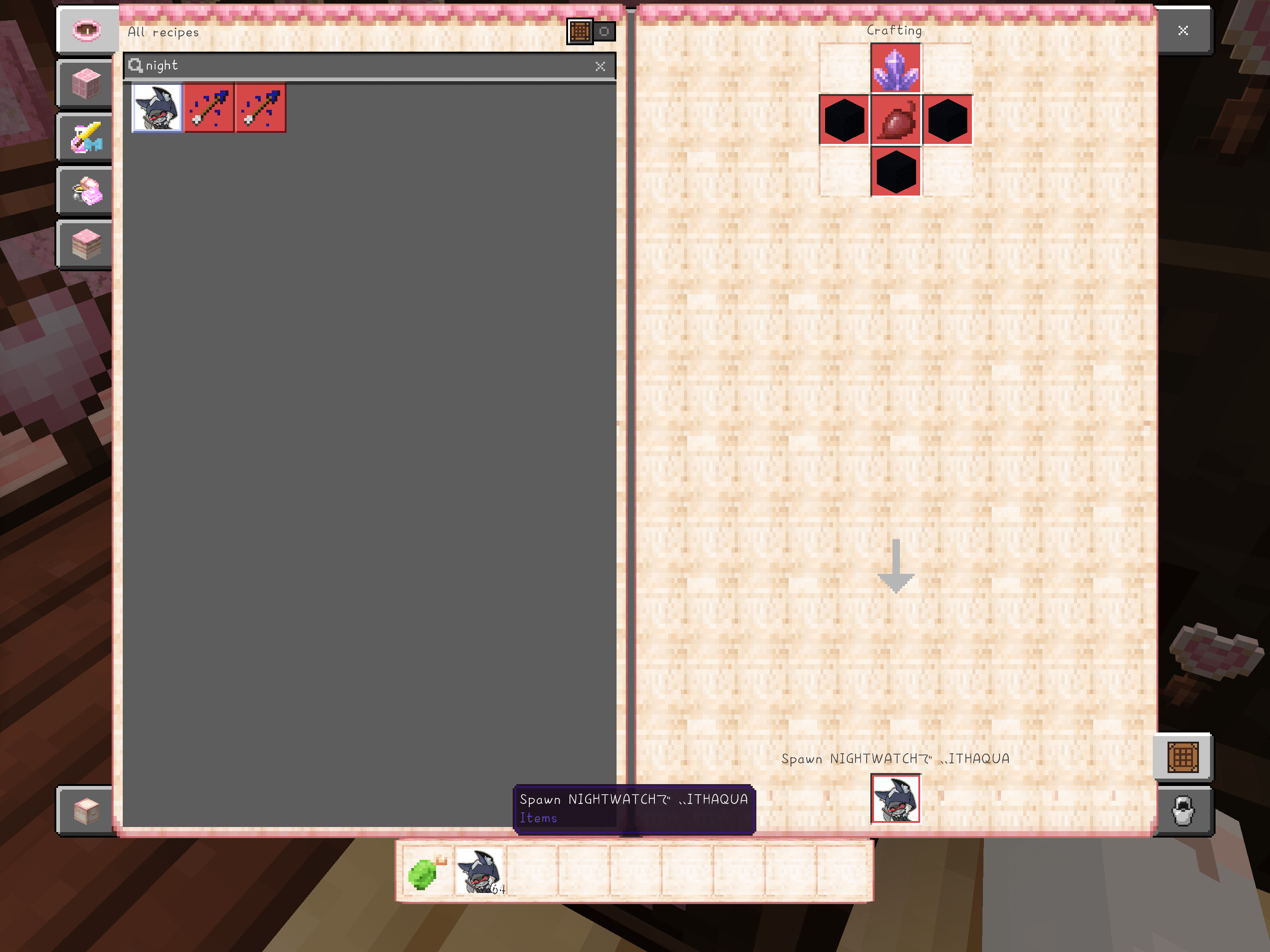
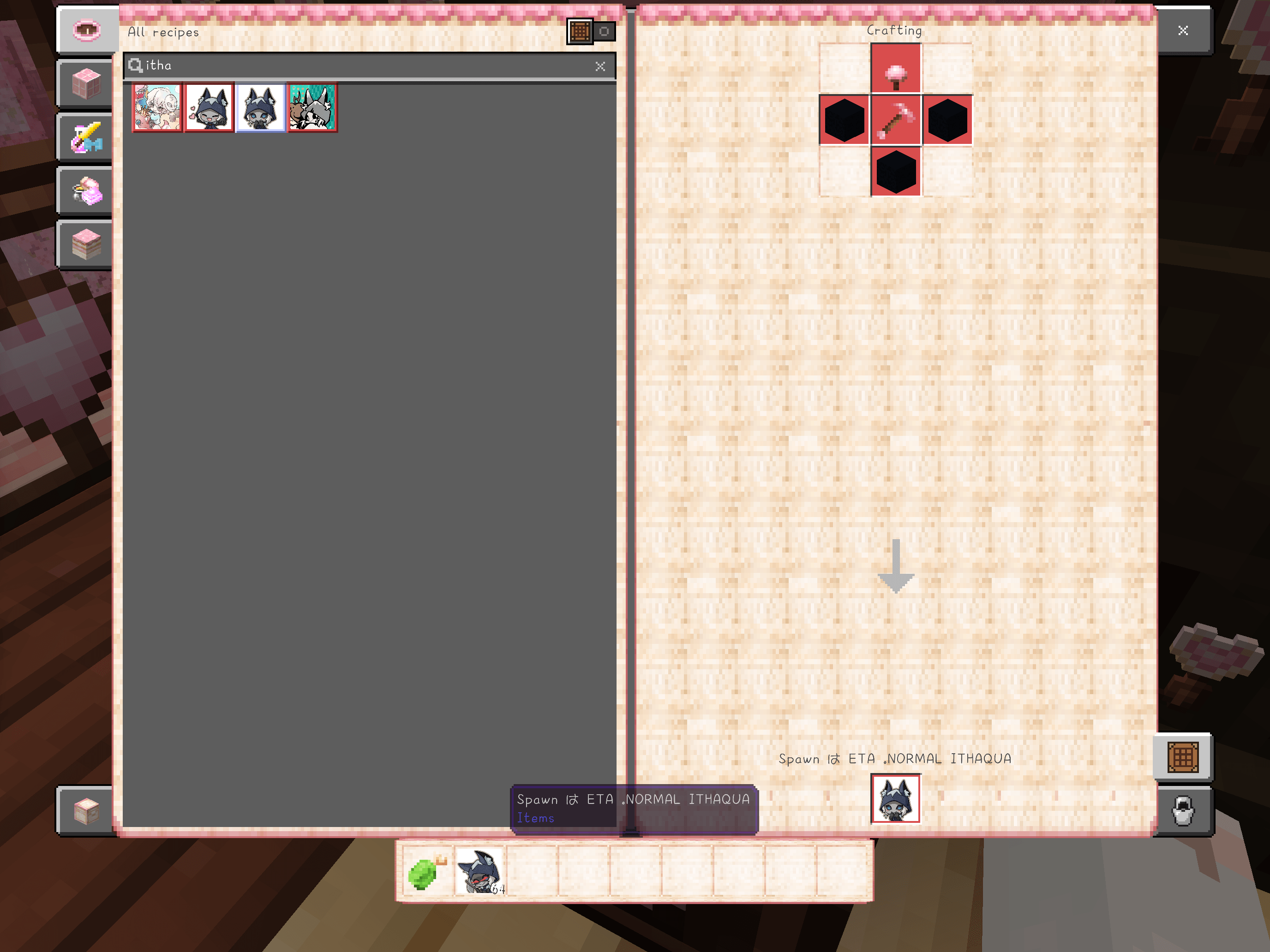
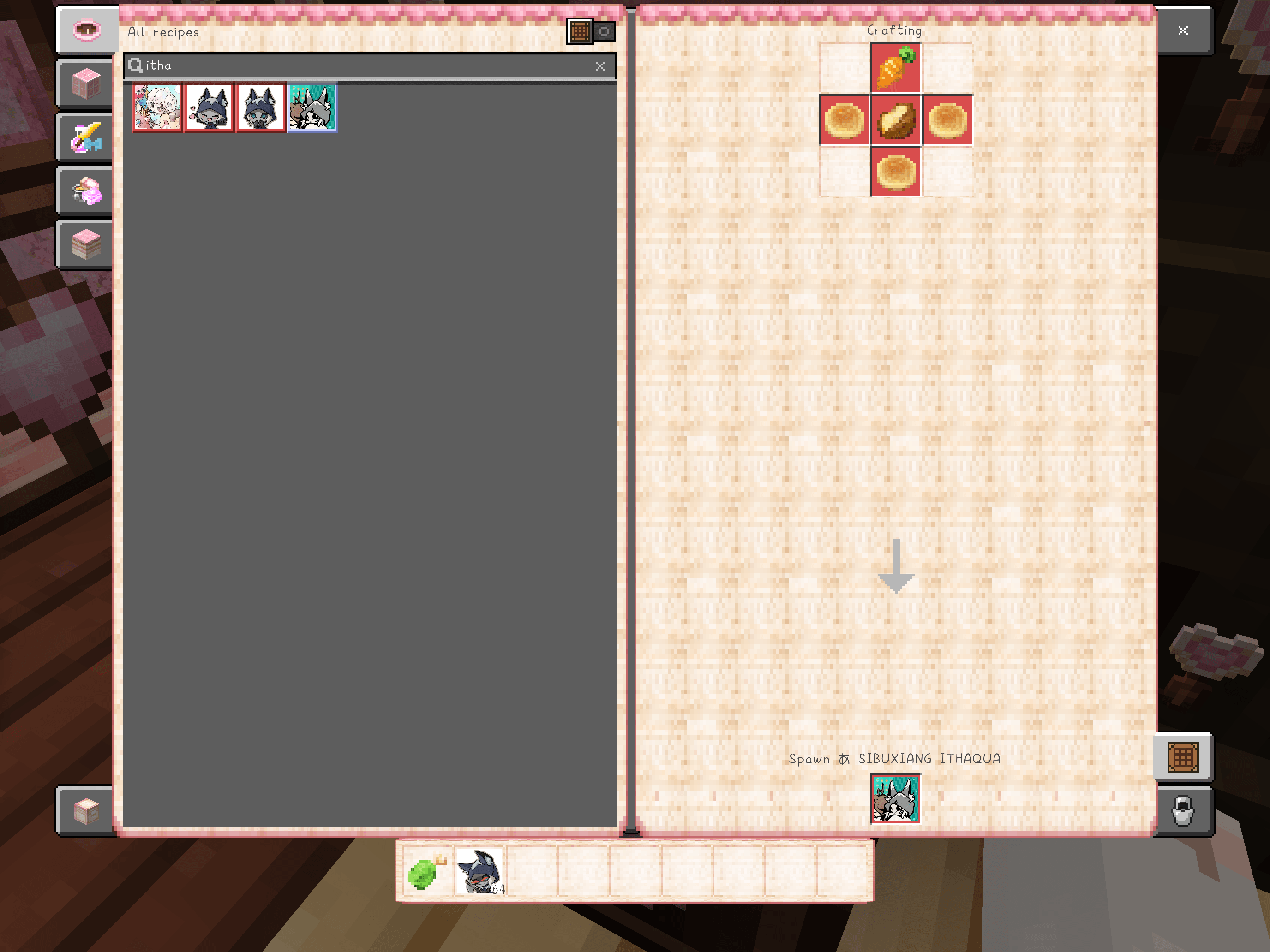
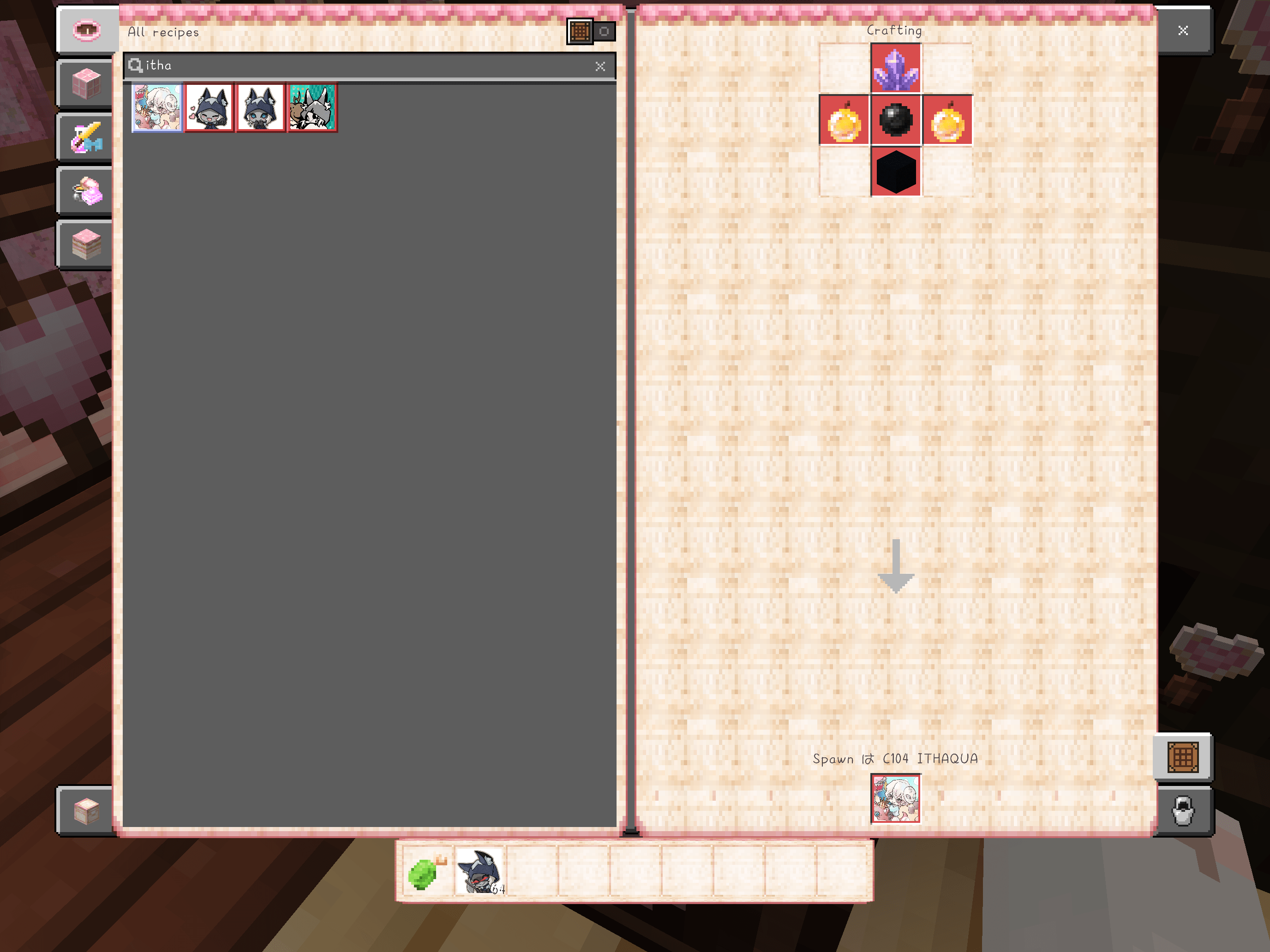
For Crafting Guide; look thru the attached images.
Tame Guide:
philosopher / Helios likes Sweet Berries
C104 Ithaqua likes Cookies
Sibuxiang / furrythaqua likes Cooked Rabbit
Morningstar likes Beet Stew
Normal Skin Ithaqua / Eta likes RAW Cod
To make the ithaquas "sit" or "stand," you have to crouch to see the option.
So far, we only have about four variations of skins for our Ithaquas , seperated into their own individual eggs.
For now..(Future Incoming fixes:) these ithaquas are not able to snack, or have an interaction system yet -- but i added their own ingame audio to make up for that ( volume warning if you hit Helios skin lol ) ,and hopefully to fix the lag..
but these Ithaquas are really suitable if you just want them to be in their world to chill or be ur companion lol -- but when I do find a way to add any of these interactions for the Ithaquas, I will be implementing them in their code, testing, then upload asap!
And each of these Ithaquas are different on their own terms
ALSO, don't forget to look thru these images 4 their crafting recipes lol
- Edition: Minecraft Bedrock
- File type: .mcpack or .mcaddon
- Minecraft versions listed: 26.0.02, 26.0, 26.3
- How to install: Download the .mcpack or .mcaddon file. → Open it — Minecraft imports it. → In your world: Behavior Packs → Available → Activate, then the same under Resource Packs.
- Where to get it: Opens on CurseForge — not every file is mirrored on our own servers.
Install steps are the general flow for this file type — How to install Minecraft Bedrock addons & mods walks through it step by step.
- Pack type: .mcaddon — behaviour and resource pack in one file
- Download size: 4.1 MB
- Download link checked 12 Oct 2026 — working
These come from our own check of the pack file, not from the source page.