
AddonsBedrock
Permission Manager by Srkuls
Bedrock add-on listed for Minecraft 26.x. File opened and checked on 10 Oct 2026; installs from the MC Bedrock Mods app on Android.
An operator (OP) GUI addon for Minecraft Bedrock Edition to dynamically control, toggle, or freeze all 12 player input permissions (movement, jump, sneak…
⬇ Download on CurseForge
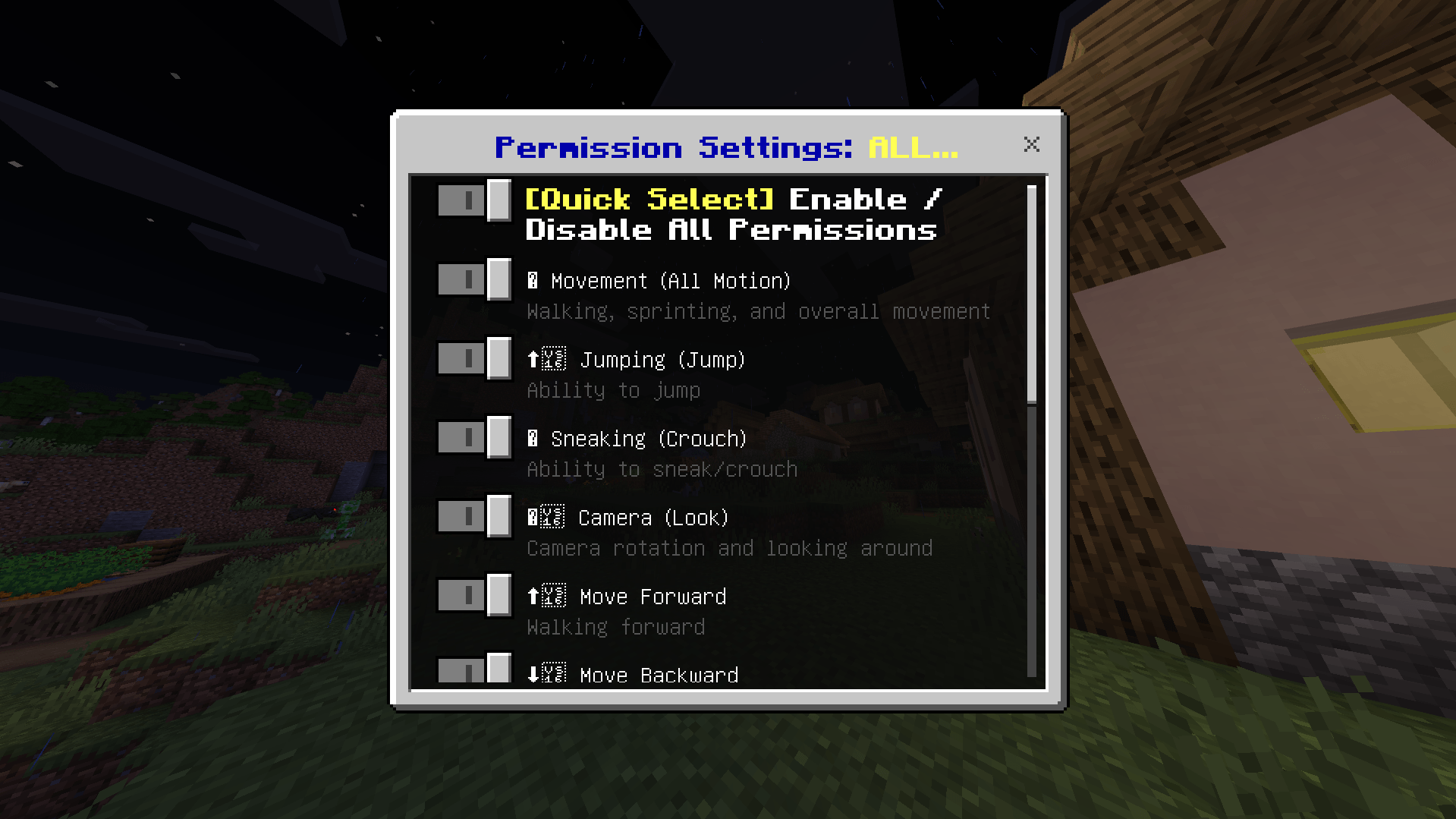
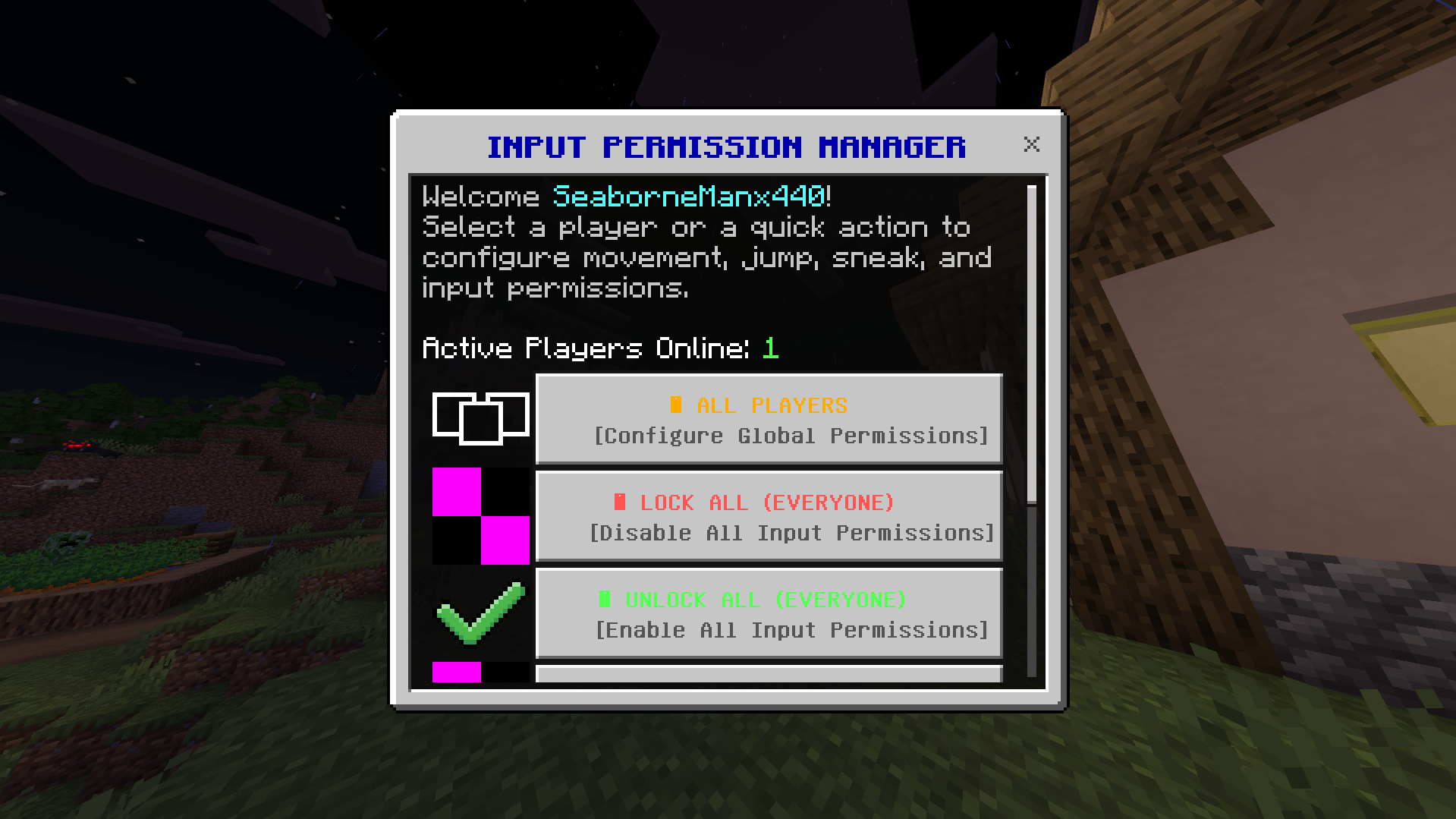
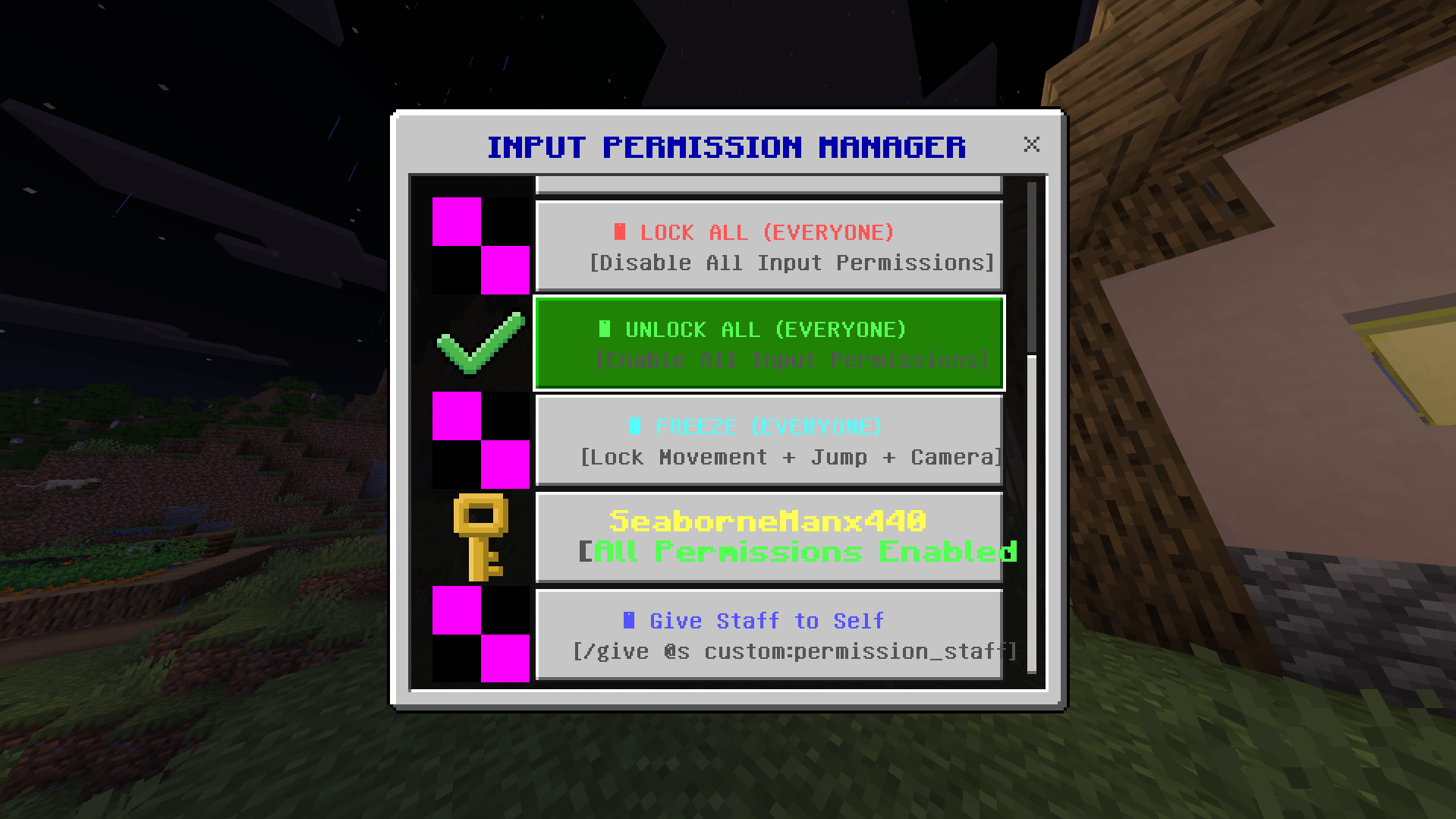
# ⚙️ Permission Manager by Srkuls (Bedrock Addon)
**Permission Manager by Srkuls** is a lightweight, powerful operator GUI addon for Minecraft Bedrock Edition. Designed for server admins, realm owners, map creators, and event managers, it gives operators complete real-time control over **all 12 input permissions** of any player in the world via a user-friendly UI menu.
---
## 🌟 Key Features
- **🎮 Complete 12-Input Permission Control:**
- 👟 **Movement** — Toggle walking, running, and all spatial movement.
- ⬆️ **Jumping** — Toggle player jump ability.
- 🧘 **Sneaking** — Toggle crouch / sneak capability.
- 👁️ **Camera** — Toggle camera rotation and looking around.
- ⬆️ **Move Forward** — Toggle forward movement specifically.
- ⬇️ **Move Backward** — Toggle backward movement specifically.
- ⬅️ **Move Left** — Toggle strafe left movement.
- ➡️ **Move Right** — Toggle strafe right movement.
- ↔️ **Lateral Movement** — Toggle all side-to-side strafing.
- 🐎 **Mounting** — Toggle mounting horses, boats, minecarts, etc.
- 🚪 **Dismounting** — Toggle dismounting vehicles or mounts.
- 🎒 **Hotbar Selection** — Toggle active item slot changing.
- **🛡️ Operator (OP) Security Verification:**
- Securely checks for operator status before opening any UI.
- Non-OP players cannot access or execute permission changes.
- Optional fallback tag: `/tag @s add op` allows designated admin staff to access the GUI without full server OP level if desired.
- **🪄 Custom Admin Item ("Input Permission Staff"):**
- Includes custom item (`custom:permission_staff`).
- Right-click / use while holding to open the GUI instantly.
- Obtainable via `/give @s custom:permission_staff` or via the in-game GUI menu.
- **⚡ Quick Action Presets:**
- 🔴 **Lock All (Everyone):** Instantly disable all input permissions for all online players.
- 🟢 **Unlock All (Everyone):** Instantly restore all input permissions for all online players.
- 🥶 **Freeze (Everyone):** Lock movement, jumping, camera, sneaking, and hotbar selection simultaneously (perfect for server cutscenes, jail systems, or events).
- **💬 Chat & Script Commands:**
- Type `!permissions`, `!inputgui`, or `!perm` in chat to open the GUI menu without needing the item.
- Compatible with `/scriptevent custom:input_gui`.
---
## 🚀 Installation & Requirements
1. Download `InputPermissionManager.mcaddon`.
2. Double-click the file to import it into Minecraft Bedrock Edition.
3. Open your World Settings:
- Under **Behavior Packs**, activate **Permission Manager by Srkuls BP**.
- Under **Resource Packs**, activate **Permission Manager by Srkuls RP**.
- Under **Experiments**, enable **Beta APIs** (Required for Script API UI forms).
4. Join your world as an Operator (OP) and use `/give @s custom:permission_staff` or type `!permissions` in chat!
---
## 📄 License & Terms of Use
Created by **Srkuls**. Free to use in singleplayer worlds, multiplayer realms, and public servers. Feel free to feature this addon in videos or include it in modpacks with credit!
Quick facts
- Edition: Minecraft Bedrock
- File type: .mcpack or .mcaddon
- Minecraft versions listed: 26.0.02, 26.0, 26.3
- How to install: Download the .mcpack or .mcaddon file. → Open it — Minecraft imports it. → In your world: Behavior Packs → Available → Activate, then the same under Resource Packs.
- Where to get it: Opens on CurseForge — not every file is mirrored on our own servers.
Install steps are the general flow for this file type — How to install Minecraft Bedrock addons & mods walks through it step by step.
File checked by MCModsHub
- Pack type: .mcaddon — behaviour and resource pack in one file
- Download size: 914 KB
- Download link checked 12 Oct 2026 — working
These come from our own check of the pack file, not from the source page.