
Elytra Lumina Mod
Java mod listed for Minecraft 1.21. Downloads from the MC Java Mods app on Android.
⬇ Download on Modrinth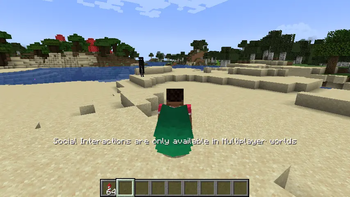
ElytraLuminaMod
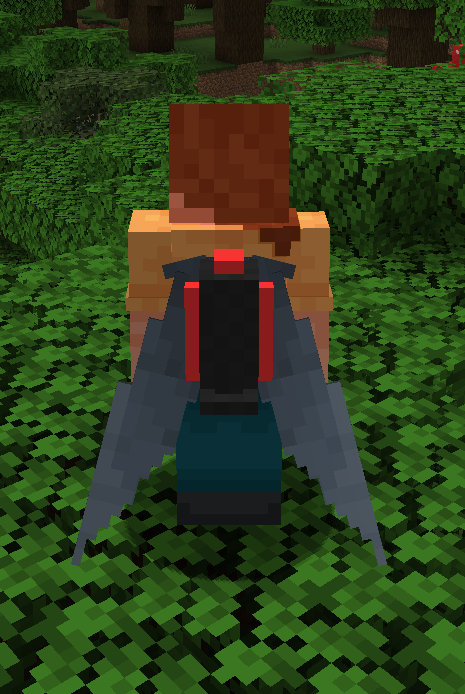
Give worn elytra and player capes a luminous, animated makeover. ElytraLuminaMod adds configurable glow and motion effects, plus an optional pointed elytra shape, while keeping the controls entirely client-side.
Features
- Full-bright fluorescent glow
- Pointed, customizable slick elytra geometry
- Color shifting and pulsing brightness
- Speed-reactive color and intensity
- Shimmer highlights and moving color waves
- Complementary dual-wing gradients
- A brief landing flash
- Animated mirror-like sheen
- Effects on worn elytra and player capes
- Optional multiplayer synchronization when installed on a Fabric server
- Optional ElytraBoosterMod compatibility
Every effect can be enabled or disabled with /elytralumina client commands.
Settings persist in config/elytraluminamod.json. The slick geometry mask and
pack settings can also be edited in config/elytraluminamod/.
Requirements and compatibility
- Minecraft 1.21.1
- Fabric Loader 0.16.0 or newer
- Fabric API
- Java 21
The mod works as a client-only installation. Installing the same version on a Fabric server lets modded clients share their enabled effect states so other players can render them.
ElytraBoosterMod is supported as an optional integration and is not required.
Installation
- Install Fabric Loader for Minecraft 1.21.1.
- Add Fabric API and ElytraLuminaMod to the
modsfolder. - Launch the game and use
/elytraluminato view or change effects.
See the included tutorial.txt for all commands, configuration details, slick
geometry customization, and troubleshooting.
- Edition: Minecraft Java
- File type: .jar
- Minecraft version listed: 1.21.1
- How to install: Install the matching mod loader (Forge, Fabric or NeoForge) for your Minecraft version. → Download the .jar. → Put it in the .minecraft/mods folder and launch that loader profile.
- Where to get it: Opens on Modrinth — not every file is mirrored on our own servers.
Install steps are the general flow for this file type — How to install Minecraft Java mods & modpacks walks through it step by step.
- Ships as elytraluminamod-2.0.0.jar — drop this file into the mods folder
- Download size: 455 KB
- Download link checked 13 Oct 2026 — working
These come from our own check of the pack file, not from the source page.