
JumpDuplicator
Java mod listed for Minecraft 26.x. Downloads from the MC Java Mods app on Android.
Jump Duplicator is a server-side Fabric mod for Minecraft Java Edition 26.2. When a survival or adventure player starts a valid jump, nearby non-player…
⬇ Download on Modrinth
Jump Duplicator
Jump Duplicator is a server-side Fabric mod for Minecraft Java Edition 26.2. When a survival or adventure player starts a valid jump, nearby non-player entities are copied around the player.
Installation
- Install Fabric Loader 0.19.3 or newer for Minecraft 26.2.
- Install Fabric API for Minecraft 26.2 on the server.
- Put the built
jumpduplicatorJAR into the servermodsfolder. - Start the server once to create
config/jumpduplicator.json.
The mod runs its logic on the logical server. Clients do not need the mod installed for multiplayer servers.
Building
Use the Gradle wrapper:
./gradlew build
On Windows:
.\gradlew.bat build
The remapped mod JAR is written to build/libs/.
Commands
Root command aliases:
/jumpduplicator/jumpdupe/jd
Available commands:
/jumpduplicator help/jumpduplicator status/jumpduplicator enable/jumpduplicator disable/jumpduplicator reload/jumpduplicator radius <value>/jumpduplicator offset <value>/jumpduplicator amount <value>/jumpduplicator cooldown <ticks>/jumpduplicator maxentities <amount>/jumpduplicator notify <true|false>/jumpduplicator duplicate
Administrative commands require the configured vanilla permission level. /jumpduplicator duplicate manually runs duplication for the executing player.
Configuration
The config file is config/jumpduplicator.json and is created automatically on first launch.
{
  "enabled": true,
  "radius": 16.0,
  "verticalOffset": 1.0,
  "duplicationAmount": 1,
  "cooldownTicks": 1,
  "maximumEntitiesPerJump": 1000,
  "duplicateItems": true,
  "duplicateOnlySingleItems": true,
  "duplicateExperienceOrbs": true,
  "duplicatePassiveMobs": true,
  "duplicateHostileMobs": true,
  "duplicateVillagers": true,
  "duplicateProjectiles": true,
  "duplicateVehicles": true,
  "duplicateArmorStands": true,
  "duplicateTnt": true,
  "duplicateFallingBlocks": true,
  "duplicateOtherEntities": true,
  "copyVelocity": true,
  "copyCustomNbt": true,
  "requirePermission": false,
  "permissionLevel": 2,
  "notifyPlayer": false,
  "skipBosses": true,
  "skipTamedEntities": false,
  "skipNamedEntities": false,
  "safeSpawnCheck": true
}
Invalid values are clamped back to safe ranges during load. Use /jumpduplicator reload to reload the config without restarting.
Performance Warning
Entity duplication can create severe server lag. Keep radius, duplicationAmount, and maximumEntitiesPerJump conservative, especially on public servers or farms with many item entities.
Example Behavior
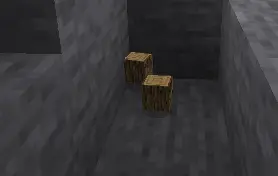
If a dropped stack of oak logs is within the radius and a player starts a valid jump, a copied item entity appears on the same X/Z position with verticalOffset applied. By default, item stack copies contain only 1 item, even when the original stack contains more.
- Edition: Minecraft Java
- File type: .jar
- Minecraft version listed: 26.2
- How to install: Install the matching mod loader (Forge, Fabric or NeoForge) for your Minecraft version. → Download the .jar. → Put it in the .minecraft/mods folder and launch that loader profile.
- Where to get it: Opens on Modrinth — not every file is mirrored on our own servers.
Install steps are the general flow for this file type — How to install Minecraft Java mods & modpacks walks through it step by step.
- Ships as jumpduplicator-1.0.0.jar — drop this file into the mods folder
- Download size: 26 KB
- Download link checked 13 Oct 2026 — working
These come from our own check of the pack file, not from the source page.