Server profiles
Java mod listed for Minecraft 1.21. Downloads from the MC Java Mods app on Android.
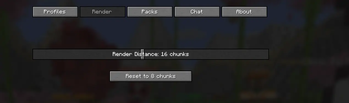
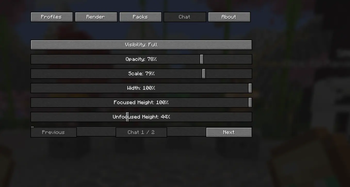
Automatically applies custom render distance, resource-pack, and chat settings for each Minecraft server you join.
⬇ Download on Modrinth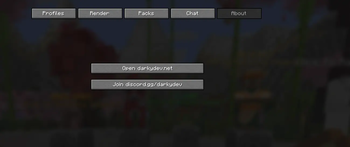
Darky Server Profiles
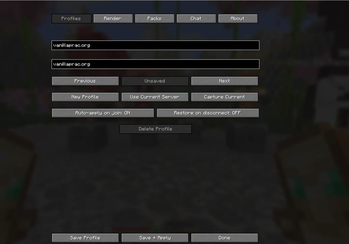
Darky Server Profiles is a client-side Fabric mod that lets you create custom settings for each Minecraft server you play on. Instead of manually changing your setup every time you switch servers, the mod automatically loads the profile saved for that server.
Features
- Create separate profiles for different Minecraft servers
- Save custom render-distance settings
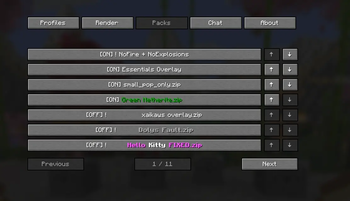
- Automatically apply selected resource packs
- Configure server-specific chat settings
- Use an editable multi-page HUD
- Quickly manage and switch between saved profiles
- Includes convenient website and Discord links inside the mod menu
- Designed to keep server settings organized and consistent
Compatibility
- Minecraft 1.21.11
- Fabric Loader
- Client-side only
Each profile is stored locally on your computer and only affects your own Minecraft client. Server owners and other players cannot see or control your saved profile settings.
- Edition: Minecraft Java
- File type: .jar
- Minecraft version listed: 1.21.11
- How to install: Install the matching mod loader (Forge, Fabric or NeoForge) for your Minecraft version. → Download the .jar. → Put it in the .minecraft/mods folder and launch that loader profile.
- Where to get it: Opens on Modrinth — not every file is mirrored on our own servers.
Install steps are the general flow for this file type — How to install Minecraft Java mods & modpacks walks through it step by step.
- Ships as darky-server-profiles-1.0.3+1.21.11-fixed.jar — drop this file into the mods folder
- Download size: 31 KB
- Download link checked 13 Oct 2026 — working
These come from our own check of the pack file, not from the source page.