Project Fruit
Minecraft Java mod. Downloads from the MC Java Mods app on Android.
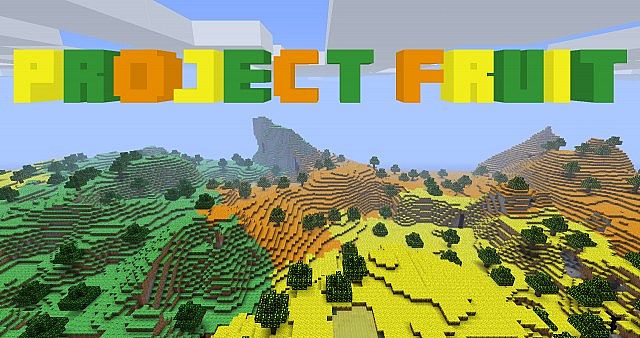
⬇ Download on CurseForgeWith Project Fruit I built around the Lemon Land mod and added a whole new dimension that's made of fruit. When you enter the fruit dimension you'll see four different biomes. The lemon biome, the lime biome, orange biome and the blueberry biome.
Be sure to follow me on twitter to see the latest news and pics.
How you can help:
We are not looking for anyone to help texture or code. We are looking for people to report bugs and give us ideas! So if you find a bug, please report it here. If you have an idea, please submit it here and mark it as a enhancement. Thank you!
Installation:
1: Download and install Forge.
2: Download Project Fruit.
3: Move “Project Fruit x.x.x.jar/.zip” to your mods folder inside your .minecraft folder.
4. Enjoy the mod!
- Edition: Minecraft Java
- File type: .jar
- How to install: Install the matching mod loader (Forge, Fabric or NeoForge) for your Minecraft version. → Download the .jar. → Put it in the .minecraft/mods folder and launch that loader profile.
- Where to get it: Opens on CurseForge — not every file is mirrored on our own servers.
Install steps are the general flow for this file type — How to install Minecraft Java mods & modpacks walks through it step by step.
- Ships as Project Fruit-1.7.10-1.1.9.jar — drop this file into the mods folder
- Download size: 427 KB
- Download link checked 13 Oct 2026 — working
These come from our own check of the pack file, not from the source page.