
Griswold's Workshop
Minecraft Java mod. Downloads from the MC Java Mods app on Android.
For 1.15.2-fabric version: Become a real Blacksmith in Minecraft. Mod NOT under development. Implemented Features - Adds Copper, Tin, Bronze, Platinum…
⬇ Download on CurseForge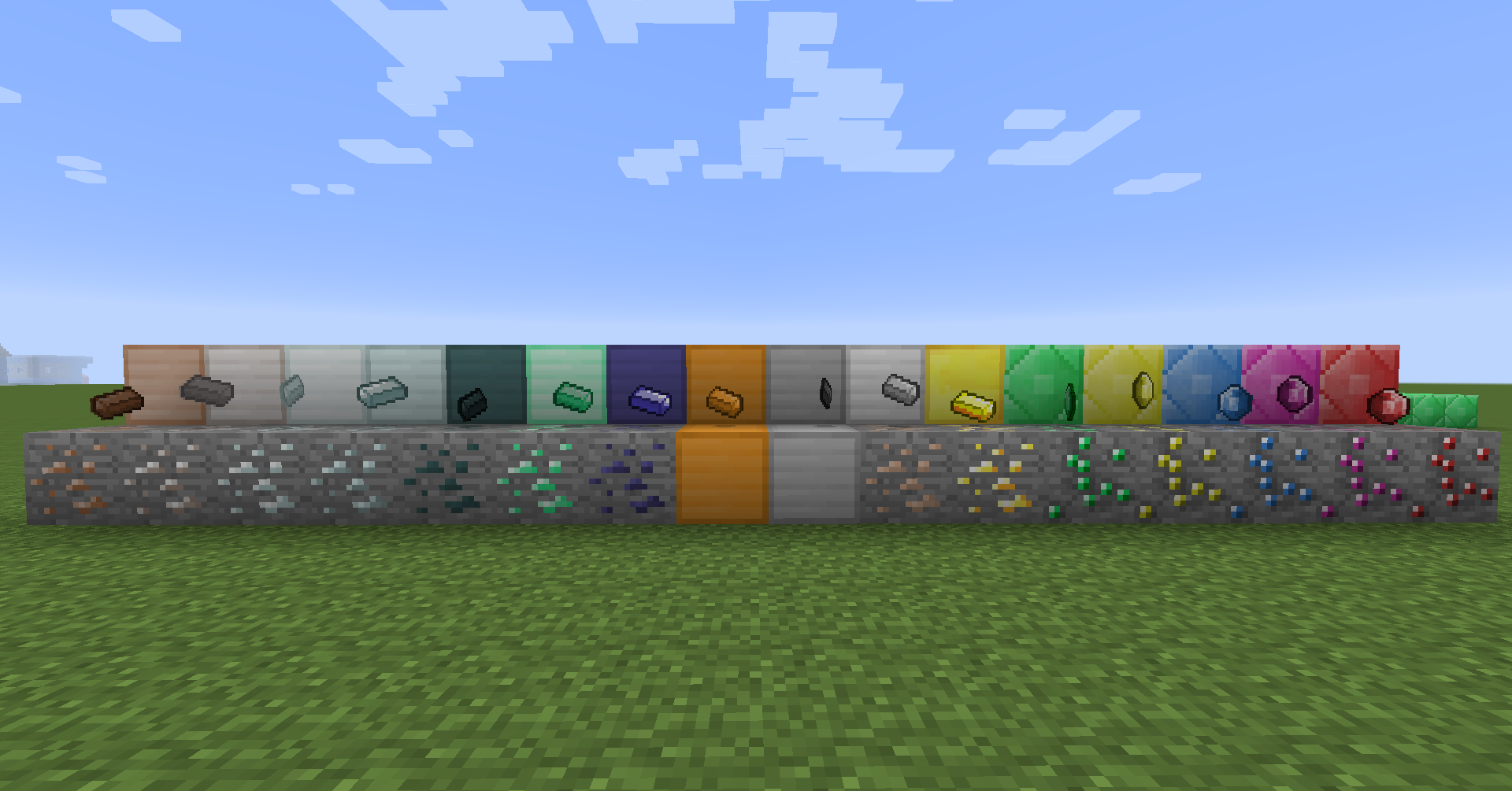
For 1.15.2-fabric version: https://www.curseforge.com/minecraft/mc-mods/griswolds-workshop-fabric
Become a real Blacksmith in Minecraft.
Mod NOT under development.
Implemented Features
- Adds Copper, Tin, Bronze, Platinum, Titanium;
- Adds Clay and Porcelain buckets;
- Adds Flint Tools;
- Put clay into a chest-like pattern in crafting table to create a Hammer Cast;
- Put the cast into the furnace and craft it with a metal block to create a Hammer;
- Use a Hammer to create Ore Dusts. Hammers can't crush metals that are harder than itself;
Planning Features (Not Implemented Yet):
- Use clay to create pots to store liquids and casts to forge tools.
- Add Mithrill Shrines in Overworld and Orichalcum Forges in the Nether.
- Add Blacksmith Forge to smelt Metals;
- Add Blacksmith Anvil to change Tools;
- Add Sockets to your weapon and transfer magic gems between them;
- Special Alloys combining different metals;
- Edition: Minecraft Java
- File type: .jar
- How to install: Install the matching mod loader (Forge, Fabric or NeoForge) for your Minecraft version. → Download the .jar. → Put it in the .minecraft/mods folder and launch that loader profile.
- Where to get it: Opens on CurseForge — not every file is mirrored on our own servers.
Install steps are the general flow for this file type — How to install Minecraft Java mods & modpacks walks through it step by step.
- Ships as gsworkshop-1.7.10-0.0.1.3.jar — drop this file into the mods folder
- Download size: 2.0 MB
- Download link checked 3 Nov 2026 — working
These come from our own check of the pack file, not from the source page.