Additional Tools and Armor
Minecraft Java mod. Downloads from the MC Java Mods app on Android.
⬇ Download on CurseForge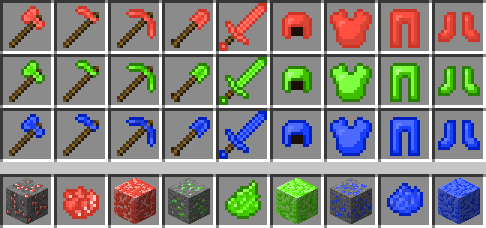
This mod requires Minecraft Forge to run correctly! Please make sure you have it installed and just drop the .jar file into your .minecraft/mods folder. Also, since this mod is built on Forge, the .jar file works on both Forge Client and Forge Server, so have fun if you run a server!
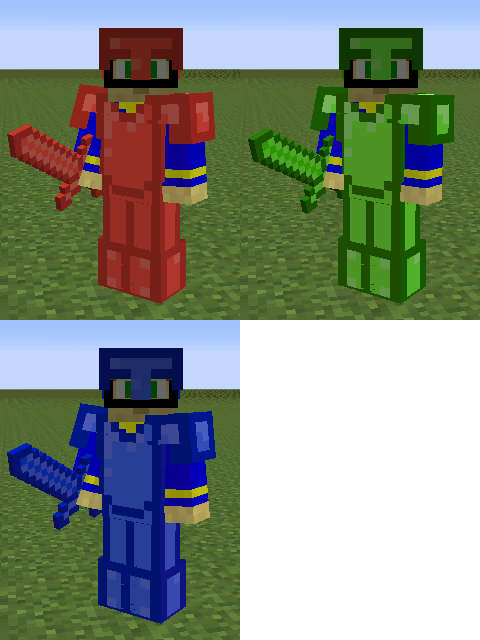
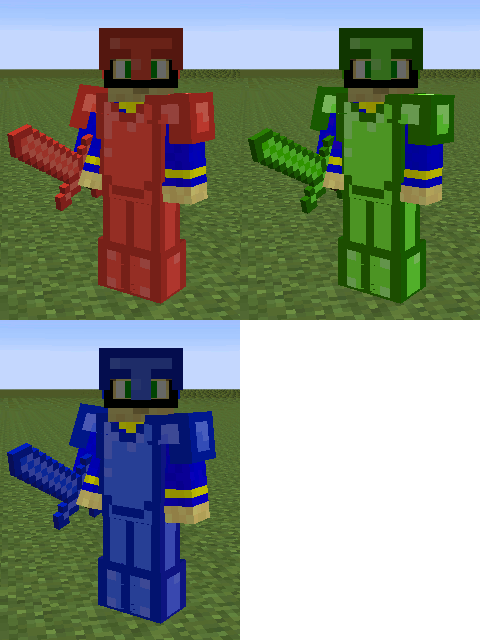
Additional Tools and Armor is an extension of my other mod, Refined Tools and Armor (However, this mod can run by itself. I say extension because both mods are built around the same concept). This mod adds three colored types armor and tools that have the same stats, which put them above Iron items but below Refined Iron items. Unlike Iron & Refined Iron items though, the armor and tools are very fertile to enchantments, since they are made of mineral gemstones. These minerals are as follows:
- Garnet: The red mineral, its ore block resembles Emerald ore. Its sprite is a recolor of Rose Dye.
- Malachite: The green mineral, its ore block resembles Gold ore. Its sprite is a recolor of Dandelion Dye.
- Sodalite: The blue mineral, its ore block resembles Lapis Lazuli ore. Its sprite is a recolor of Cyan Dye.
All of these minerals spawn up to level 40 in the map, and will be in veins of 6 or less. Like Coal and Diamond, they will be ready to use upon mining, but the ore requires an Iron pickaxe or better to harvest it. All crafting recipes for armor and tools is the same as regular Minecraft. There are also ore-storage blocks you can craft with 9 of each mineral, just like all vanilla resources. I hope you enjoy the new colors from this mod!
- Edition: Minecraft Java
- File type: .jar
- How to install: Install the matching mod loader (Forge, Fabric or NeoForge) for your Minecraft version. → Download the .jar. → Put it in the .minecraft/mods folder and launch that loader profile.
- Where to get it: Opens on CurseForge — not every file is mirrored on our own servers.
Install steps are the general flow for this file type — How to install Minecraft Java mods & modpacks walks through it step by step.
- Ships as ata-1.7.10-1.7.10.jar — drop this file into the mods folder
- Download size: 35 KB
- Download link checked 13 Oct 2026 — working
These come from our own check of the pack file, not from the source page.