ToolUtilities
Minecraft Java mod. Downloads from the MC Java Mods app on Android.
⬇ Download on CurseForge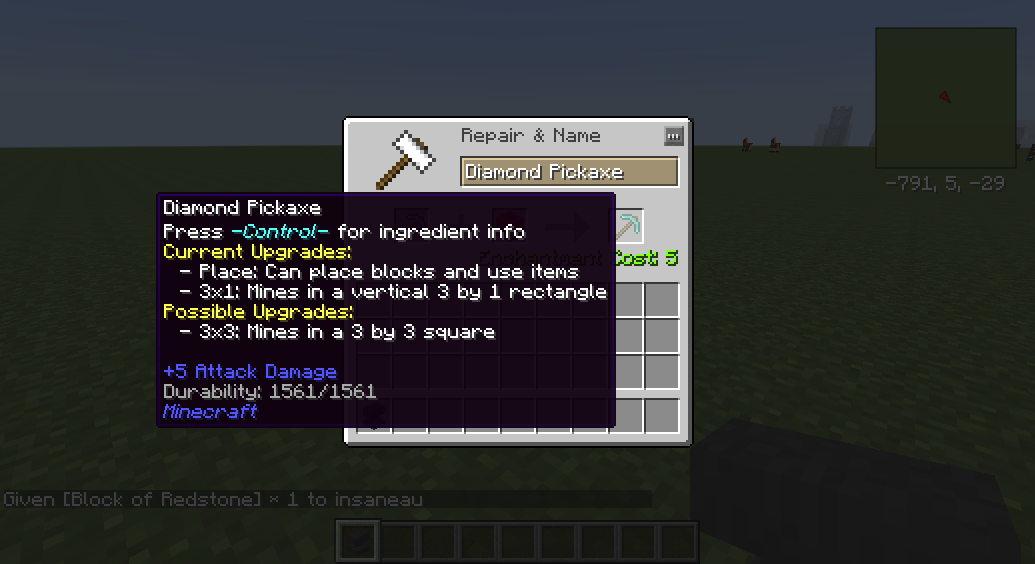
Tool Utilities
Ever wanted to have the convenience of being able to place torches on right click, or mine in an area but keep a "vanilla" feel? ToolUtilities is for you!
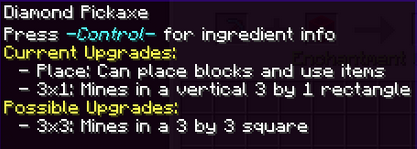
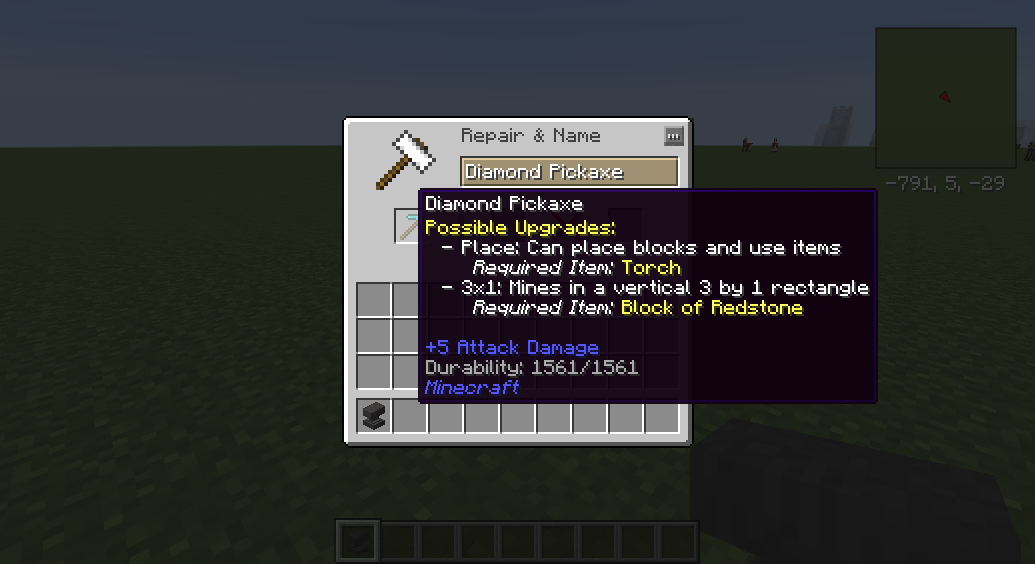
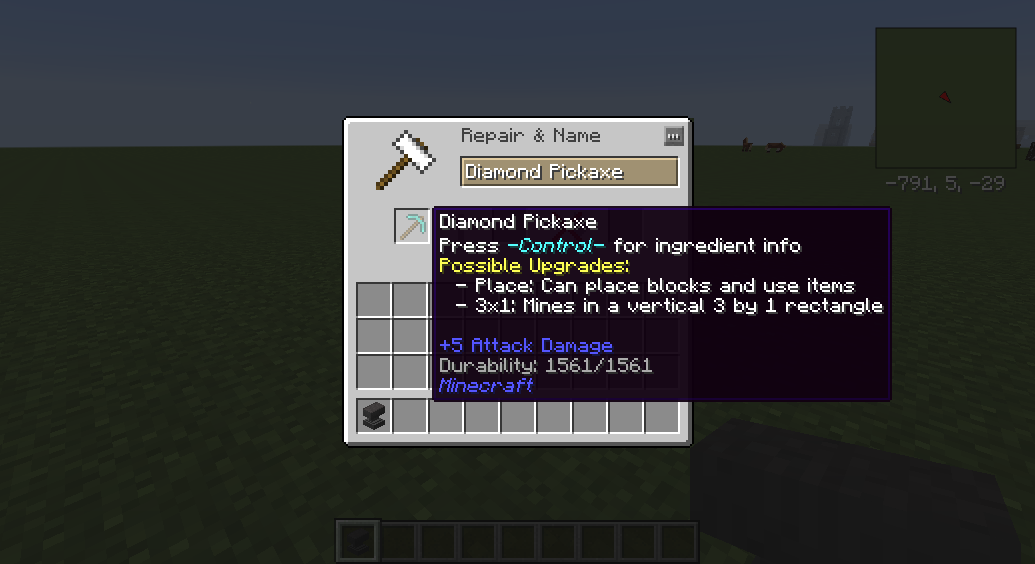
ToolUtilities adds a whole host of features to vanilla tools (and some mod tools that are similar in functionality), including "Tinkers style" right-click placing of blocks, mining in a 3x1 column or a 3x3 area, cutting sections of wood on trees and even attacking mobs in an AoE. All the upgrades happen in an anvil, with in-game tooltips providing informations to players about what items do what. Even better is that everything is fully configurable - the items required to upgrade, the experience required, and you can even turn every feature on and off separately.
Features
All Tools
All tools without a right click functionality (sorry swords and hoes) place blocks in the next slot over on right click, except for the first slot, which will use the last slot on the hotbar. Great for placing torches, or cobblestone to backfill holes!
Pickaxes/Shovels
Pickaxes and Shovels can also be upgraded with Area of Effect Mining. The first upgrade is to a 3x1 column, and then can be upgraded further to a 3x3. All Area of Effect additions use the correct durability and hunger, and also slow down the mining speed of the tool. Also, the area of effect respects the mining level of the tool and doesn't allow the mining of blocks that are "too much harder" than the original block (No fast obsidian mining using stone for you!)
Axes
Axes can be upgraded with a 3x1 Wood Cutting addition, making cutting those Dark Oaks so much nicer.
Swords
Swords can be upgraded with an area of effect ability, allowing you to hit multiple mobs in a small area with a single swing. Uses the correct hunger and durability for each entity hit.
Hoes
Hoes can be upgraded with a 3x3 grass cutting ability, making them act effectively like a "scythe" from roughly a million other mods.
Source Code
This project is licensed under the MIT license. This means you are free to modify and publish this code at will. The source code for this mod is available at http://www.github.com/wyldmods/ToolUtilities
If you have any ideas, feel free to suggest them!
Modpacks
Yes. Absolutely.
Bugs/Issues
Please report all issues on the GitHub: http://github.com/wyldmods/toolutilities/issues
Acknowledgements
Thanks especially to tterrag1098 for all his work in developing this mod alongside me, as well as to KiwiFails (http://www.twitch.tv/KiwiFails) and Wyld (http://www.twitch.tv/Wyld) for the ideas, and also to everyone who has helped test, fix and suggest the mod thus far.
- Edition: Minecraft Java
- File type: .jar
- How to install: Install the matching mod loader (Forge, Fabric or NeoForge) for your Minecraft version. → Download the .jar. → Put it in the .minecraft/mods folder and launch that loader profile.
- Where to get it: Opens on CurseForge — not every file is mirrored on our own servers.
Install steps are the general flow for this file type — How to install Minecraft Java mods & modpacks walks through it step by step.
- Ships as ToolUtilities-MC1.7.10-0.0.1-10.jar — drop this file into the mods folder
- Download size: 28 KB
- Download link checked 23 Sept 2026 — working
These come from our own check of the pack file, not from the source page.