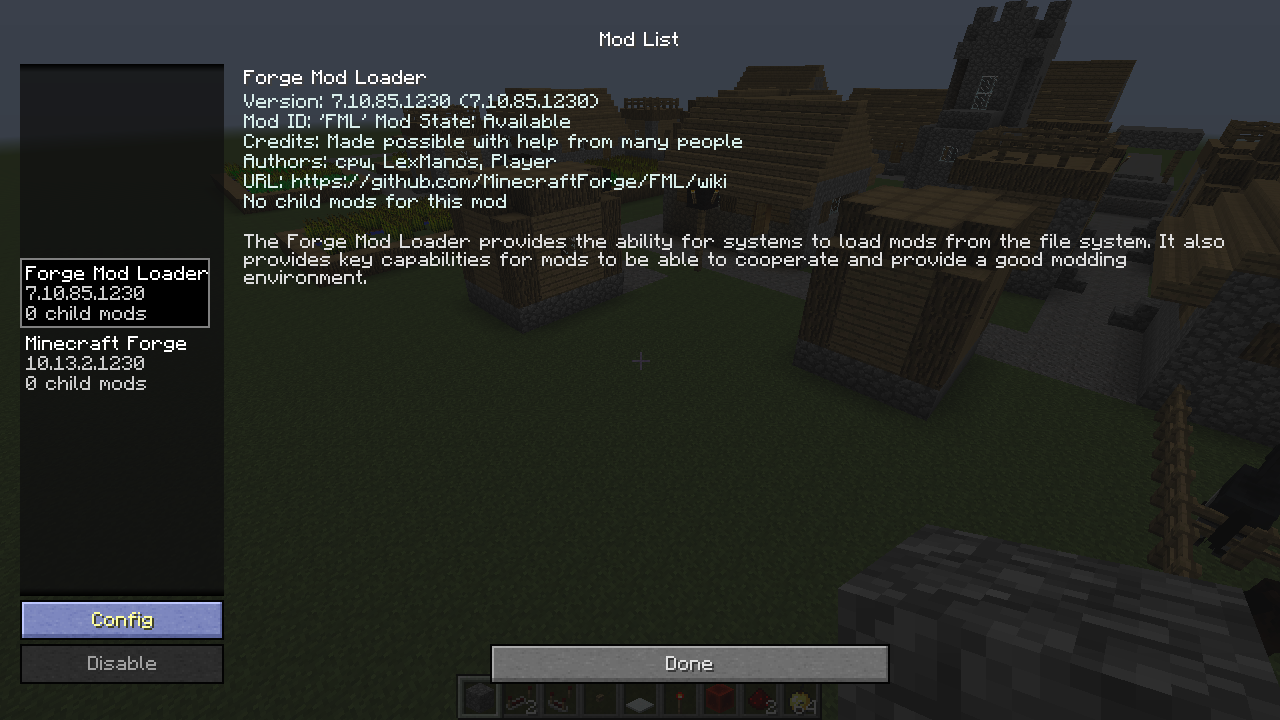
InGame Mod Configs
Minecraft Java mod. Downloads from the MC Java Mods app on Android.
⬇ Download on CurseForgeAbout
This mod replaces the current FML test config GUI screen with a copy of the GUI from the main menu, filtered to only show mods that support FML's fancy configs.
Note: if you use LunatriusCore you do not need this mod. It's already part of it.
Requirements
- Minecraft Forge
Installation
Just drop the file into your mods folder. That's it.
Modpacks: you can freely include any of the mods in your mod pack if the modpack is free (public or private). Mentioning me as the author is appreciated but not required.
Youtube/Streaming: you can monetize any videos you produce with the mod.
- Edition: Minecraft Java
- File type: .jar
- How to install: Install the matching mod loader (Forge, Fabric or NeoForge) for your Minecraft version. → Download the .jar. → Put it in the .minecraft/mods folder and launch that loader profile.
- Where to get it: Opens on CurseForge — not every file is mirrored on our own servers.
Install steps are the general flow for this file type — How to install Minecraft Java mods & modpacks walks through it step by step.
- Ships as InGameModConfigs-1.8-1.0.0.2-client.jar — drop this file into the mods folder
- Download size: 8 KB
- Download link checked 13 Oct 2026 — working
These come from our own check of the pack file, not from the source page.