ModsJava
Colour (Color) Blocks
Minecraft Java mod. Downloads from the MC Java Mods app on Android.
⬇ Download on CurseForge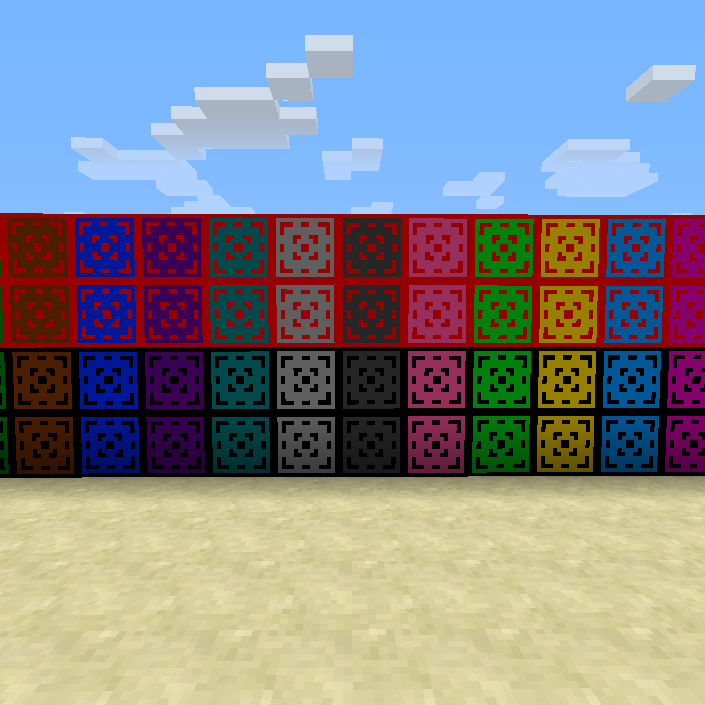
THIS MOD IS A WIP! MORE BLOCKS ARE SOON TO COME. LEAVE SUGGESTIONS IN THE COMMENTS.
Crafting Recipes (as of version 1.1a)
The Blocks

Just replace the ink sack with a dye for the border colour (color) (black and red only done as of version 1.0) and replace the bone meal with a dye for the background colour (color)
The Dying Stone

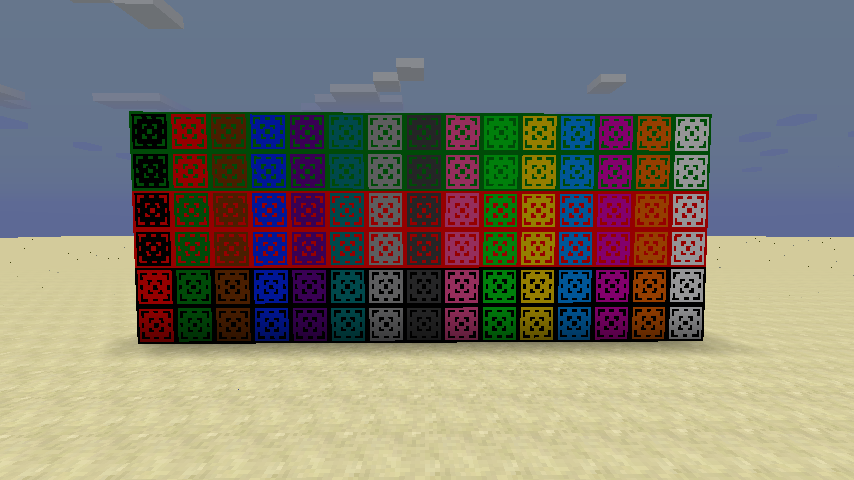
All of the blocks that are finished (as of version 1.1a):

Installation:
1. Download the mod
2. Download and install forge
3. Locate your .minecraft folder
4. Put the mod in your mods folder
5. Run minecraft and play
Remember to leave suggestions for new decoration blocks (a image would be nice) and that this is a WIP mod so be nice.
Quick facts
- Edition: Minecraft Java
- File type: .jar
- How to install: Install the matching mod loader (Forge, Fabric or NeoForge) for your Minecraft version. → Download the .jar. → Put it in the .minecraft/mods folder and launch that loader profile.
- Where to get it: Opens on CurseForge — not every file is mirrored on our own servers.
Install steps are the general flow for this file type — How to install Minecraft Java mods & modpacks walks through it step by step.
File checked by MCModsHub
- Ships as ColourBlocks 1.7.10-1.1a.jar — drop this file into the mods folder
- Download size: 25 KB
- Download link checked 13 Oct 2026 — working
These come from our own check of the pack file, not from the source page.