Thump
Minecraft Java mod. Downloads from the MC Java Mods app on Android.
⬇ Download on CurseForge
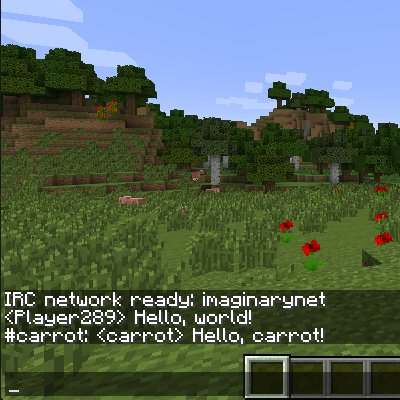
Thump is a simple, highly configurable Minecraft chat multiplexer with built in IRC support. It's part of the Willow Chat organisation.
The built-in IRC service uses the Warren IRC framework to send in-game messages and events (like players joining and leaving) to a configured IRC channel, and vice versa.
It's made for use on servers (originally to share ForgeCraft chat to IRC), but it's tested and works on clients too. Most aspects of the mod can be configured, but the defaults are good enough for easy setup and use.
A guide for getting started is available on the wiki: https://github.com/WillowChat/Thump/wiki/Getting-Started
If someone is abusing Thump in your IRC channel, you can choose to ban the bridge completely: https://github.com/WillowChat/Thump/wiki/Abuse
If you use this software and you'd like to support my open-source work, please consider tipping through Patreon.
Current features:
- Minecraft -> IRC integration
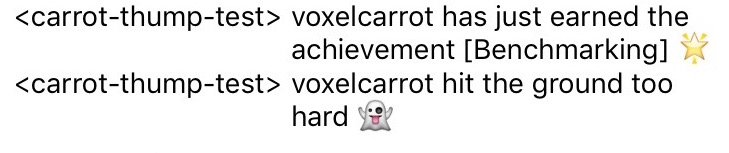
- Chat, server chat, /me, join, leave, death 👻, achievement 🌟
- Multiple rooms, multiple networks
- Basic IRC -> Minecraft integration
- Chat, /me
- !players command (with configurable prefix)
- Automatic link support (using Forge's link detection)
- Works with Twitch
- Connection management
- Connect, disconnect, status, reload
- Tab completion support for all sections of all commands, including networks
- Channel statuses (red for not joined, green for joined)
- Configuration
- Commands, Minecraft events, IRC events, message formatting, console logging, multiple networks and channels
- SASL and Nickserv integration
- TLS support, enabled by default, with secure defaults (optionally add forcibly accepted certificates, or accept all certificates)
- Automatic reconnect policy
- Log raw IRC lines to the console for debugging
- Edit config options in-game using Forge
- Edition: Minecraft Java
- File type: .jar
- How to install: Install the matching mod loader (Forge, Fabric or NeoForge) for your Minecraft version. → Download the .jar. → Put it in the .minecraft/mods folder and launch that loader profile.
- Where to get it: Opens on CurseForge — not every file is mirrored on our own servers.
Install steps are the general flow for this file type — How to install Minecraft Java mods & modpacks walks through it step by step.
- Ships as Thump-1.11.2-4.6.1.5.jar — drop this file into the mods folder
- Download size: 1.9 MB
- Download link checked 13 Oct 2026 — working
These come from our own check of the pack file, not from the source page.