
ModsJava
Account Manager
Minecraft Java mod. Downloads from the MC Java Mods app on Android.
⬇ Download on CurseForge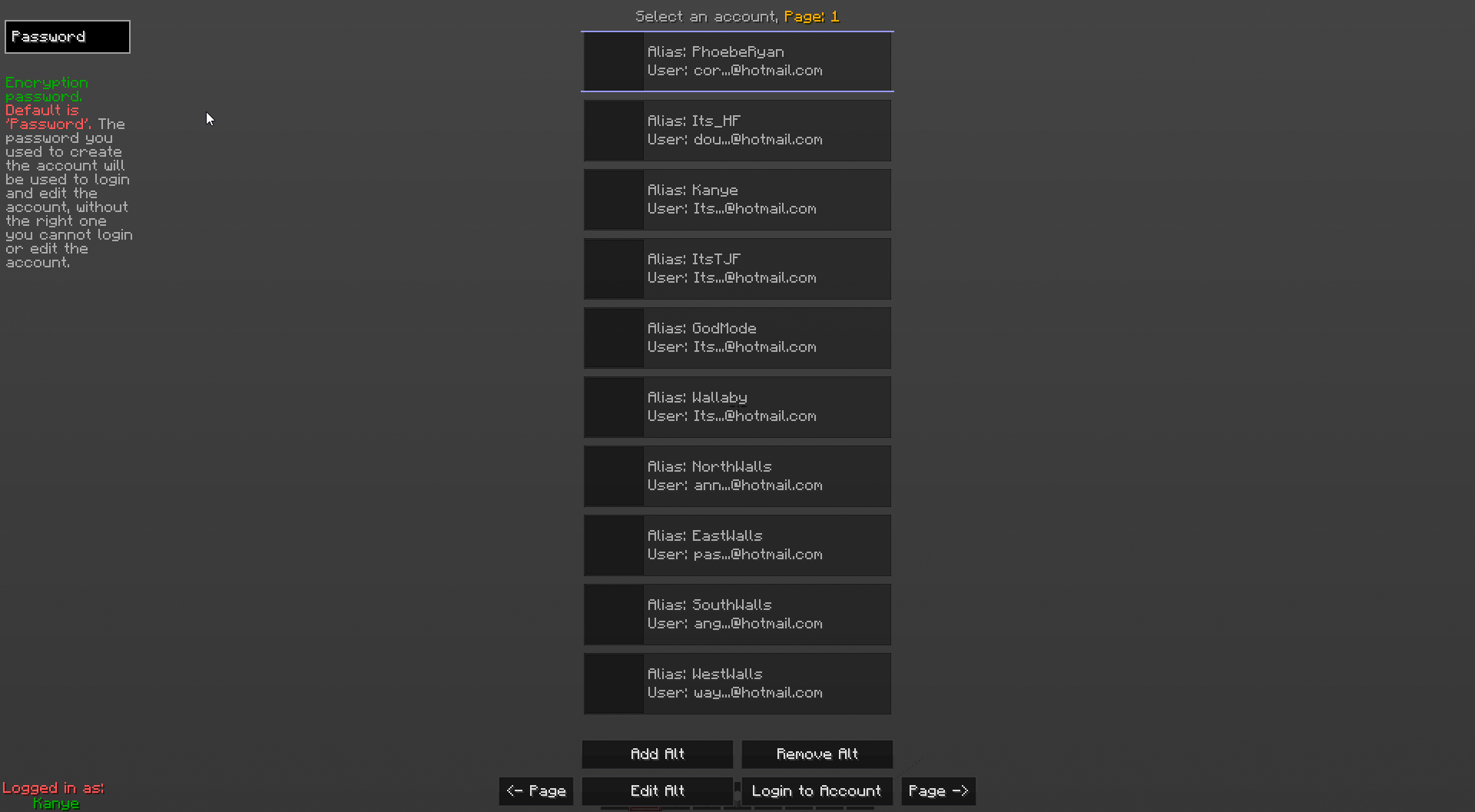
LiteLoader mod for Minecraft 1.7.10 and 1.8.
Main GUI

VIDEO
This mod allows you to change minecraft accounts without restarting your minecraft client.
Info:
- Account Info: The account is encrypted when you add an account.
- Encryption: It's you're own encryption when you add an account it encrypts it from the Password TextBox in the top left of the screen. That Encryption password is used to login and edit your account. It can stay the same if you don't want to change it.
- Time Made: I made this mod in a day, their will be bugs in the first couple releases, please report bugs to me.
- Open Source: https://github.com/Its-its/AltManager
- File Location: Located in ".minecraft/liteconfig/common", under the name Alts.json
- Key: Default is "P", Press to display GUI when Ingame, in MainMenu GUI, or in Multiplayer GUI.
NOTE: Their may be some encryption bugs when trying to use a account or even when it saves/loads.
Quick facts
- Edition: Minecraft Java
- File type: .jar
- How to install: Install the matching mod loader (Forge, Fabric or NeoForge) for your Minecraft version. → Download the .jar. → Put it in the .minecraft/mods folder and launch that loader profile.
- Where to get it: Opens on CurseForge — not every file is mirrored on our own servers.
Install steps are the general flow for this file type — How to install Minecraft Java mods & modpacks walks through it step by step.
File checked by MCModsHub
- Downloads as mod_AccountManager_v1.6_mc1.8.litemod
- Download size: 53 KB
- Download link checked 13 Oct 2026 — working
These come from our own check of the pack file, not from the source page.