
Exp-Translation
Minecraft Java mod. Downloads from the MC Java Mods app on Android.
⬇ Download on CurseForge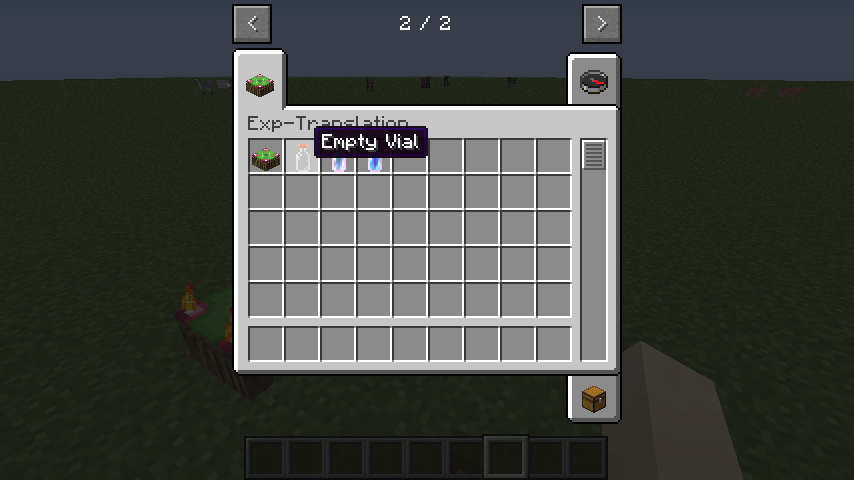
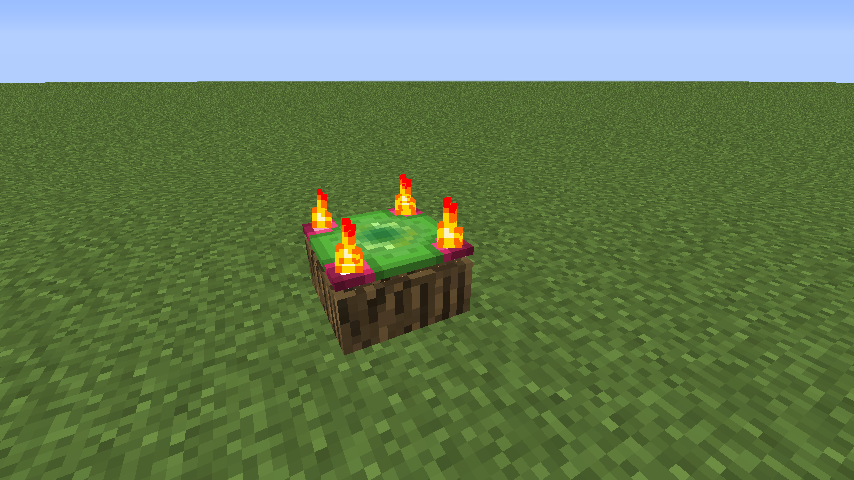

Have you ever wanted to store your experience levels for safety purposes? Or maybe you just want to trade with a friend? Well you can do just that with the Exp-Translation mod! Bottle up your exp with the Exp Translator Table and you'll be all set!


Exp Translator Table - The main component needed for the mod

Empty Vials - This is where you put the experience
Large Exp Vial - For more compact storage! (Removed in 1.2.0+)
Many Exp Vials - Of course you can undo the effect if needed (Removed in 1.2.0+)
- Have at least some experience, an empty vial, and an Exp Translator Table
- Right-click the empty vial on the table to store it
- To empty the vial, right click the filled vial on the table to regain exp
Changelog:
v.1.2.0
* Updated - 1.12.2
* Changed - Experience is now stored with actual experience value instead of by levels
- Helps keep the mod balanced with Vanilla gameplay
- You now store all of your exp you have when used
* Fixed - You can cheat the system by transferring levels quickly
* Fixed - You can only craft Empty Vials with wooden oak slabs
* Fixed - You can only craft the ExpTranslator with oak logs / white wool
* Fixed - Textures aren't centered
* Fixed - mcmod logo
* Removed - Bulk Vials
* Removed - ExpTranslation creative tab
v1.1.0
* Updated - 1.9.4
v1.0.0
*Main Release
- Edition: Minecraft Java
- File type: .jar
- How to install: Install the matching mod loader (Forge, Fabric or NeoForge) for your Minecraft version. → Download the .jar. → Put it in the .minecraft/mods folder and launch that loader profile.
- Where to get it: Opens on CurseForge — not every file is mirrored on our own servers.
Install steps are the general flow for this file type — How to install Minecraft Java mods & modpacks walks through it step by step.
- Ships as ExpTranslation-1.12.2-1.2.0.jar — drop this file into the mods folder
- Download size: 51 KB
- Download link checked 13 Oct 2026 — working
These come from our own check of the pack file, not from the source page.