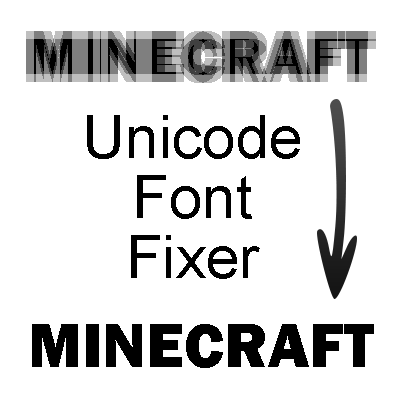
Unicode Font Fixer
Minecraft Java mod. Downloads from the MC Java Mods app on Android.
⬇ Download on CurseForgeSince 1.7.10, there are some changes come to the Minecraft GUI scale ratio calculation, which makes many small text unable to read and distinguish in Unicode font mode. If you plays the game by setting the option "Force Unicode Font" to "ON" or under a Unicode-only language environment like Chinese or Japanese, you will meet this annoying problem.
For example, this is what you can see though a thaumometer in Unicode font mode:

Look at the popup messages in the lower right corner. Too bad, right? I have reported these issues to many mod authors to convince them to enlarge the small text in their mod. Many authors have updated their mods, but there are still some mods I need to fix by myself.
Unicode Font Fixer is a mod to fix broken text caused by small Unicode font (those text with < 1.0 OpenGL scale ratio).
Currently it supports the following mods:
- Thaumcraft 4
- Forestry 3
- Steve's Factory Manager
- Hardcore Questing Mode
- Modular Powersuits
- Traveller's Gear
- Automagy
- Electrical Age
- Mine Trading Cards
- Tinker's Construct
- BiblioCraft
- Applied Energistics 2
- Thaumic Horizons
- Better Records
- The Lord of the Rings Mod
- ArchitectureCraft
- PneumaticCraft
- Botania
- Mekanism
Misc Notes:
Open Blocks: The font size issue in handbook has already got fixed internally in the newest verion. Check the language file (*.lang) and you will find the config option for it.
If you want send me a request to add support to some other mods. Please follow the steps below:
- Launch Minecraft, with the mods you want to get supported and the Unicode Font Fixer mod installed.
- Play the game for a while. Be sure to open all (or at least all of you know) GUIs with broken text.
- Send me the fml-client-latest.log in .minecraft\logs\ directory, or just post those lines with "unicodefontfixer.RenderingDebugger" in the log file.
After installing the mod, the popup messages will get an appropriate font size:

In addition to this example, the Unicode Font Fixer mod will fix every broken text in the mods listed above.
About modpack:
Feel free to include this mod in your pack. It will be nice if you put a short introduction and a link to this mod in your modpack publish site/threads.
Other mods you may like:
- Better Auto Jump: Auto-jump when holding Sprint key.
- No Mob Spawning on Trees: A mob spawn control mod with easy and powerful configurations.
- Light Level Overlay Reloaded: Visualizes the light level on top of blocks.
- Edition: Minecraft Java
- File type: .jar
- How to install: Install the matching mod loader (Forge, Fabric or NeoForge) for your Minecraft version. → Download the .jar. → Put it in the .minecraft/mods folder and launch that loader profile.
- Where to get it: Opens on CurseForge — not every file is mirrored on our own servers.
Install steps are the general flow for this file type — How to install Minecraft Java mods & modpacks walks through it step by step.
- Ships as UnicodeFontFixer-1.1.12-mc1.7.10.jar — drop this file into the mods folder
- Download size: 58 KB
- Download link checked 13 Oct 2026 — working
These come from our own check of the pack file, not from the source page.