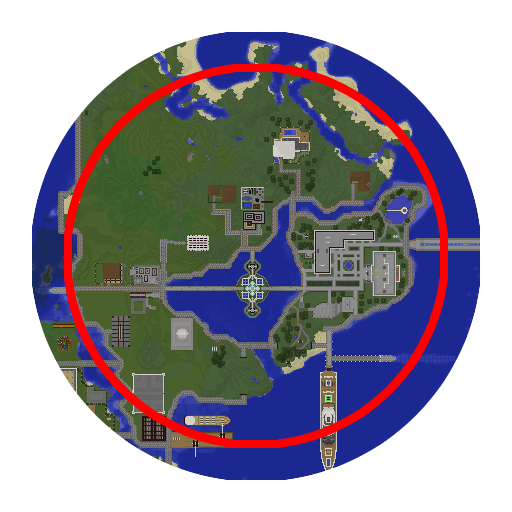
WorldBorder-Forge
Minecraft Java mod. Downloads from the MC Java Mods app on Android.
⬇ Download on CurseForgeWorldBorder will here on out be maintained by abused_master for minevraft 1.10.2+!
WorldBorder is a server mod for managing borders on dimensions. It was originally coded by Brettflan for Bukkit and I have unofficially ported it to Forge 1.10.2+. My team have used WorldBorder for more than a year on our survival server and I have found it to be reliable, flexible, useful and very user-friendly. It not only enforces borders, but also has the ability to fill and trim worlds within those borders.
We had needed a mod like this on our server because of players exploring and quarrying too much of resource worlds, and our backup sizes growing too large. I wanted to share this with Brettflan's blessing, to assist other server admins.
Please know that this mod has a lot of features; Bukkit and Forge are very different internally, so this port was challenging and may be buggy. I have tested the basic features as best I can, including filling and trimming. That said, because the latter features affect worlds (by creating chunks or deleting region files), please use at risk and consider it a beta for the time being.
Features
For the full list of features and example screenshots, please see the original Bukkit plugin's page
- Per-dimension border control by radius or by corner points
- Round or square borders, with per-dimension overrides
- Knocking back players from borders
- Wrap-around teleportation
- Deny enderpearl, mob spawning and block placements outside borders
- Generation of all chunks within a border with padding, fill rate and auto-save
- Trimming of all chunks and region files outside a border with trim rate
Usage
Everything in WorldBorder is done through the /wb command. Perform /wb to get a listing of commands and all their usages. For the moment, only opped users may use this command.
If the /wb command is not working, try /wborder or /worldborder instead. Another mod may be using /wb.
To quickly set a border for the current world you are in based on a radius from your current position, do /wb set <radius>
License
Using WorldBorder's original license, I have licensed the code with the BSD license. As such, full permission is implicitly granted to modify and redistribute this mod standalone or in a mod pack. For more complicated uses such as selling or re-licensing, please read and follow the license text carefully to ensure compliance.
- Edition: Minecraft Java
- File type: .jar
- How to install: Install the matching mod loader (Forge, Fabric or NeoForge) for your Minecraft version. → Download the .jar. → Put it in the .minecraft/mods folder and launch that loader profile.
- Where to get it: Opens on CurseForge — not every file is mirrored on our own servers.
Install steps are the general flow for this file type — How to install Minecraft Java mods & modpacks walks through it step by step.
- Ships as WorldBorder-Forge-1.0.1.jar — drop this file into the mods folder
- Download size: 111 KB
- Download link checked 13 Oct 2026 — working
These come from our own check of the pack file, not from the source page.