
Easy Config Button
Minecraft Java mod. Downloads from the MC Java Mods app on Android.
⬇ Download on CurseForge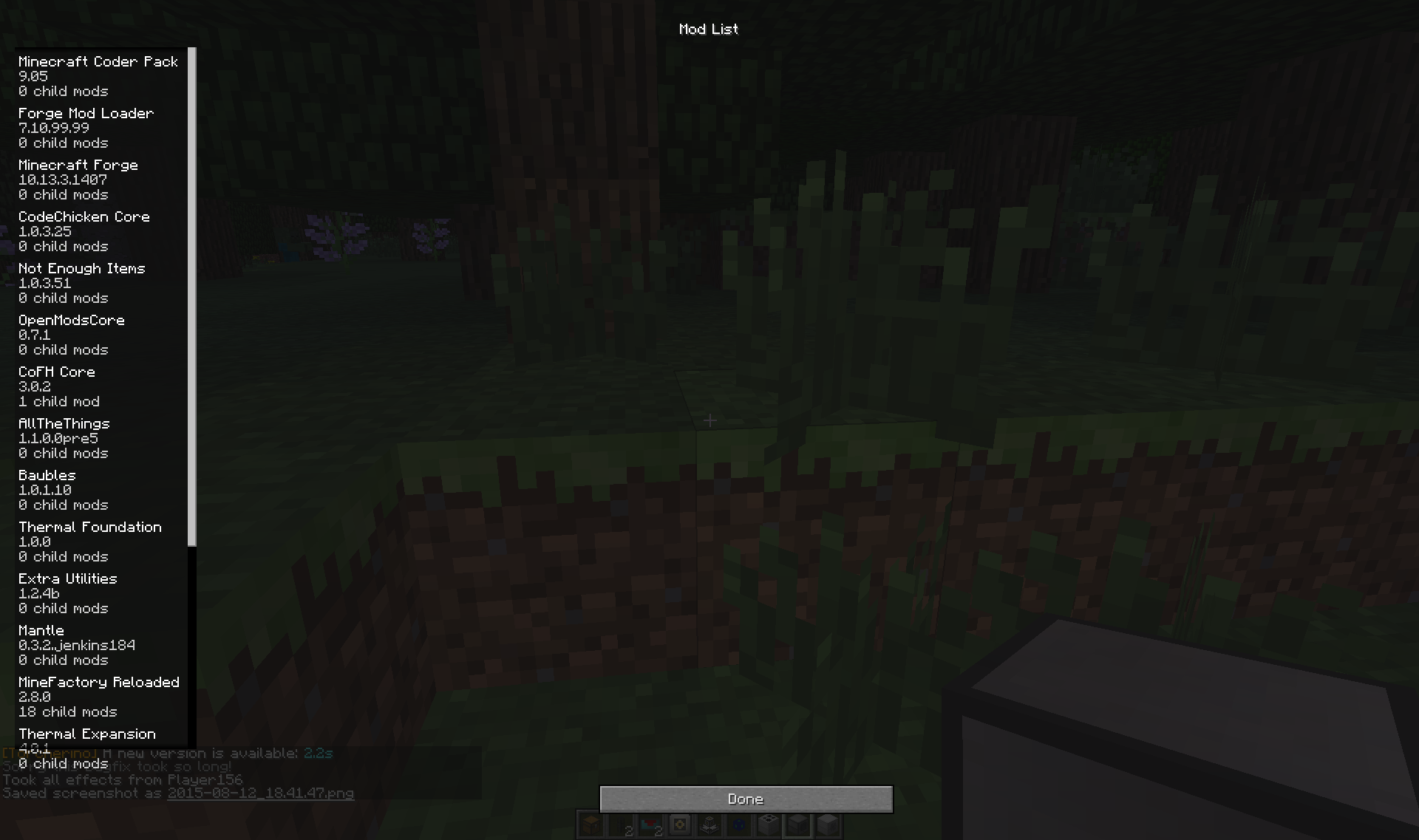
Ever see that Mod Options button in the world pause menu, then click it only to realize it does nothing, was never finished and is completely useless?
Well, now it isn't! With this mod installed, the button will now lead to the Mod List GUI normally only accessible from the Main Menu, allowing you to change configs without leaving your world, allowing for easier and more convenient testing and debugging of config options. (as long as they don't require a world or minecraft restart)
A very small tweak mod, but very useful for modders and modpack creators testing and debugging.
For a small overview, look no further than here!
- Edition: Minecraft Java
- File type: .jar
- How to install: Install the matching mod loader (Forge, Fabric or NeoForge) for your Minecraft version. → Download the .jar. → Put it in the .minecraft/mods folder and launch that loader profile.
- Where to get it: Opens on CurseForge — not every file is mirrored on our own servers.
Install steps are the general flow for this file type — How to install Minecraft Java mods & modpacks walks through it step by step.
- Ships as EasyConfigButton-1.0-MC1.8.jar — drop this file into the mods folder
- Download size: 8 KB
- Download link checked 13 Oct 2026 — working
These come from our own check of the pack file, not from the source page.