ModsJava
RemoveHUDbutNotHand
Minecraft Java mod. Downloads from the MC Java Mods app on Android.
⬇ Download on CurseForge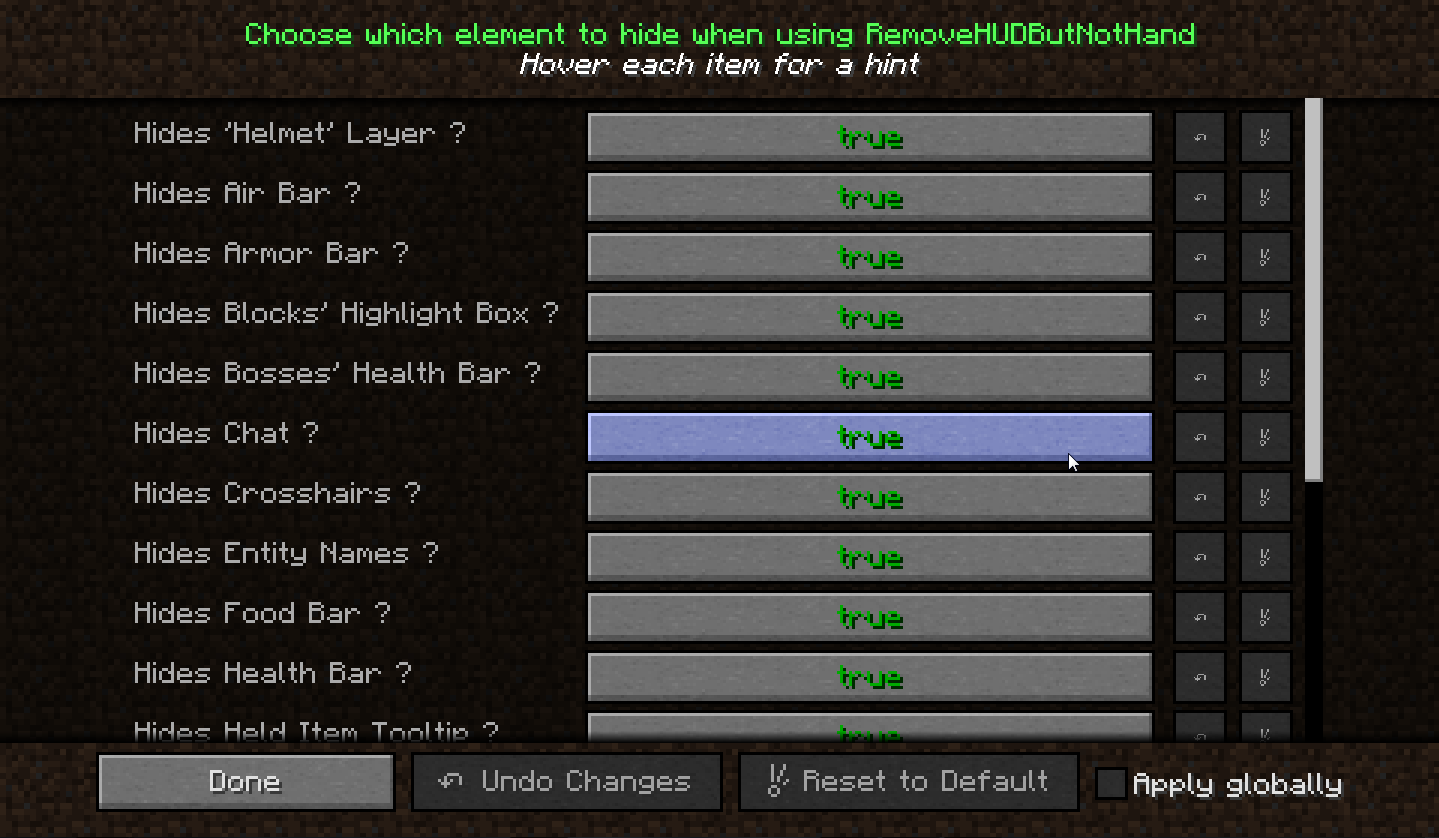
This is my first mod, RemoveHudButNotHand, all is in the title ^^
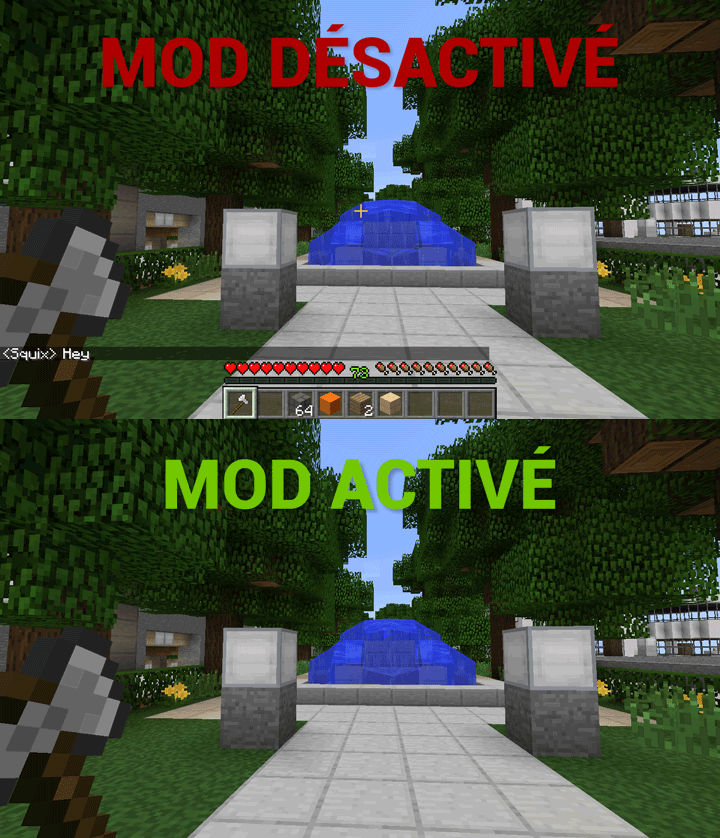
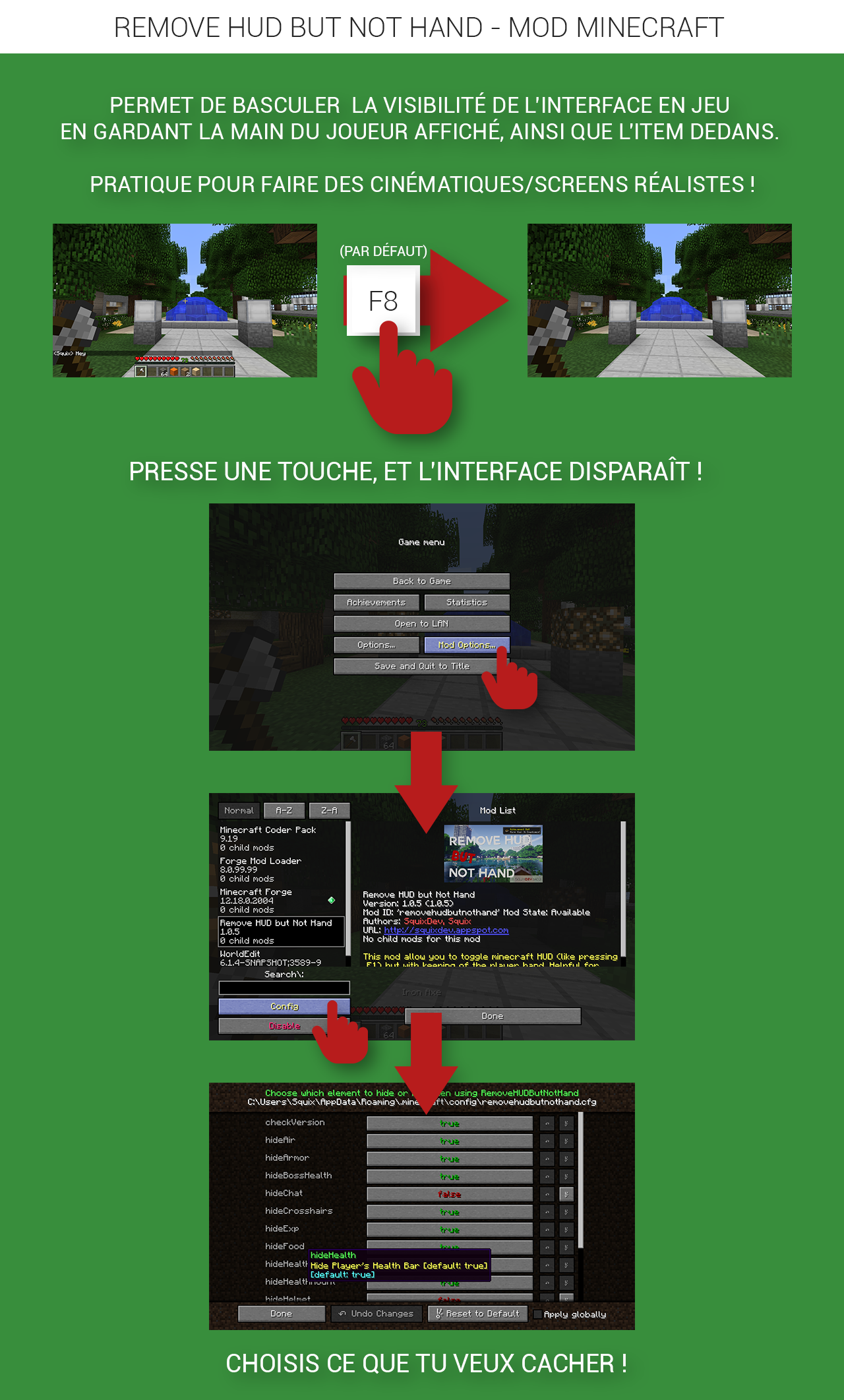
The purpose of this mod is to allow you to toggle Minecraft HUD visibility (like pressing the F1 key),
while keeping the player's hand visible !
Very helpful for creating realistics 1rst person Cinematics or Screenshots !!

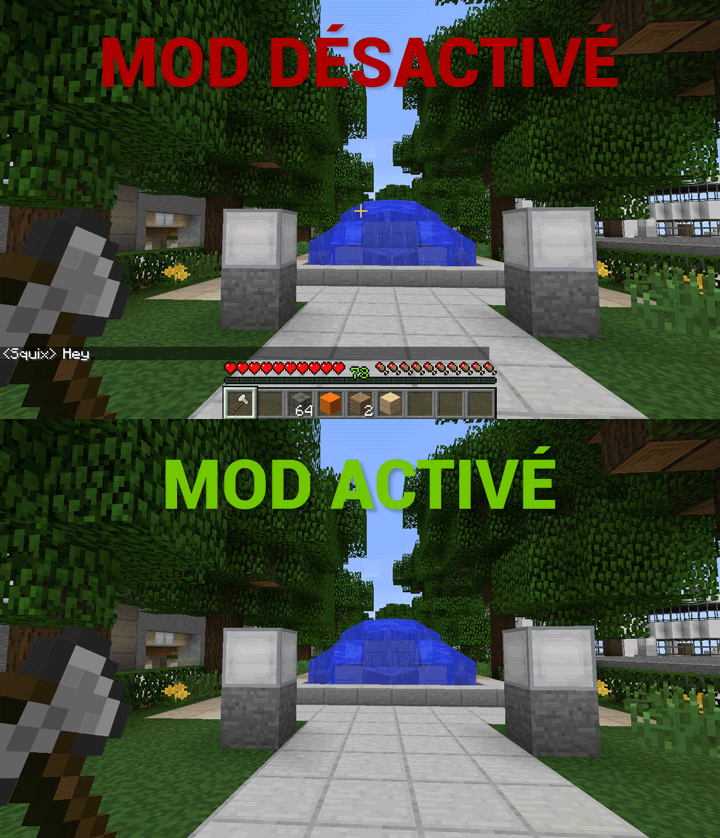
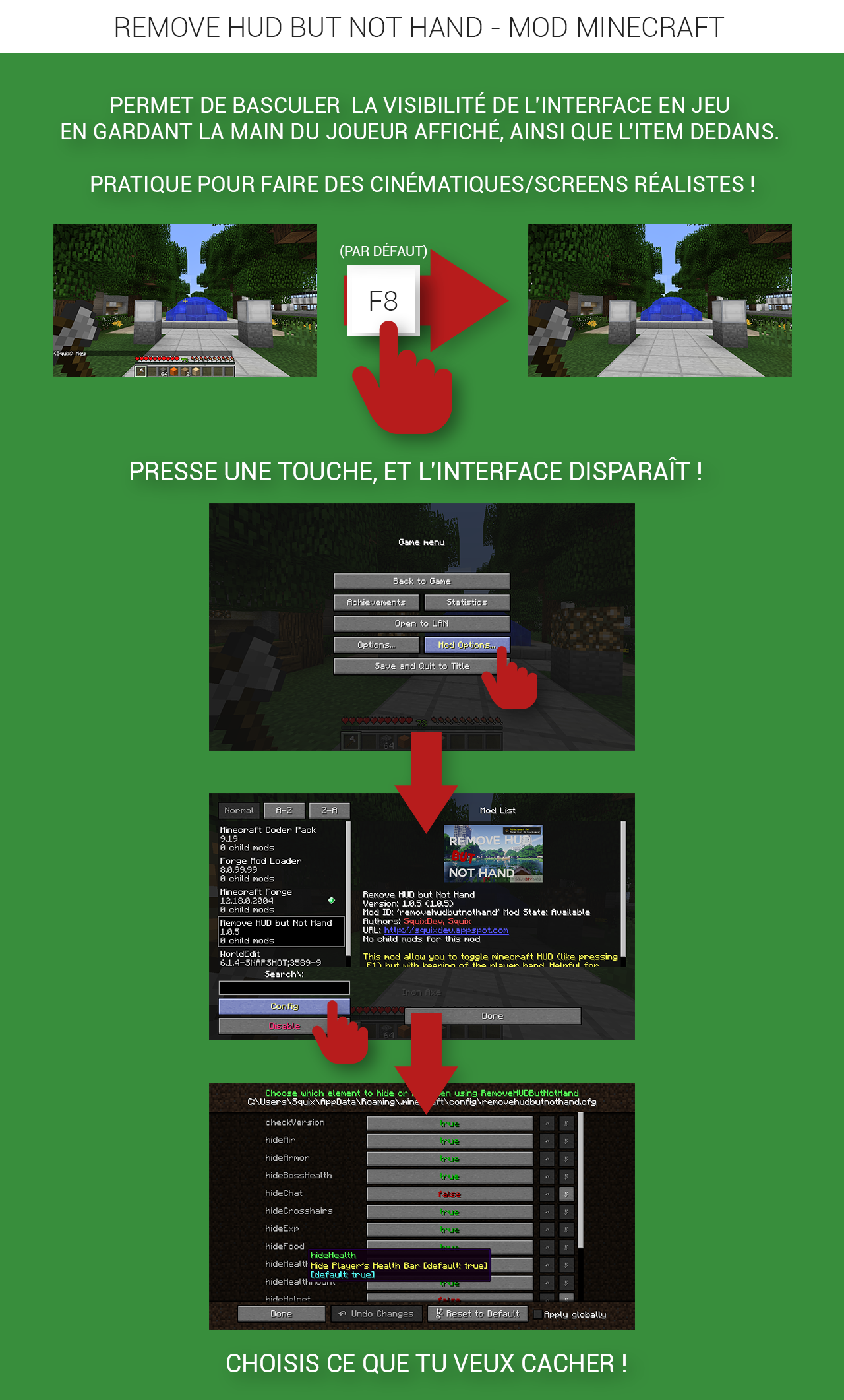
Want to learn things ? Here's the source code of the Mod ! : https://github.com/Squix/RemoveHUDbutNotHand (under MIT License)
Features :
- Hides Player's Health Bar
- Hides Player's Food Bar
- Hides Player's Experience Bar
- Hides Player's SubWater Air Bar
- Hides Players's Armor Bar
- Hides Player's Mount Health Bar
- Hides Player's Mount Jump Bar
- Hides Held-Item-Tooltip
- Hides Player's Hotbar
- Hides Player's 'Helmet' layer (like pumpkins)
- Hides Crosshairs
- Hides In-Game Chat
- Hides Blocks' Highlight Box
- Hides Bosses' Health Bar
- Hides Entity Names
- Hides Potions Icons
- Hides Subtitles
- Integrated New-Version-Checker
- Full customization of what you decide to hide
Changelogs : https://squixdev.appspot.com/projets/rhbnh#news
► I hope you will enjoy using it !
► Dont forget to give feedbacks ! 
Quick facts
- Edition: Minecraft Java
- File type: .jar
- How to install: Install the matching mod loader (Forge, Fabric or NeoForge) for your Minecraft version. → Download the .jar. → Put it in the .minecraft/mods folder and launch that loader profile.
- Where to get it: Opens on CurseForge — not every file is mirrored on our own servers.
Install steps are the general flow for this file type — How to install Minecraft Java mods & modpacks walks through it step by step.
File checked by MCModsHub
- Ships as RemoveHudButNotHand-1.12.2-2.0.1.0.jar — drop this file into the mods folder
- Download size: 633 KB
- Download link checked 13 Oct 2026 — working
These come from our own check of the pack file, not from the source page.