Ender Book - Use XP to visit your waypoints
Minecraft Java mod. Downloads from the MC Java Mods app on Android.
⬇ Download on CurseForge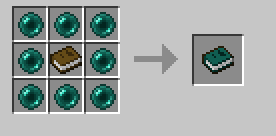
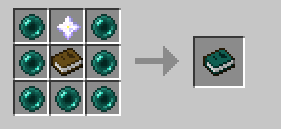
UPDATE 1.10.2 : This still exists but no longer as a standalone single item mod. See downloads at https://mods.curse.com/mc-mods/minecraft/239286-cyclic , a mod where you can turn off any items you dont want in config.
1.0.3 :
- Updated to Minecraft 1.8.8
- Added/Fixed particles and sounds
- Fixed chunks sometimes not loading when moving large distances (in most cases).
1.0.2
- Tried to fix chunk loading (release cancelled)
1.0.1:
- Fix a crash that rarely happened when the GUI first opens
- Added support for the forge in-game config (Main menu -> mods -> config button)
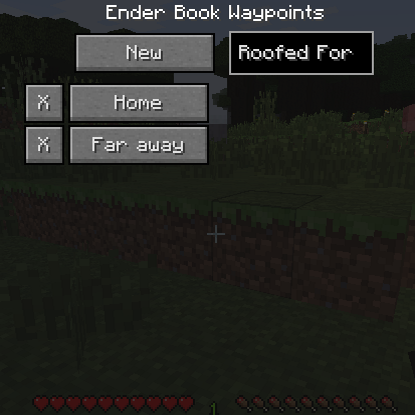
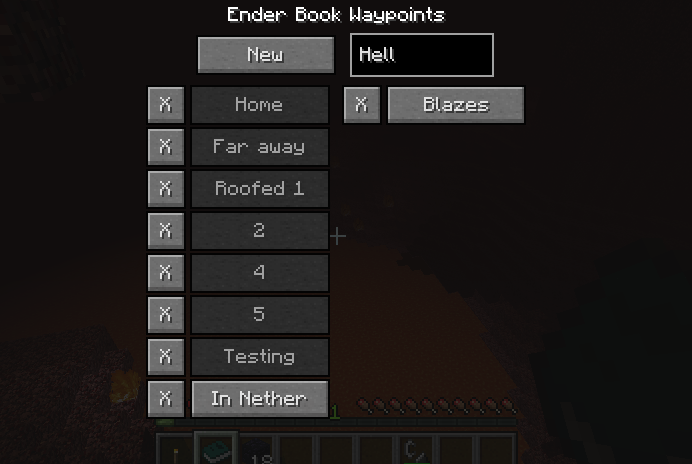
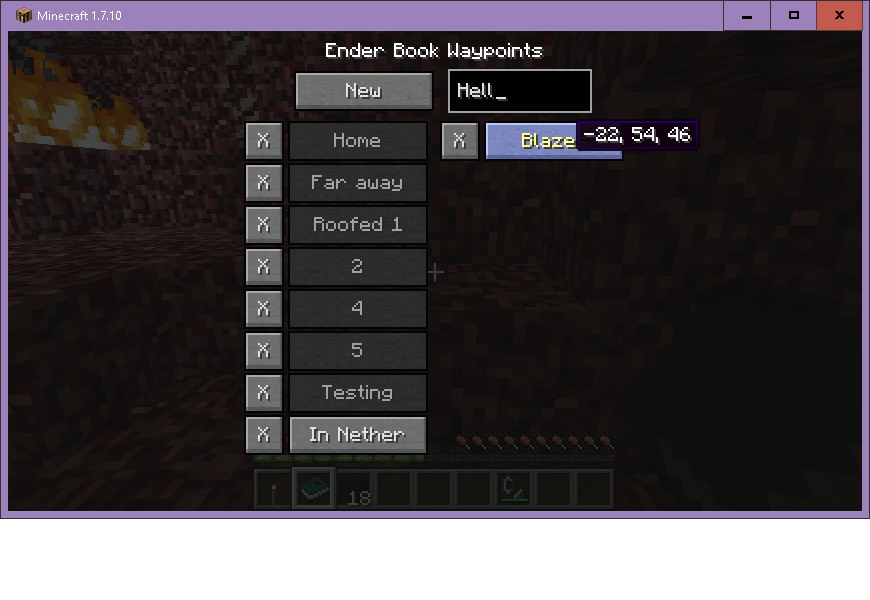
Create a book that stores waypoints. Using the book opens a simple interface that lets you create, remove, and teleport to your waypoints.
You can ONLY make waypoints with your current location, you do not get to put in arbitrary coordinates. This is restricted on purpose, as it is meant for use in survival.
Also you can only teleport within the same dimension, so you still need to use normal methods to traverse dimensions. See the image gallery for details
By default, it costs 10 experience points to go to a saved waypoint, but this can be disabled in the config file.
The default config file looks like this:
# Configuration file
general {
# How many experience points are drained from the player on each teleport. Set to zero for free teleports to your waypoints. [range: 0 ~ 9999, default: 10]
I:exp_per_teleport=10
# How many waypoints the book can store. [range: 1 ~ 999, default: 16]
I:max_saved=16
# The Ender Book requires a nether star to craft. [default: true]
B:needs_nether_star=true
# The Ender Book GUI will pause the game (single player) [default: false]
B:pause_game_sp=false
# Waypoint buttons will show the exact coordinates in a hover tooltip. [default: true]
B:show_coordinates_tooltip=true
# Number of waypoints per column. Change this if they are going off the screen for your chosen GUI Scale. [range: 1 ~ 50, default: 8]
I:show_per_column=8
}
A wild video appears made by a person that is not me! https://youtu.be/MwsA9-UWoWw
- Edition: Minecraft Java
- File type: .jar
- How to install: Install the matching mod loader (Forge, Fabric or NeoForge) for your Minecraft version. → Download the .jar. → Put it in the .minecraft/mods folder and launch that loader profile.
- Where to get it: Opens on CurseForge — not every file is mirrored on our own servers.
Install steps are the general flow for this file type — How to install Minecraft Java mods & modpacks walks through it step by step.
- Ships as EnderBook-1.9-1.0.3.jar — drop this file into the mods folder
- Download size: 28 KB
- Download link checked 23 Sept 2026 — working
These come from our own check of the pack file, not from the source page.