Islands In The Sky
Minecraft Java mod. Downloads from the MC Java Mods app on Android.
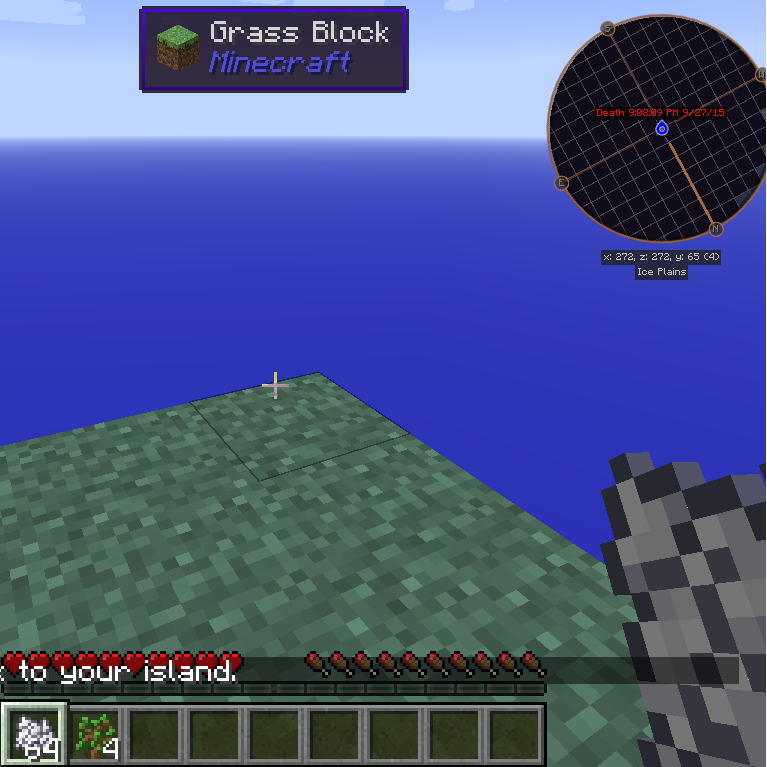
⬇ Download on CurseForgeIslands in the sky adds a new world generation type (imaginatively named: SkyIsland). This is a void world, appropriate for playing skyblock worlds. Spawn starts as a 5x5 grass square, on top of a bed of hardened clay. Each island is 320x320 blocks, with a 32 block buffer space between islands, and these values can be changed in the config file.
To set Islands In The Sky to be the world generator used by a server, you need to edit the server.properties file, and set "level-type=skyisland", after which, you will probably need to delete the world folder to regenerate the world as a void world.
Islands In The Sky adds five commands. /island (or /is), /spawn, /invite, /accept, /setisland, and /abandon. /Island will take you to (and create, if necessary) your own private island, and /spawn will return to you spawn for easy interaction with your servermates. /spawn is not created if another forge mod already adds it. (Not sure how this will interact with the various bukkit mods.) /invite and /accept are used to share islands between players. Hopefully the uses are obvious. /setisland has two uses, if you're an op, you can use /setisland <playername> to set their island location to their current location, regular players can use /setisland with no arguments to set where they'll teleport when they use /island anywhere within the space of that island. /abandon will abandon your island. If you are the owner of the island, it will be deleted (Slowly, over the next several ticks so as not to cause lag), and your inventory will be cleared, along with the inventory in your Vanilla enderchest.
Islands In The Sky will also give you a starting inventory when you create your island, currently it is 64 bonemeal, and 4 oak saplings, this is configurable in the config file.
A configuration has been added that allows protection of islands, it is disabled by default. When it is on, you cannot break or place blocks in the overworld, unless you're on your island (or you're op...)
Additionally, a configuration has been added to allow you to set the Nether to be a void, it defaults to off. When it is enabled, the nether will be a complete void.
- Edition: Minecraft Java
- File type: .jar
- How to install: Install the matching mod loader (Forge, Fabric or NeoForge) for your Minecraft version. → Download the .jar. → Put it in the .minecraft/mods folder and launch that loader profile.
- Where to get it: Opens on CurseForge — not every file is mirrored on our own servers.
Install steps are the general flow for this file type — How to install Minecraft Java mods & modpacks walks through it step by step.
- Ships as islandsinthesky-1.5.2.3.jar — drop this file into the mods folder
- Download size: 39 KB
- Download link checked 13 Oct 2026 — working
These come from our own check of the pack file, not from the source page.