ChromaCraft
Minecraft Java mod. Downloads from the MC Java Mods app on Android.
⬇ Download on CurseForge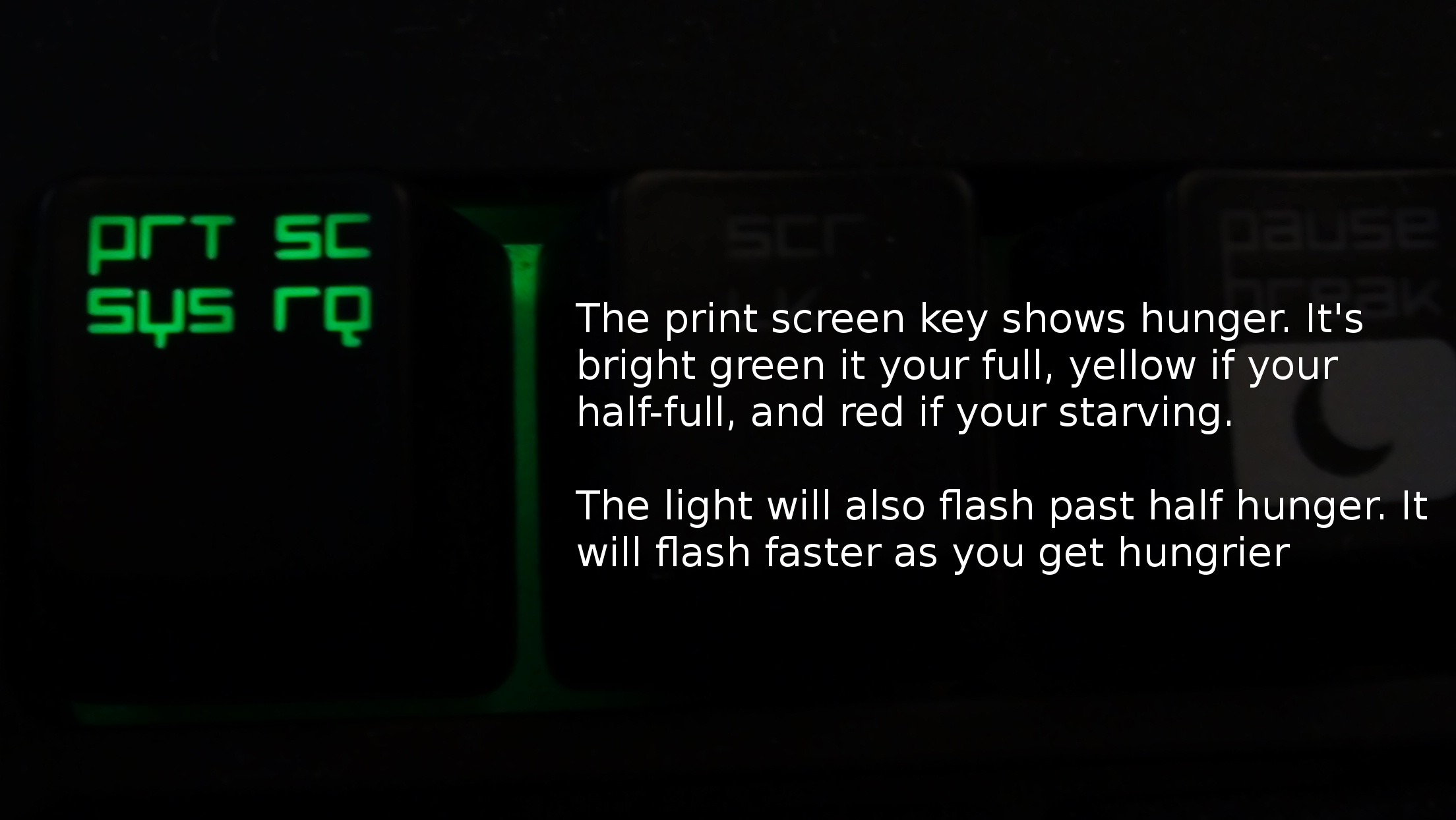
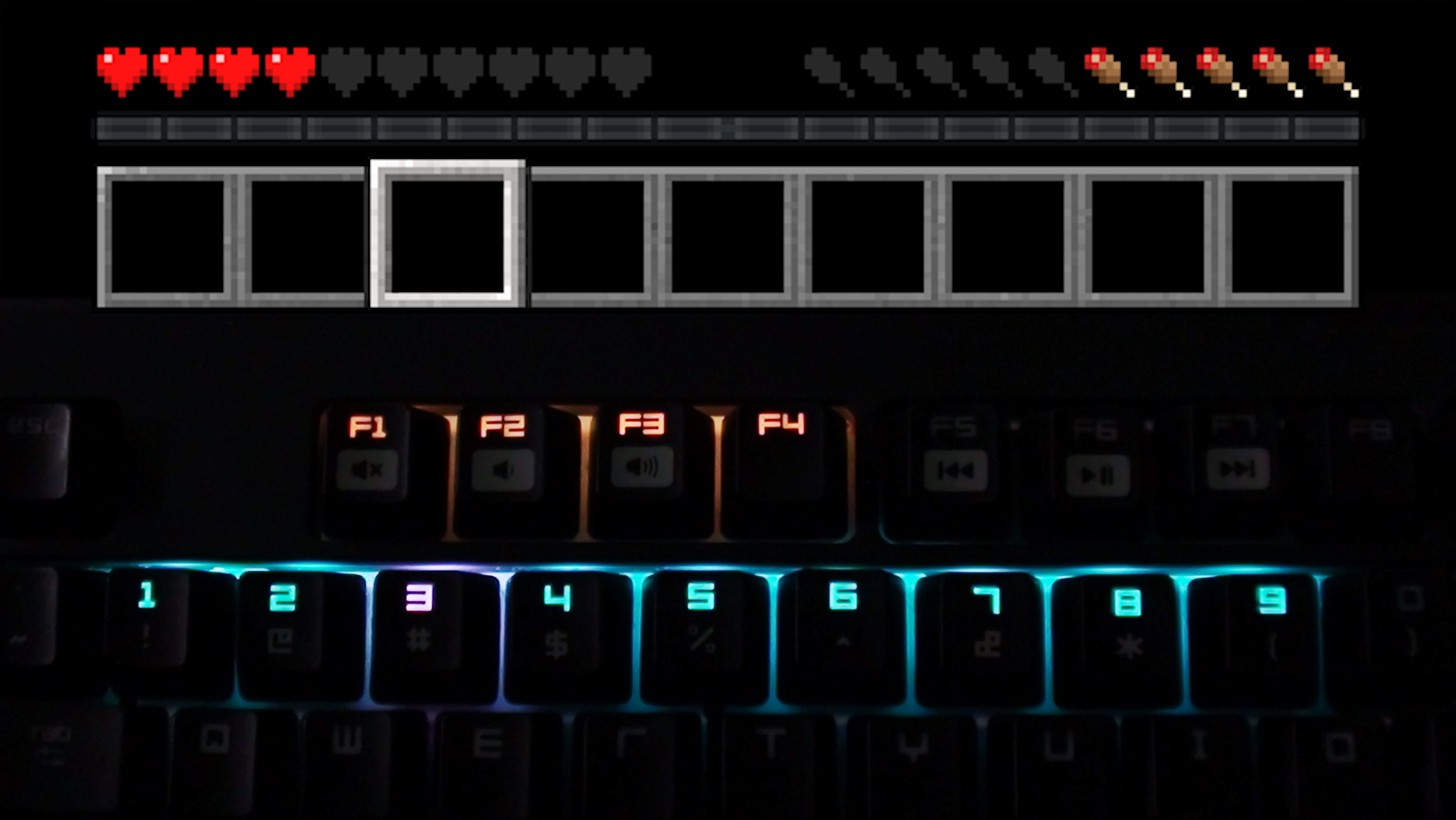
THIS WORKS ON THE BLACKWIDOW CHROMA AND THE BLACKWIDOW CHROMA TE
(video editing could be better, I'll try to make something better later on)
ChromaCraft is a mod that adds custom keyboard lighting and effects to Razer Blackwidow Chroma keyboards based on whats happening in Minecraft. (It should work on TE Blackwidow Chroma as well, but I don't have one so I can't test)
Features
These are the currently available features in the current version of the mod (1.0). If you have ideas for more, please feel free to suggest them down below, and I'll try my best to add them.
- You can enable and disable the mod while playing, either using a keybind set in the controls, or with a button in the options GUI. This allows you to only turn on the lighting when you want it, and leave your current lighting on if you don't want to use the mod.
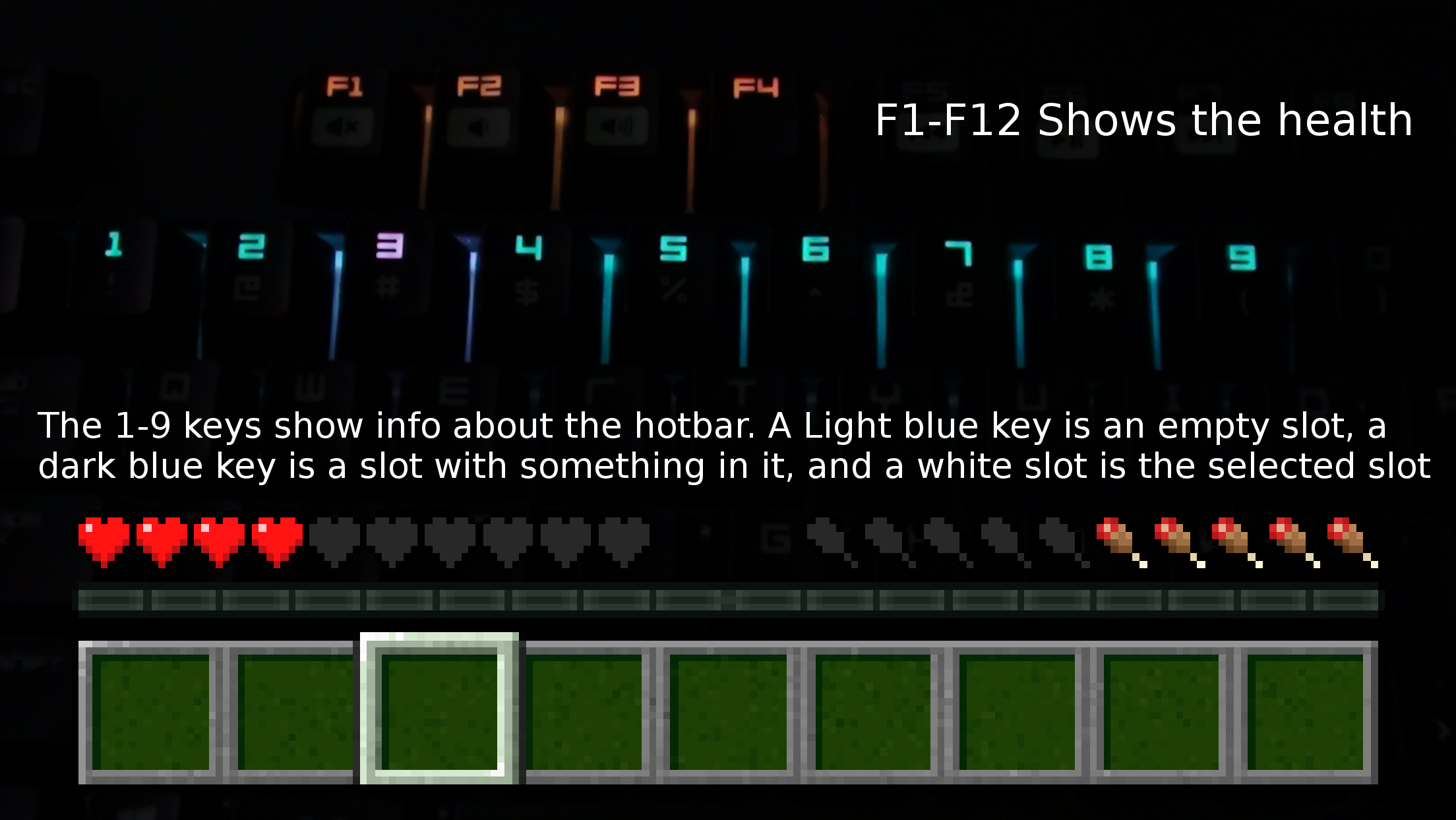
- F1-F12 keys light up depending on your health, they also change colors from red to yellow to green depending on your health. When your regening health, they flash purple (regen color is configurable)
- The hotbar keys 1-9 changes colors depending on the slot, if the slot doesn't have an item in it, it's light blue, if the slot has an item, it's dark blue, and if the slot is selected it's white (Colors are fully configurable!)
- The Print Screen (PRT SC) shows your hunger. It changes color from red to yellow to green depending on your hunger, and starts flashing once your hunger is half-gone (flashes faster the more hungry you are)
- The Scroll Lock (SRC LK) key shows your bow status. It's blank if your not drawing back a bow, red if it's in the first stage of drawing back a bow, yellow in the second, and green if the bow is fully drawn back
- The keyboard flashes red if you take damage (WIP sometimes it works, and sometimes it doesn't)
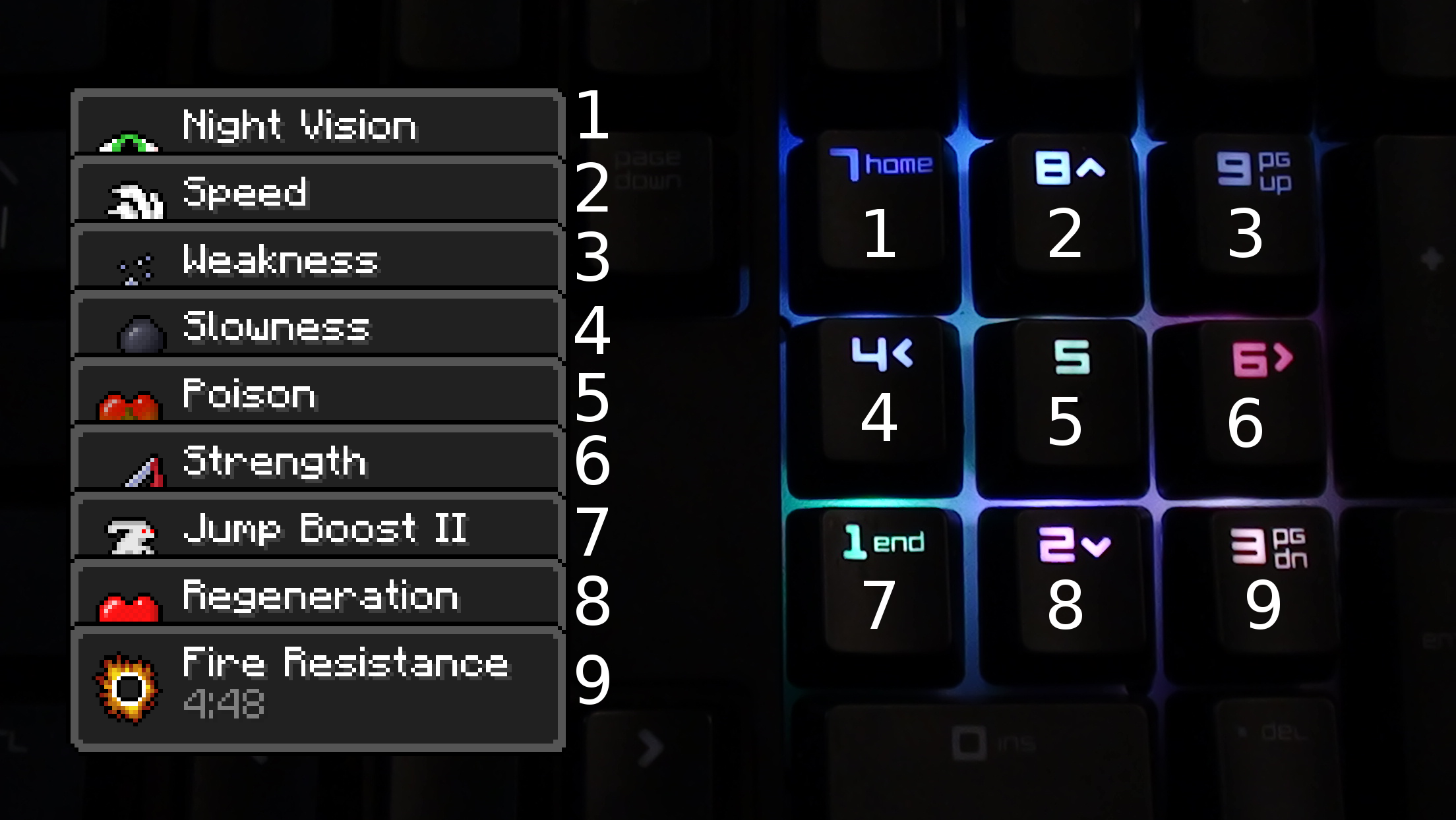
- The numpad shows the currently active potion effects. Number 7 shows the first active effect, Number 8 shows the 2nd, etc (Look below for more info, also is won't work the Torunment Edition BlackWidow Chroma, since there is no numpad)
- You can change the background color to whatever you want in the settings (the parts of the keyboard that are not colored by health, hotbar, etc)
Installing
This installation process is a bit long, and might be hard for some of you to understand. I've done my best to explain it clearly, but if you need help please don't hesitate to ask.
The reason it is confusing/long, is because the Razer SDK is still in beta, so it's not currently as optimized as it could be for redistributing apps made with it. I might make an installer in the future if they don't make the process simpler soon.
- You'll need to download and install “C++ redistributable for Visual Studio 2015” from Microsoft, chose the x86 version. https://www.microsoft.com/en-us/download/details.aspx?id=48145
- You need to download the Razer SDK installers from here http://rzr.to/rjwHe and install the “SDK Core Files”
- From the Razer SDK files you downloaded, you need to extract the “Razer_Chroma_SDK_Documentation_Beta4.8.zip” zip file to any spot on your drive.
- Find the file called “Enable SDK Support.reg” in the extracted folder
- Run the one called “Enable SDK support (x64).reg” if you have a x64 bit computer, or the one called “Enable SDK support (x86).reg” if you have a 36 bit
- Finally you'll need to get the latest version of 1.8 Forge, and drop the mod jar into your mods folder
- Edition: Minecraft Java
- File type: .jar
- How to install: Install the matching mod loader (Forge, Fabric or NeoForge) for your Minecraft version. → Download the .jar. → Put it in the .minecraft/mods folder and launch that loader profile.
- Where to get it: Opens on CurseForge — not every file is mirrored on our own servers.
Install steps are the general flow for this file type — How to install Minecraft Java mods & modpacks walks through it step by step.
- Ships as chromacraft-1.0.jar — drop this file into the mods folder
- Download size: 169 KB
- Download link checked 13 Oct 2026 — working
These come from our own check of the pack file, not from the source page.