
ModsJava
KeyEffects
Minecraft Java mod. Downloads from the MC Java Mods app on Android.
⬇ Download on CurseForge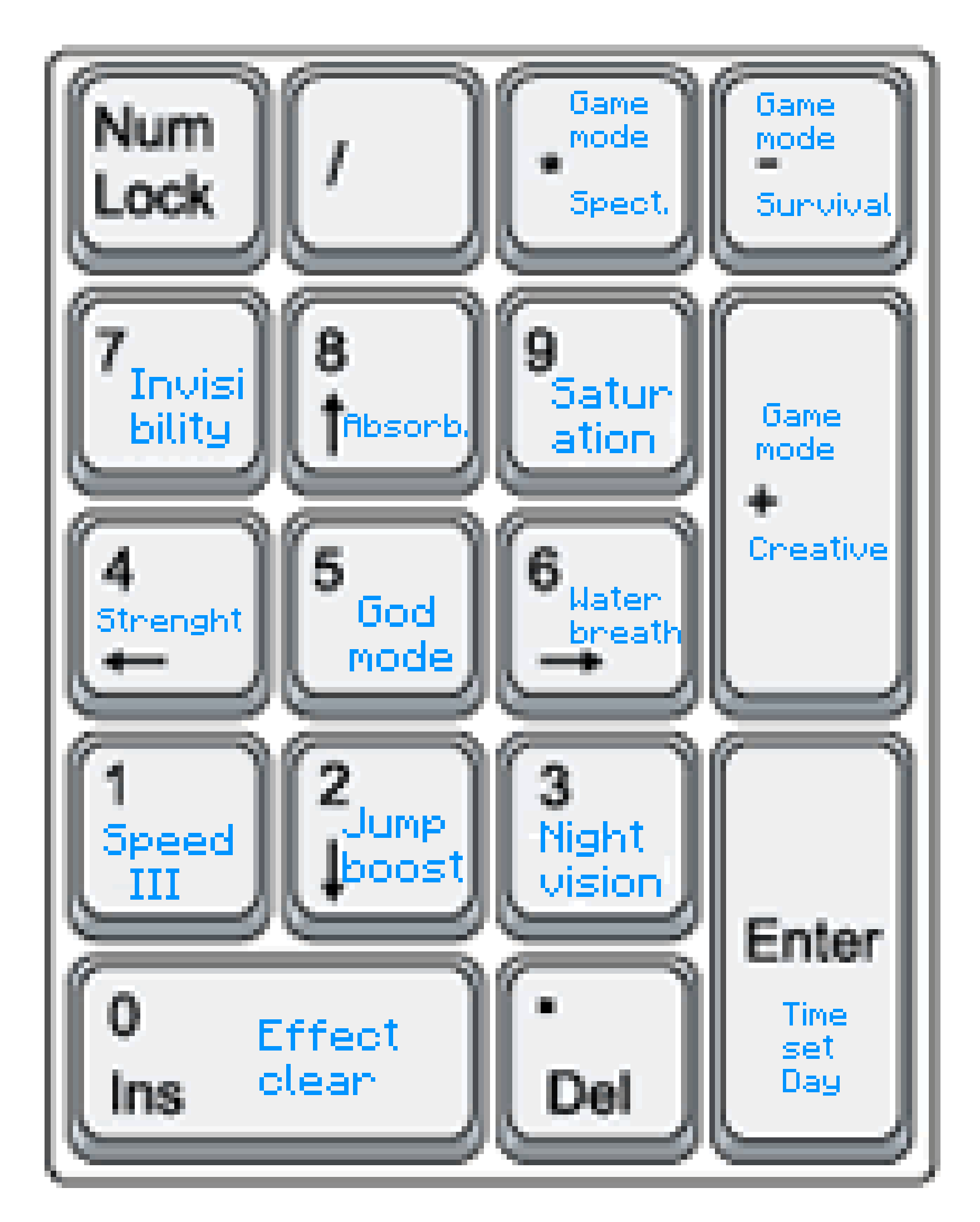





📖 Description
KeyEffects is a simple modification that adds new keybindings. Therewith you can give yourself effects or execute options like set your gamemode to creative or survival.
List of Keybindings
Preset:
- NUM_0: Clear all Effects
- NUM_1: Speed III
- NUM_2: Jumpboost
- NUM_3: Night vision
- NUM_4: Strenght
- NUM_5: Godmode (Resistence as hight that you don't die)
- NUM_6: Waterbreathing
- NUM_7: Invisibility
- NUM_8: Absorption
- NUM_9: Saturation
- NUM_ADD: Gamemode Creative
- NUM_SUB: Gamemode Survival
- NUM_MULTIPLY: Gamemode Spectator
- NUM_ENTER: Time set Day
Not-Defined:
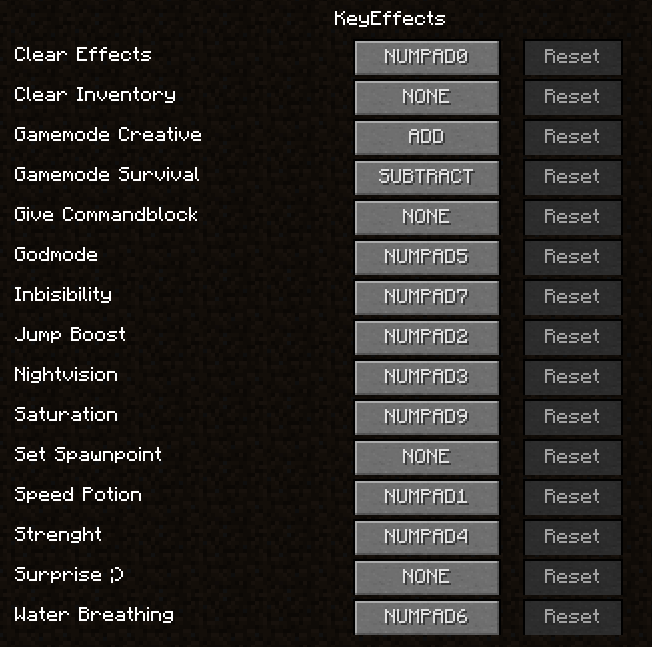
- NONE: Give Commandblock
- NONE: Clear Inventory
- NONE: Set Spawnpoint
- NONE: A little Surprise for you ;)
- NONE: Time set Night
- NONE: Weather sunny
- NONE: Playsound: Good
- NONE: Playsound: Bad
- NONE: Give Killer Sword
- NONE: Redstoner preset (gives you basic items and blocks to build redstone circuits)
- NONE: Fighter preset
- NONE: Miner preset
- NONE: Spawn Herobrine
- NONE: Spawn Iron Golems
- NONE: Clear all (clear inventory, effects and weather)
You can define this under "Controls" > "KeyEffects"

📷 Presentation

🎮 My other mods!







Quick facts
- Edition: Minecraft Java
- File type: .jar
- How to install: Install the matching mod loader (Forge, Fabric or NeoForge) for your Minecraft version. → Download the .jar. → Put it in the .minecraft/mods folder and launch that loader profile.
- Where to get it: Opens on CurseForge — not every file is mirrored on our own servers.
Install steps are the general flow for this file type — How to install Minecraft Java mods & modpacks walks through it step by step.
File checked by MCModsHub
- Ships as KeyEffects (v.1.2.2).jar — drop this file into the mods folder
- Download size: 407 KB
- Download link checked 3 Nov 2026 — working
These come from our own check of the pack file, not from the source page.