Rarmor
Minecraft Java mod. Downloads from the MC Java Mods app on Android.
⬇ Download on CurseForge
Rarmor is a mod about a powerful RF powered armor that can be upgraded with tons of modules!
Note that the mod is still in beta, so there might be stuff that gets changed in the future.
It has a bunch of stuff already though!
Scroll down to get a sneak-peek and some bits of information!
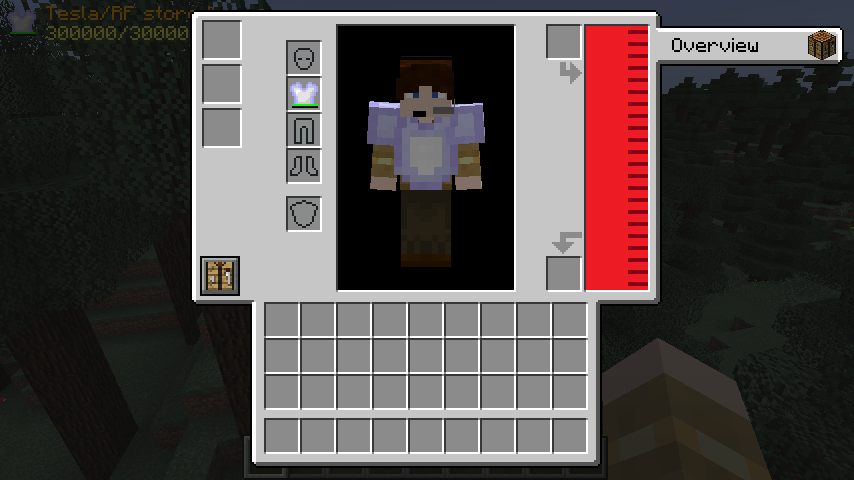
This is what it looks like when you first put on the Rarmor chestplate. It is the main part of the armor and without it, you're not going to be able to do a whole lot. To open this GUI, just open your inventory! The two slots on the right can be used to charge the internal RF/Tesla buffer, but you can also use a module to do that too!
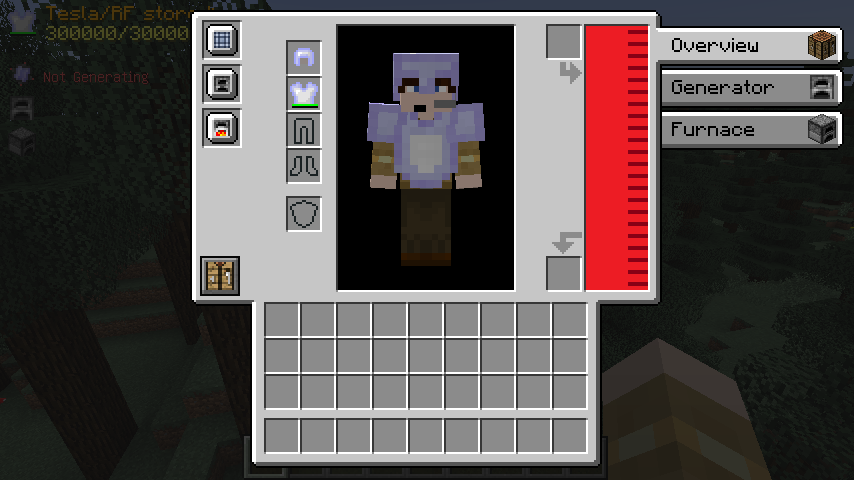
This is what it looks like when you have installed some modules. The three slots on the left are used to do exactly that! As you can see, some modules create tabs on the right that you can click and take a look at, too.
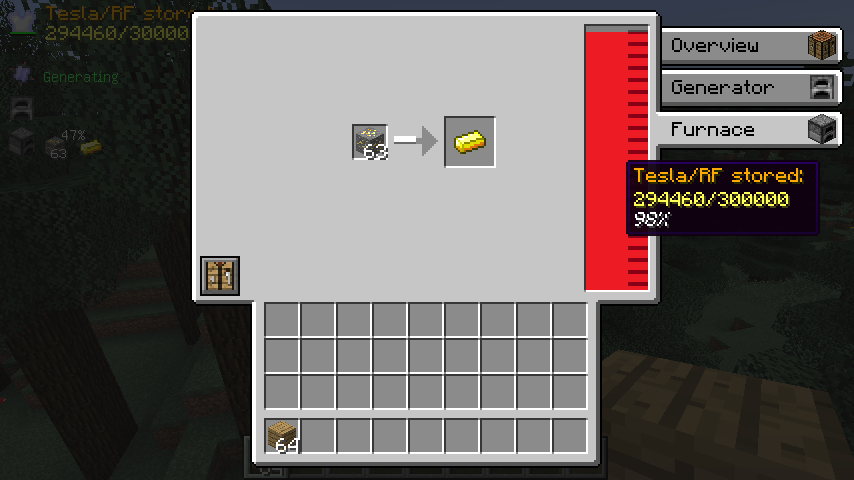
This is the smelting module's tab opened for example. In here, you can smelt up items using the RF buffer. This, of course, also works if you don't have the GUI open and you're just running around in the fields!
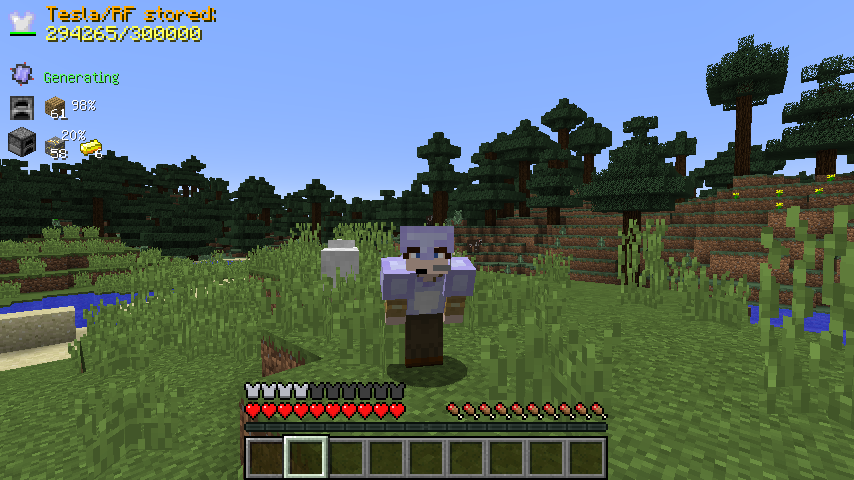
Speaking of not having the GUI open: When that's the case, you can also see the Rarmor HUD on the top left. Not every module will be listed there, but most of them will show you some neat additional information. The position of this hud can be changed in the config, too!
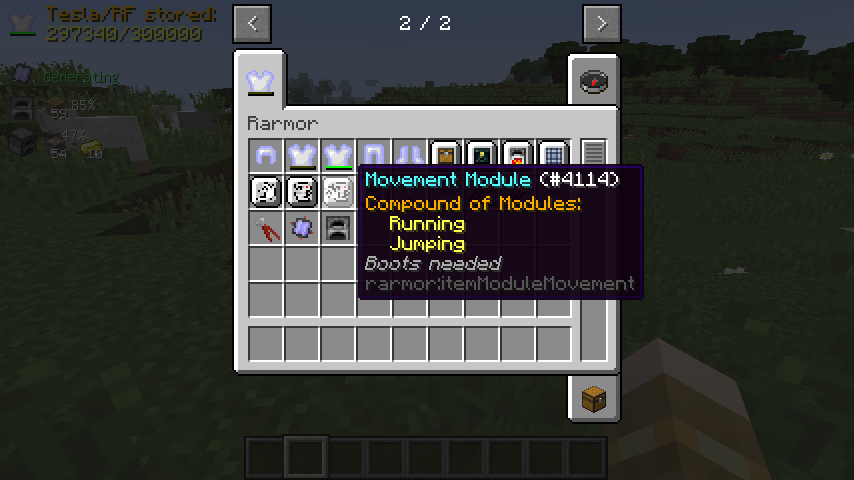
If you want more information on one of the modules, you can just hover over its item in your inventory. This module, for example, is a compound of two other ones so that you don't use up as much space in the module slots. As you can also see, this module requires to to wear the Rarmor boots to be able to be installed and function.
To see the source code, submit bug reports and suggestions and visit the Jenkins and Maven pages for downloading unstable, development and API builds, click here!
- Edition: Minecraft Java
- File type: .jar
- How to install: Install the matching mod loader (Forge, Fabric or NeoForge) for your Minecraft version. → Download the .jar. → Put it in the .minecraft/mods folder and launch that loader profile.
- Where to get it: Opens on CurseForge — not every file is mirrored on our own servers.
Install steps are the general flow for this file type — How to install Minecraft Java mods & modpacks walks through it step by step.
- Ships as Rarmor-1.12-R.5.0.jar — drop this file into the mods folder
- Download size: 242 KB
- Download link checked 13 Oct 2026 — working
These come from our own check of the pack file, not from the source page.