![Forge Creeper Heal [Unofficial]](https://media.forgecdn.net/avatars/44/324/636030538249856506.jpeg)
Forge Creeper Heal [Unofficial]
Java mod listed for Minecraft 1.16–1.21. Downloads from the MC Java Mods app on Android.
I don't know my version or loader
An open source mod for Minecraft Forge to auto-heal world after an explosion
HEALING IN ACTION
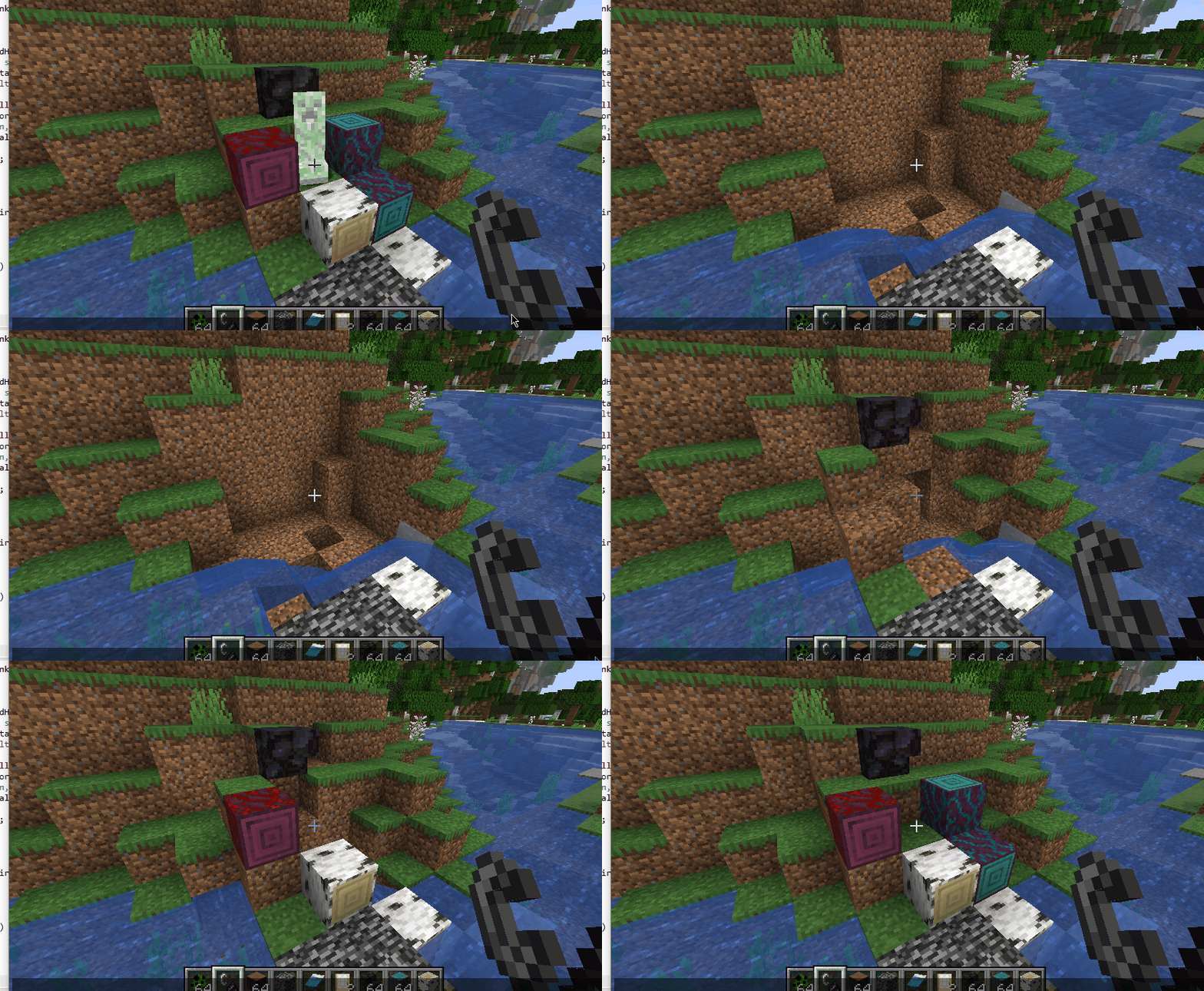
Inspired by a forgotten Bukkit plugin, these links might exist?
https://dev.bukkit.org/server-mods/creeperheal-nitnelave/
https://dev.bukkit.org/projects/creeperheal-nitnelave
Example config file from 1.16+
https://github.com/Lothrazar/ForgeCreeperHeal/blob/trunk/1.16/creeperheal.toml
Original project (which has downloads 1.7.10 all the way to 1.10.2) is here. Original version is a complete rewrite of the engine from scratch by the original author EyZox, check it out for sure — it has lots of new features and optimizations!
This is a port of the old simple 1.x version that I'm just keeping alive. At the time I updated this port to 1.11.2, the original was last updated Aug 28, 2016.
Once upon a time, there was a bukkit plugin by nitnelave. Then EyZox made a forge mod that did the same thing.
I love this mod and I want it to continue existing, and I still use it in my worlds — that's why I am porting it to newer versions.
<details> <summary>History and other stuff</summary>
In Jan 14 2016 I started updating it; I submitted a pull request on GitHub to update to 1.8.9 from 1.8.0. It was accepted, but it looks like that was never released on GitHub.
In the new 1.9 versions and forward, I completely overhauled the config system. Instead of using a config reload command, it now uses the in-game config GUI system (doesn't make sense for servers I guess, but good for single player). For this reason, I changed the mod version to 1.3.0 (the last released version is 1.1.1, although in the source code there is an unreleased 1.2.0 and a 2.0.0).
It looks like EyZox was rebuilding everything from scratch in a way that is probably better but that isn't released. This uses a lot of the old code from the old version (as you can see here, my version is the green line).
I did keep the original open source license that EyZox set in the mod, you can see that here. It seems like the original license gives me permission to change the license under the 'derived code' section, but I saw no reason to change it. Since there is no "monetizing link" then I am not breaking those terms.
</details>
Please report any issues on the GitHub issues page and I will address them when I can.

- Edition: Minecraft Java
- File type: .jar
- Minecraft versions listed: 1.21.1, 1.20.1, 1.19.4
- How to install: Install the matching mod loader (Forge, Fabric or NeoForge) for your Minecraft version. → Download the .jar. → Put it in the .minecraft/mods folder and launch that loader profile.
- Where to get it: Opens on CurseForge — not every file is mirrored on our own servers.
Install steps are the general flow for this file type — How to install Minecraft Java mods & modpacks walks through it step by step.
- Ships as CreeperHeal-1.18.2-2.0.1.jar — drop this file into the mods folder
- Download size: 4.6 MB
- Download link checked 13 Oct 2026 — working
These come from our own check of the pack file, not from the source page.