
ModsJava
ZC Entity Information
Minecraft Java mod. Downloads from the MC Java Mods app on Android.
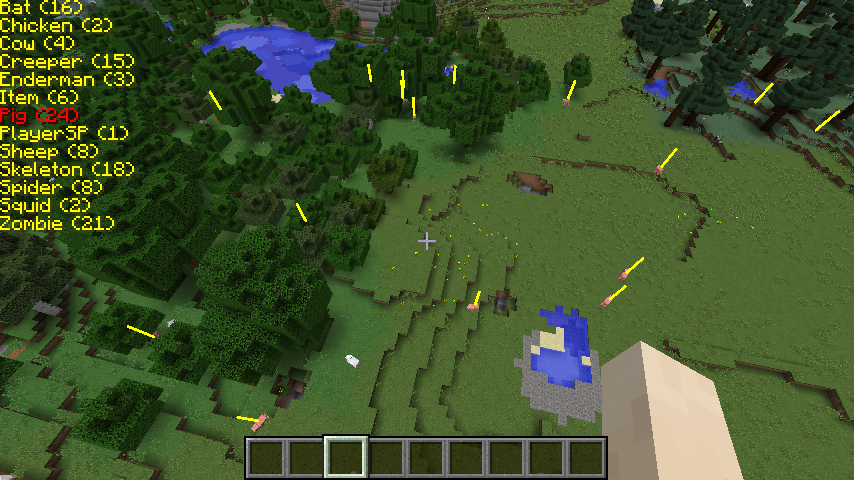
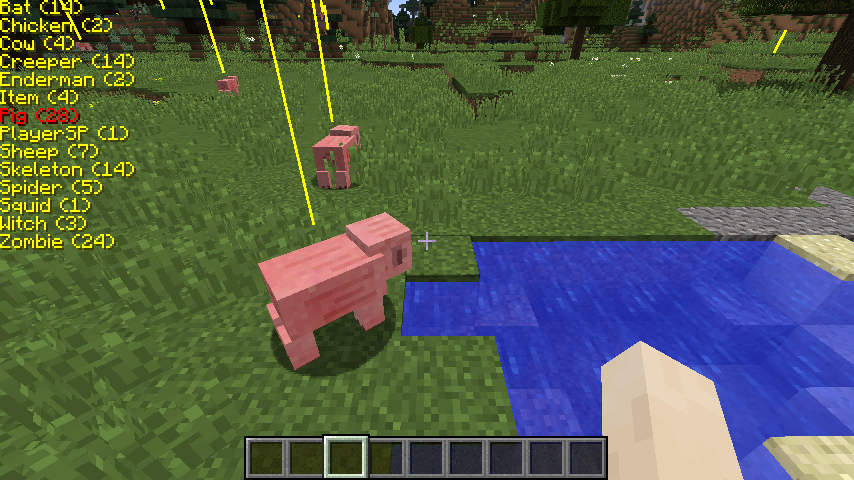
Shows a list of nearby entities. Highlights nearby entities so you can find them. Locate mobs in caves. Locate dropped items. Shows minecarts as well…
⬇ Download on CurseForge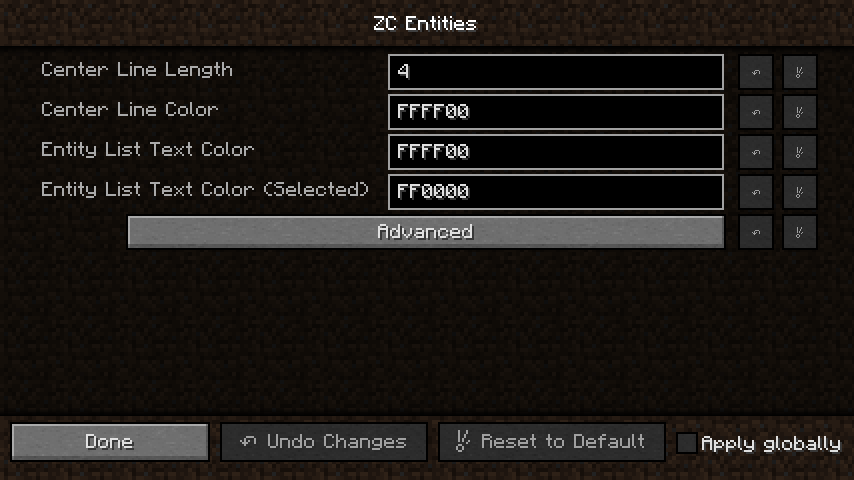
Check out my other mod if you like: ZC Village Information
Hello everyone,
I wrote this mod because I could. Hope you like it...
Features
- Displays a list of entities in the players area. (120 Blocks)
- Displays the number of entities spawned for each entity type. (Only entities the client is aware of.)
- Shows the position of each entity with a line.
- Server OP's can disable the use of entity lines on the player client with a server command. See Commands:
- In the mod options you can change the text position on the screen. Press the Advanced button. (Values are in pixels)
Key Bindings
- [ - Toggles Entity list on/off.
- ] - Cycle through list.
- LCTR + ] - Cycle through list (reverse)
Commands
- "/entitynolines true" or "/entitynolines false" - If you are a level 4 OP you can issue the server command "/entitynolines" to allow or disallow clients to see entity lines. Some may consider this mod a potential cheat on their server. If you would like to control clients that log into your server, load this mod on your server and issue the command "/entitynolines true". The mod does not have to be loaded on the client. You will not receive a mod missing error.
Installation
This is BETA. Use at your own risk.
- Copy the .jar file to the mods directory on the client, server, or both.
- The mod can run on a client without being on the server.
- The mod can run on a server without being on the client.
Requirements
- 1.10.2 Compiled with Forge version: 1.10.2-12.18.1.2027
- 1.9.4 Compiled with Forge version: 1.9.4-12.17.0.1987
- 1.8.9 Compiled with Forge version: 1.8.9-11.15.1.1902-1.8.9
Images
Quick facts
- Edition: Minecraft Java
- File type: .jar
- How to install: Install the matching mod loader (Forge, Fabric or NeoForge) for your Minecraft version. → Download the .jar. → Put it in the .minecraft/mods folder and launch that loader profile.
- Where to get it: Opens on CurseForge — not every file is mirrored on our own servers.
Install steps are the general flow for this file type — How to install Minecraft Java mods & modpacks walks through it step by step.
File checked by MCModsHub
- Ships as ZC Entities-0.2.1-1.10.2.jar — drop this file into the mods folder
- Download size: 30 KB
- Download link checked 13 Oct 2026 — working
These come from our own check of the pack file, not from the source page.