ThermalShade
Minecraft Java mod. Downloads from the MC Java Mods app on Android.
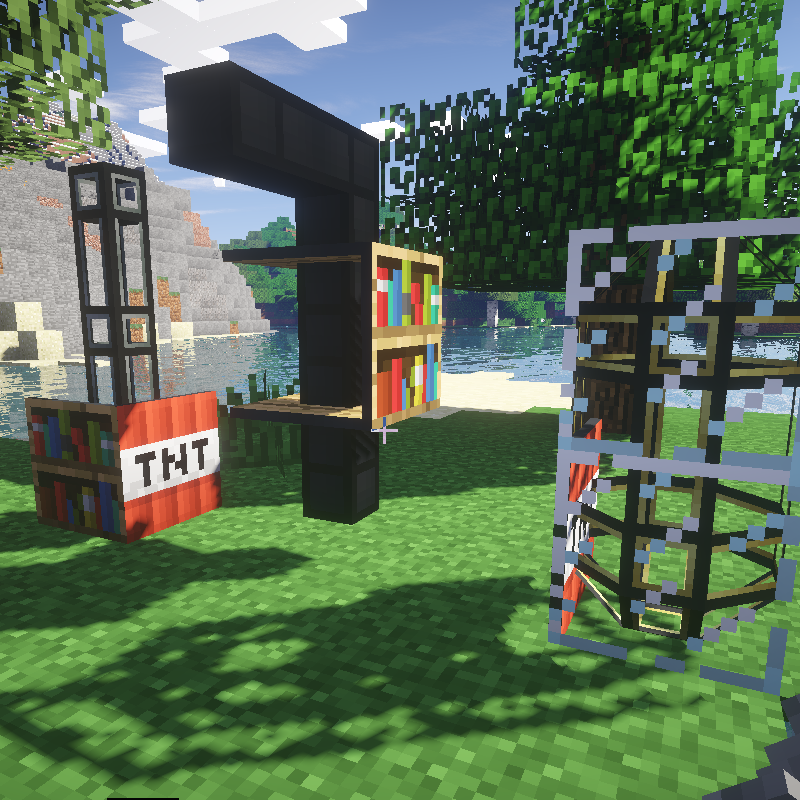
⬇ Download on CurseForgeThermalShade is more of a patch that fixes broken duct cover rendering when using Thermal Dynamics with ShadersMod.
This mod makes a few adjustments to Thermal Dynamics to correct the problem. It modifies a value in the Thermal Dynamics code and disables the holes in the duct covers.
Details of the problem:
The ShadersModCore mod overrides the vanilla tesselator with it's own version that stores 18 integers per vertex.
This causes a lot of problems with Thermal Dynamics and it's bizarre yet clever duct cover tesselator code that relies on the standard 8 integers per vertex of the original tesselator. This mod changes the Thermal Dynamics expected tesselator vertex size to match the changes made by the ShadersModCore mod. The Thermal Dynamics code to create holes in the panels also has issues with ShadersCore mod and causes it to crash outright. I wasn't able to fix the Thermal Dynamics holifier code so I just disabled it.
Issues and workaround:
Do not use this mod without ShadersMod installed or it will crash Minecraft.
If you remove the ShadersMod then you need to also remove this mod.
If you're looking for a 1.12.2 solution try Unifine https://www.curseforge.com/minecraft/mc-mods/unifine
- Edition: Minecraft Java
- File type: .jar
- How to install: Install the matching mod loader (Forge, Fabric or NeoForge) for your Minecraft version. → Download the .jar. → Put it in the .minecraft/mods folder and launch that loader profile.
- Where to get it: Opens on CurseForge — not every file is mirrored on our own servers.
Install steps are the general flow for this file type — How to install Minecraft Java mods & modpacks walks through it step by step.
- Ships as ThermalShade-1.7.10-1.0.jar — drop this file into the mods folder
- Download size: 22 KB
- Download link checked 13 Oct 2026 — working
These come from our own check of the pack file, not from the source page.