
Industrial Peripheral
Minecraft Java mod. Downloads from the MC Java Mods app on Android.
⬇ Download on CurseForge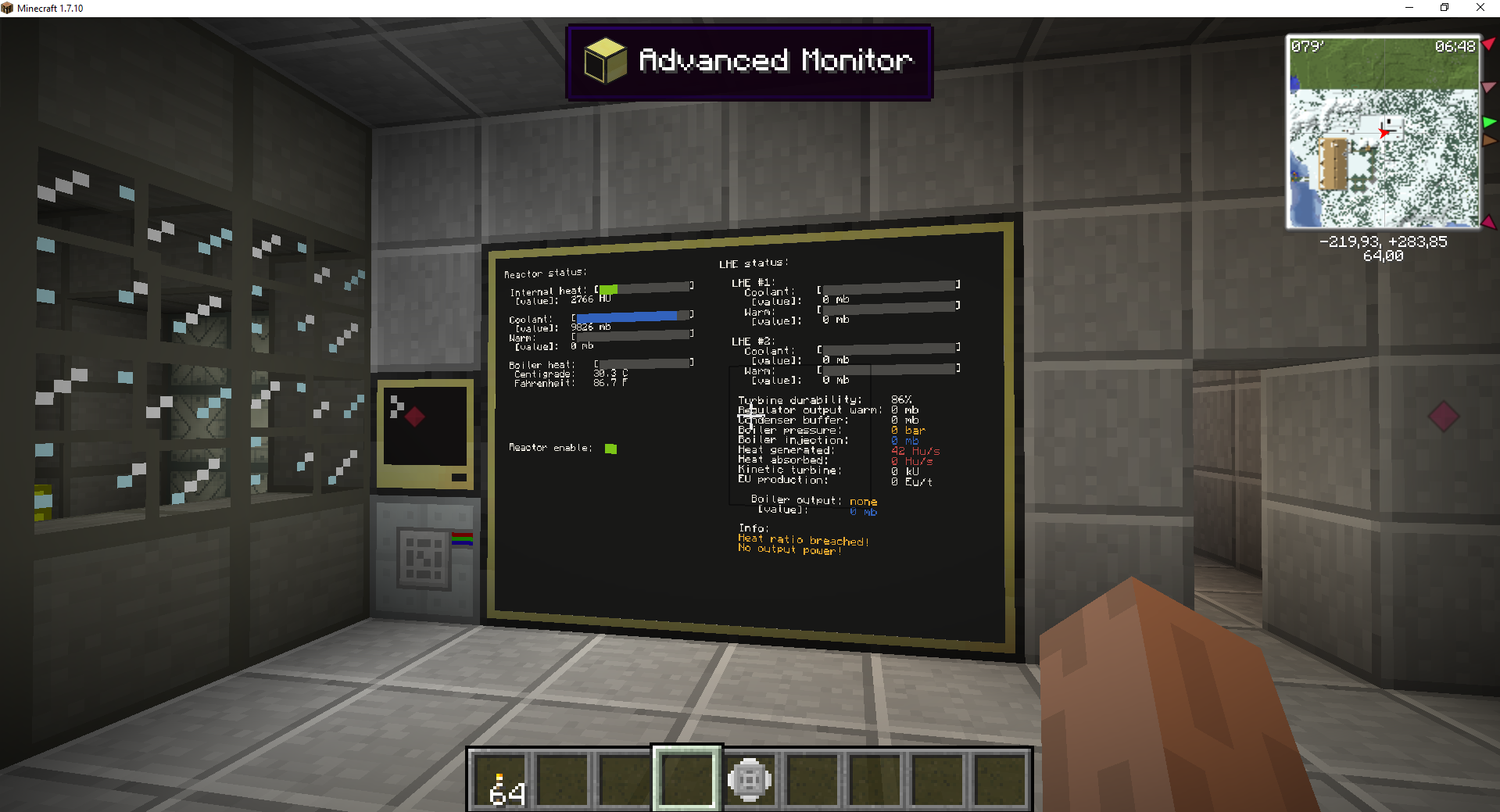
This mod initially is planned for personal use. Before using mod — make backup and use at your own risk.
With this mod and ComputerCraft you can receive (and change) data from different machines from Industrial Craft 2.
And sorry for my english, I'm not english native speaker :(
Small mod tutorial:
Step 1:
For work - Industrial Peripheral needs himself, his craft:

Frequency Transmitter, Advanced Circuit, Machine Casing, Redstone
Step 2:
Also needed Transducer Chip, his craft:

Circuit, Redstone, Iron plate
Step 3:
You can bind Transducer Chip to a particular machine:

Step 4:
After binding, you must insert the chip into the Industrial Peripheral:

Step 5:
Now you can receive a variety of data from the machines:
if not os.loadAPI("ip/industrial") then print("Failed to load Industrial Peripheral driver!"); end
industrial.bindSide("top");
local storage = industrial.ElectricStorage.getEnergy(1);
print("Current: "..(storage.current)..", Max: "..(storage.max)..", Output: "..(storage.output));
If the machine is moved or deleted - you will break the chip. To fix it you must use a craft 2x2: Chip + Redstone
All available functions:
getMachineNameInSlot(slot) - get machine name in slot
FluidRegulator.getOutputMb(slot)
FluidRegulator.setOutputMb(slot, value)
FluidRegulator.getMode(slot)
FluidRegulator.setMode(slot, value)
FluidRegulator.getFluidStock(slot) return [name, amount, capacity]ElectricMachine.getEnergy(slot)
SteamGenerator.getPressure(slot)
SteamGenerator.setPressure(slot, value)
SteamGenerator.getInputWater(slot)
SteamGenerator.setInputWater(slot, value)
SteamGenerator.getCalcification(slot) return [current, max]
SteamGenerator.getHeatInput(slot)
SteamGenerator.getOutput(_slot) return [volume, type]
SteamGenerator.getSystemHeat(slot) return [current, max]
SteamGenerator.getFluidStock(slot) return [name, amount, capacity]Condenser.getProgress(slot)
Condenser.getFluidInput(slot) return [name, amount, capacity]
Condenser.getFluidOutput(slot) return [name, amount, capacity]LHE.getHeatTransmit(slot) return [current, max]
LHE.getFluidWarm(slot) return [name, amount, capacity]
LHE.getFluidCold(slot) return [name, amount, capacity]ElectricStorage.getEnergy(slot) return [current, max, output]
ElectricGenerator.getStirlingProduction(slot) return [receivedheat, production]
ElectricGenerator.getKineticProduction(slot) return [receivedkinetic, production]KineticSteamGenerator.getPower(slot)
KineticSteamGenerator.getTurbineDamage(slot)
KineticSteamGenerator.getDistiledTank(slot) return [name, amount, capacity]NuclearReactor.getActive()
NuclearReactor.getPowerEU()
NuclearReactor.getHeat() return [current, max]
NuclearReactor.getEmitHeat()NuclearReactor.getFluidWarm() return [name, amount, capacity]
NuclearReactor.getFluidCold() return [name, amount, capacity]
The development will be slow due to lack of time. But sometimes it will check for the presence of topic suggestions / bugs.
- Edition: Minecraft Java
- File type: .jar
- How to install: Install the matching mod loader (Forge, Fabric or NeoForge) for your Minecraft version. → Download the .jar. → Put it in the .minecraft/mods folder and launch that loader profile.
- Where to get it: Opens on CurseForge — not every file is mirrored on our own servers.
Install steps are the general flow for this file type — How to install Minecraft Java mods & modpacks walks through it step by step.
- Ships as industrialperipheral-1.7.10-1.02public-universal.jar — drop this file into the mods folder
- Download size: 67 KB
- Download link checked 23 Sept 2026 — working
These come from our own check of the pack file, not from the source page.