Spindle
Minecraft Java mod. Downloads from the MC Java Mods app on Android.
⬇ Download on CurseForge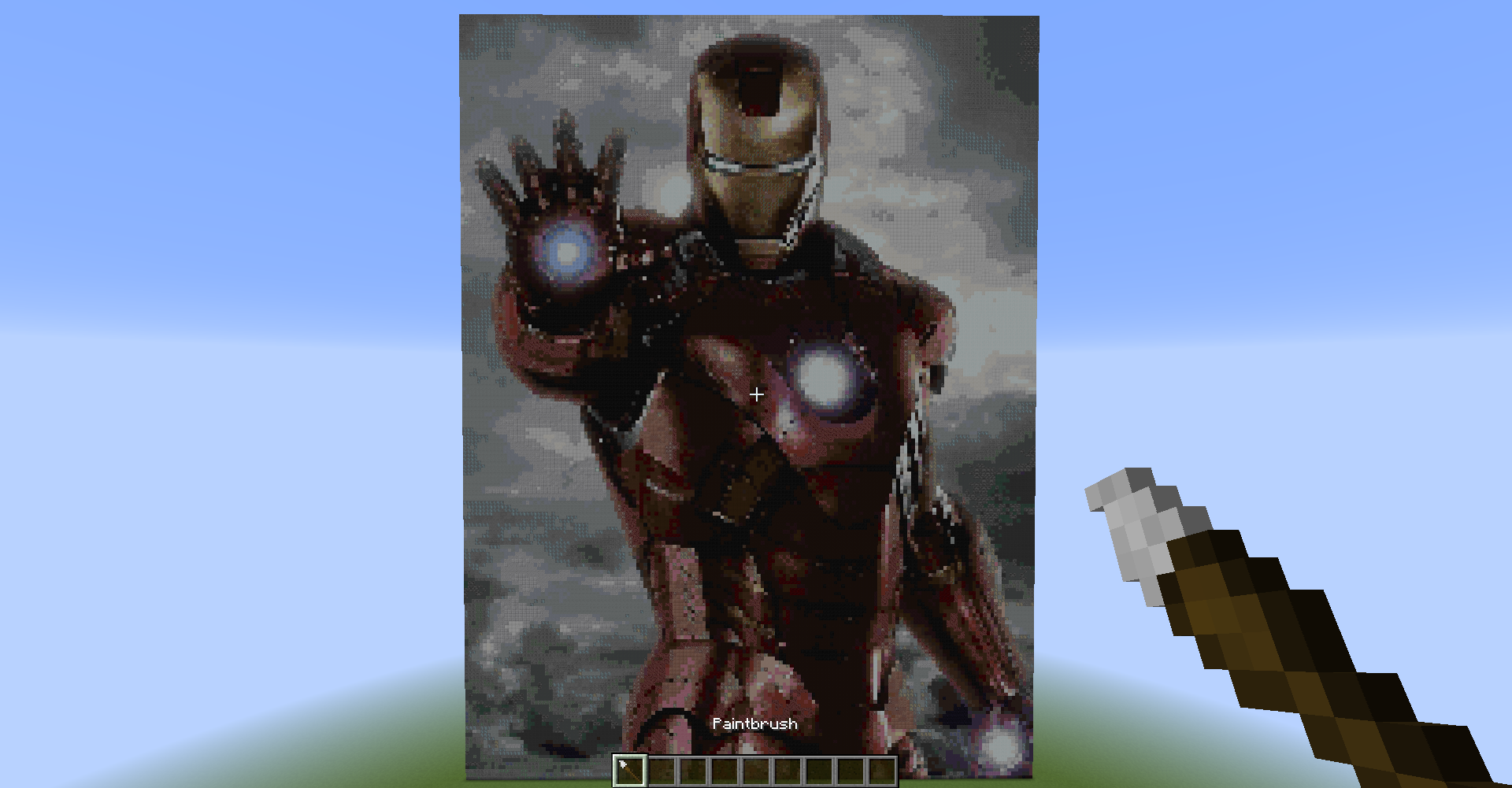
Spindle v2.0 All Blocks Update
Creates pixel art directly from web images!
What is Spindle?
Do you remember that one time when you and your friends compete on the best pixel art? Or the time when you were a server admin looking for ways to entertain your players? Now you can do just that. Spindle is a mod that allows you to create pixel art from a URL, be it an external (http://) or internal (file://) one. The mod is also fully functional when installed on the server alongside the client, allowing certain players to use this mod outside singleplayer mode.
Instructions
 There is only one item added with this mod, a paintbrush. It is located in the Tools tab of the creative menu.
To use the paintbrush, simply right click while pointing on a block. The block does not need to be in range, you can right click any block up to 256 blocks away. A gui will appear, where you can enter any URL. Enter an URL, and then click Paint, or slam your enter key.
Voilà! Your pixel art has spawned, centered horizontally from where you're pointing at, and going upwards. Simple as that!
Permissions
Using the paintbrush requires being in creative mode and have cheats enabled in singleplayer, and be opped in multiplayer. If you do not have those permissions, you will still be able to get the item, but upon using the item, a chat message to the player will pop up saying the permission which you lack.
Limitations
Currently, the mod only provides a way to create a 1:1 scale pixel art. As of version 1.1, Spindle supports scaling! Switch through scaling modes of 1:1 (1 pixel per block), all the way up to 1:32 (32 pixels per block).
Another limitation, the mod only uses the available 16 colors of wool to recreate the image. From version 2.0, Spindle supports most blocks! You can now toggle between using all blocks and using wool only. Spindle is however not resource pack based. Hence, changing resource packs won't change the way the mod generates the pixel art.
Official Minecraft Forums Thread
Copyright
© Emmanuel Maximus Yohanes, 2016. Unauthorized use and/or duplication of this material without express and written permission from this site’s author and/or owner is strictly prohibited. Excerpts and links may be used, provided that full and clear credit is given to Emmanuel (Emx2000/Emx1995) with appropriate and specific direction to the original content.
- Edition: Minecraft Java
- File type: .jar
- How to install: Install the matching mod loader (Forge, Fabric or NeoForge) for your Minecraft version. → Download the .jar. → Put it in the .minecraft/mods folder and launch that loader profile.
- Where to get it: Opens on CurseForge — not every file is mirrored on our own servers.
Install steps are the general flow for this file type — How to install Minecraft Java mods & modpacks walks through it step by step.
- Ships as Spindle-1.10.2-2.0.jar — drop this file into the mods folder
- Download size: 24 KB
- Download link checked 13 Oct 2026 — working
These come from our own check of the pack file, not from the source page.