
Blinking Skin Mod
Minecraft Java mod. Downloads from the MC Java Mods app on Android.
This modification allows you to automatically toggle your whole or certain skin overlay parts in configurable intervals.
⬇ Download on CurseForge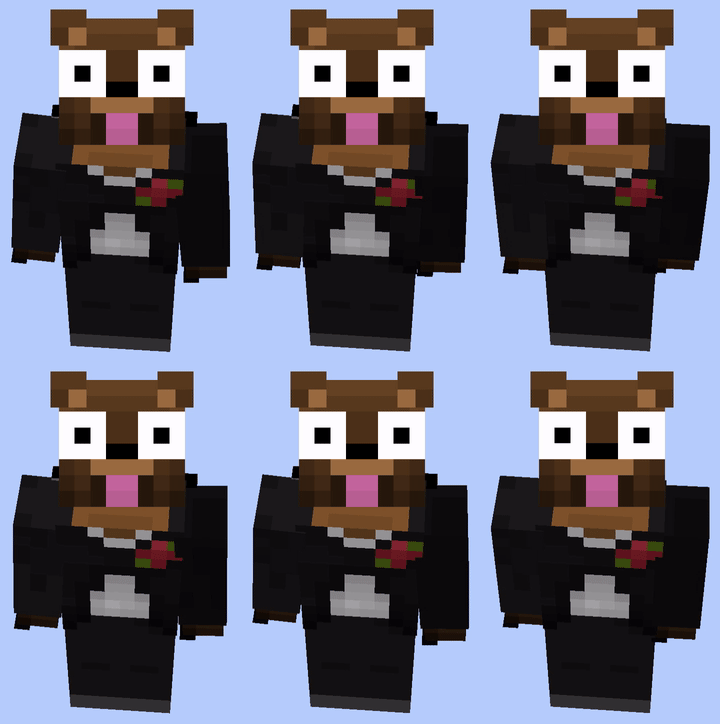

Blinking Skin Mod [Forge 1.8.9 - 1.11.2]
This modification allows you to automatically toggle your whole or only certain skin overlay parts in configurable intervals.
How does it work?
Minecraft introduced for every body part a second skin layer ("Alex" skin model) in version 1.8. You can configure this modification to toggle certain (or even all) second skin layers in certain time intervals. This will make the skin look as if it is blinking (/ animated).
Body parts which can blink: Cape, Hat, Jacket, Left Sleeve, Right Sleeve, Left Pants Leg, Right Pants Leg
How does it look like?


Do other players need to have this modification installed to be able to see my skin blinking?
No! As stated above, this modification makes use of a Minecraft vanilla feature. Therefore other players don't need this modification to see your skin blinking. However, they have to use at least version 1.8 or newer.
Requirements
- You need at least Minecraft Forge 1.8.9 or above.
- You need a Minecraft "Alex" skin with second skin layers.
- Other Minecraft players need at least Minecraft 1.8.9 or above in order to see your skin blinking.
Configuration
You can configure this modification when you are currently running Minecraft Forge:
Main Menu -> Blinking Skin Mod -> Config or Game Menu -> Mod Options -> Blinking Skin Mod -> Config
Installation
First, install Minecraft Forge for 1.8.9 or above. Second, download this modification and put the downloaded JAR file into the mods folder in your .minecraft folder (this modification supports multiple Minecraft versions). That's it, you're done!
An appeal to users of this modification
Please do not use quickly changing colors or harmful patterns. This might annoy other persons and destroy the whole intention of this modification. In addition, this can even trigger seizures, epilepsy, headaches or other health consequences. Please be so kind and respect this.
Warning for users of this modification
The more often an enabled skin layer blinks, the more packets are sent to the server. Please be careful when setting configuration values. You may be banned from a server if you set the configuration values too low or just by using this modification.
Warning for server owners and persons with health problems
Abusing this modification might trigger seizures, epilepsy, headaches or other health consequences.
If you are a server owner and seeing a player on your server abusing this modification by using quickly changing colors, harmful patterns or similar, please support us by taking action (e. g. forcing the player to disable it or banning the player). I might develop a Spigot server plugin, which will allow server owners to control the blink rate of skins or even completely disable it.
- Edition: Minecraft Java
- File type: .jar
- How to install: Install the matching mod loader (Forge, Fabric or NeoForge) for your Minecraft version. → Download the .jar. → Put it in the .minecraft/mods folder and launch that loader profile.
- Where to get it: Opens on CurseForge — not every file is mirrored on our own servers.
Install steps are the general flow for this file type — How to install Minecraft Java mods & modpacks walks through it step by step.
- Ships as Blinking Skin Mod - 1.0.jar — drop this file into the mods folder
- Download size: 8 KB
- Download link checked 13 Oct 2026 — working
These come from our own check of the pack file, not from the source page.