
Queue Box
Minecraft Java mod. Downloads from the MC Java Mods app on Android.
⬇ Download on CurseForge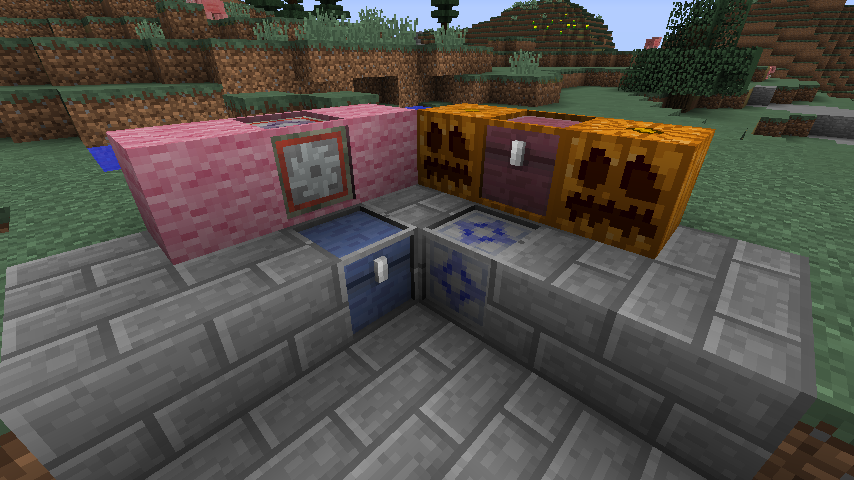
Queue Box is a mod for handling items in queues. As opposed to regular inventories and item handling blocks, items must always be extracted in the order they were inserted.
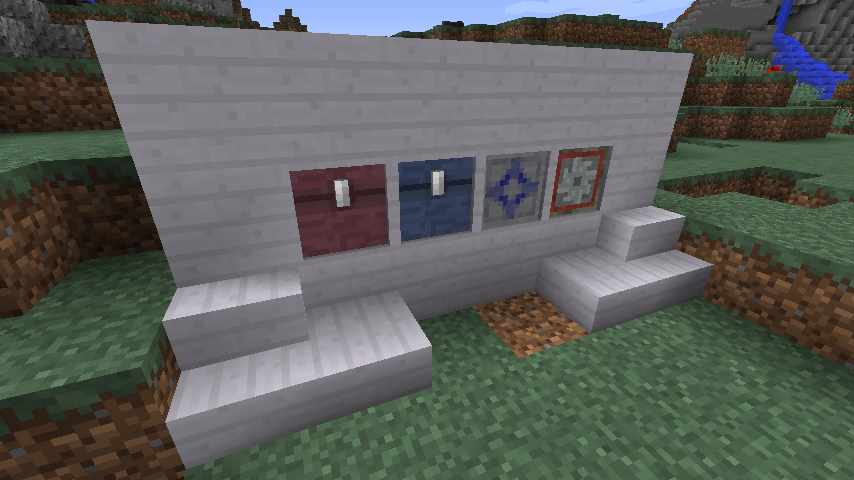
This mod currently provides 4 specialized blocks for different kinds of queued item handling.
Queue Chest
The Queue Chest is, like the vanilla chest, a basic inventory. To get items to move from the input towards the output, there is a GUI button to enable compacting, which will move the entire queue one step towards the output each game tick.
Queue Box
The Queue Box is a more advanced variant of the Queue Chest. It has options to limit input and output stack sizes, toggling stacking on and off, and setting the queue movement tick delay.
Queue Filter
The Queue Filter functions like filter in many other mods, except that it only accepts items in the order defined in the recipe.
Process Queuer
The Process Queuer is a block intended for automation where the order of items used is crucial.
All 4 blocks by default uses models which includes a frame along the edges.
This frame can be painted using the Paintbrush item to look like most regular blocks in Minecraft (and most mods).
- Edition: Minecraft Java
- File type: .jar
- How to install: Install the matching mod loader (Forge, Fabric or NeoForge) for your Minecraft version. → Download the .jar. → Put it in the .minecraft/mods folder and launch that loader profile.
- Where to get it: Opens on CurseForge — not every file is mirrored on our own servers.
Install steps are the general flow for this file type — How to install Minecraft Java mods & modpacks walks through it step by step.
- Ships as queuebox-1.10.2-1.0.5.jar — drop this file into the mods folder
- Download size: 501 KB
- Download link checked 13 Oct 2026 — working
These come from our own check of the pack file, not from the source page.