DropOff
Minecraft Java mod. Downloads from the MC Java Mods app on Android.
⬇ Download on CurseForge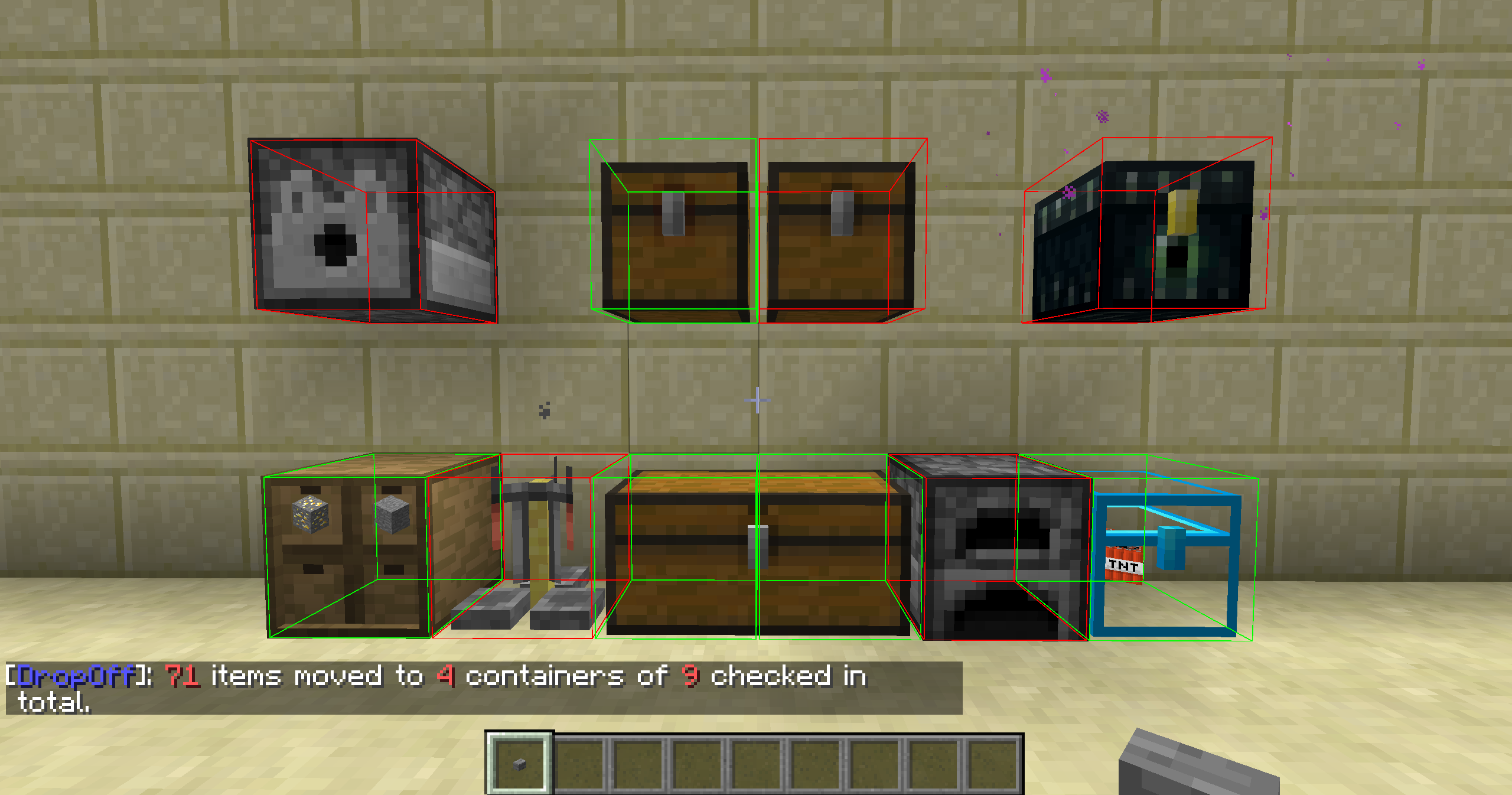
Mod, in functionality similar to the DropOff button from the Quark, but with hot key and flexible configuration for any needs.
You can click the button in the inventory or press 'X' (by default), and the contents of the player inventory will be moved to the nearest chests, furnaces and containers from other modifications (see mod config to change any property).
Also, the contents of these containers and player inventory will be sorted (sorting can be disabled).
WARNING: In versions for Minecraft 1.10.2 and higher this mod replaces similar functionality from Quark when you press Quark's own button.
If you do not want it to happen, set "Override Quark button" to "false" in config.
Questions and Answers:
Q: Can I use this mod in single player game?
A: Yes.
Q: Can I connect to the LAN world (Esc --> Open to LAN --> Start LAN World) with this mod if I have not this mod installed?
A: No.
Q: Can I connect to the LAN world (Esc --> Open to LAN --> Start LAN World) without this mod if I have this mod installed?
A: Yes. But mod will not work.
Q: Can I use this mod on the LAN world (Esc --> Open to LAN --> Start LAN World) with this mod installed if I have this mod installed too?
A: Yes. Both on client and host instances.
Q: Can I connect to the vanilla server if I have this mod installed?
A: Yes. But mod will not work.
Q: Can I connect to the forge server without this mod if I have this mod installed?
A: Yes. But mod will not work.
Q: Can I connect to the forge server with this mod if I have not this mod installed?
A: No.
Q: Can I use this mod if I connect the forge server with this mod if I have this mod installed too?
A: Yes.
- Edition: Minecraft Java
- File type: .jar
- How to install: Install the matching mod loader (Forge, Fabric or NeoForge) for your Minecraft version. → Download the .jar. → Put it in the .minecraft/mods folder and launch that loader profile.
- Where to get it: Opens on CurseForge — not every file is mirrored on our own servers.
Install steps are the general flow for this file type — How to install Minecraft Java mods & modpacks walks through it step by step.
- Ships as dropoff-1.7.10-2.8.14.jar — drop this file into the mods folder
- Download size: 53 KB
- Download link checked 13 Oct 2026 — working
These come from our own check of the pack file, not from the source page.