WMobility
Minecraft Java mod. Downloads from the MC Java Mods app on Android.
⬇ Download on CurseForgeThe current version has a couple of things for you in store.
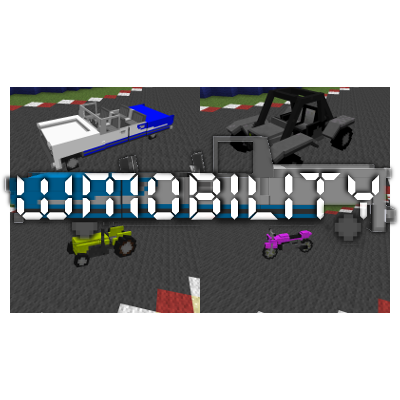
It currently features 4 vehicles, an Oldsmobile style car, a tractor, a dunebuggy styled car and a motorcycle.
All 4 vehicles can be crafted with a car platform, which in turn can be crafted by building a 3x3 grid of iron pressure plates, but leaving the middle one empty.
Then you craft the car platform itself with 6 stone pressure plates on the sides and 1 iron pressure plate in the middle and put that down in the circle of iron pressure plates, it will turn into a 3x3 car platform.
After you've crafted the car platform you can right click it to bring up the car crafting window, which will allow you to choose which car to craft and show you the materials needed to craft it.
Each car features 5 stages of crafting, Chassis, Wheels, Engine, Electronics and Dye.
The crafting progress will be visible on the bottom of the car crafting window, and the items needed to finish the current stage will also be visible.
When a car is created one can right click it and take it for a spin, every car handles differently and every car has a different hitbox.
Cars also have names that will be temporarily visible (Yes, like GTA, that's also where the names came from by the way)
When a car is broken, it will drop a receipt, this could be seen as your insurance and will allow you to respawn the car at any car platform.
(In the future there will be a setting in which a penalty can be set)
In creative mode cars can be spawned by right clicking with a receipt.
Vehicles have a handbrake (Default Left ALT) and a Horn (Default H) and they make sounds when driving.
As a last note, the mod does currently allow you to actually create your own vehicles, but since the mod is in Beta I've yet to make a tutorial on that.
Custom content will be the future for this mod though.
More information, including tutorials and pictures, can be found HERE.
- Edition: Minecraft Java
- File type: .jar
- How to install: Install the matching mod loader (Forge, Fabric or NeoForge) for your Minecraft version. → Download the .jar. → Put it in the .minecraft/mods folder and launch that loader profile.
- Where to get it: Opens on CurseForge — not every file is mirrored on our own servers.
Install steps are the general flow for this file type — How to install Minecraft Java mods & modpacks walks through it step by step.
- Downloads as EXTRACTTHIS-WMobility-0.1-Minecraft_1.7.10.zip
- Download size: 961 KB
- Download link checked 13 Oct 2026 — working
These come from our own check of the pack file, not from the source page.