Roadworks 2
Minecraft Java mod. Downloads from the MC Java Mods app on Android.
⬇ Download on CurseForge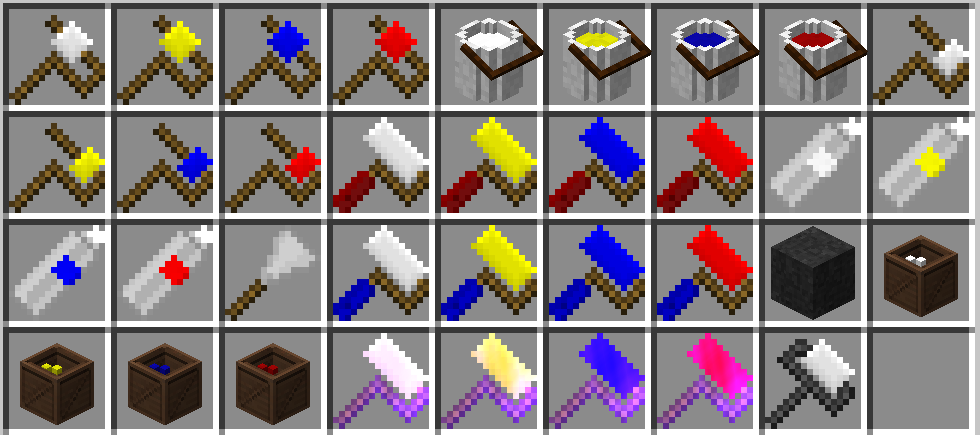
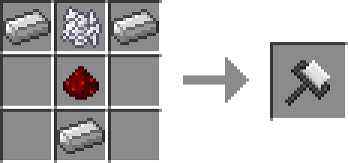
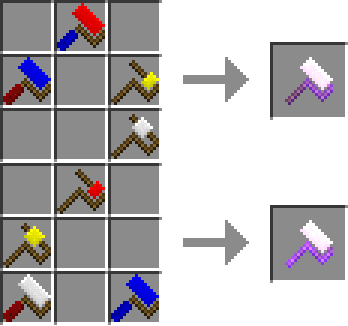
The following items come in White, Yellow, Red and Blue:
Paint roller:
Simple item, using this item will allow you to place simple stripes in the middle of a block.
Side paint roller:
Another simple item, using this item will allow you to place simple stripes on the side of a block.
Arrow paint roller:
This item allows you to place 7 arrow patterns on your roads, use [Sneak] + [Use(Right click)]/[Destroy(Left click)] to toggle between arrow patterns to place.
Extra paint roller:
This item allows you to place 11 extra patterns on your roads for adding just that little bit of extra detail, use [Sneak] + [Right click]/[Left click] to toggle between extra patterns to place.
Spraying can:
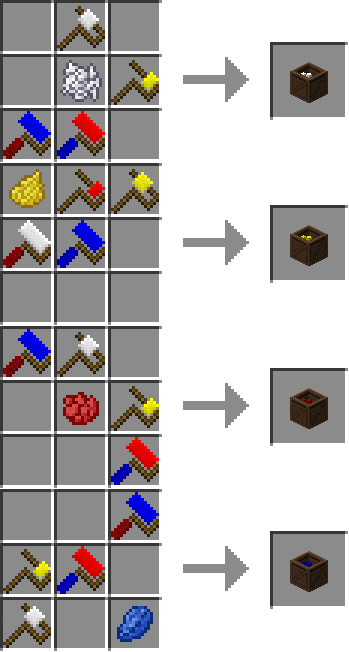
Not happy with the color of your stripes but you don't want to place them all over again? Craft this item in the color you want them to be and [Use(Right click)] them on your stripes.
Bucket of road paint:
If you frequently change stripe colors but you don't want to keep all items in your hotbar you can craft a bucket of road paint and place it anywhere in the world, then [Use(Right click)] your item on it and paint it in the new color. Using a supported dye on the bucket will change the paint to the dye color.
Box of paint rollers:
If you wish to only carry one roller but you want to switch every now and then, craft this block as it's more than decorative. [Use(Right click)] your item on the box to switch between the 4 basic paint rollers at will.
The following items can be recolored without any dye needed, or only have one color:
Tar:
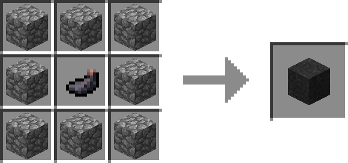
To make your roads look like actual roads, you can craft some tar with cobblestone and ink.
Paint scrapper:
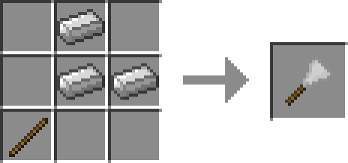
You cannot remove paint with paint rollers, and paint stripes aren't easy to remove. [Use(Right click)] the paint scrapper on stripes in survival mode to instantly remove them.
Master paint roller:
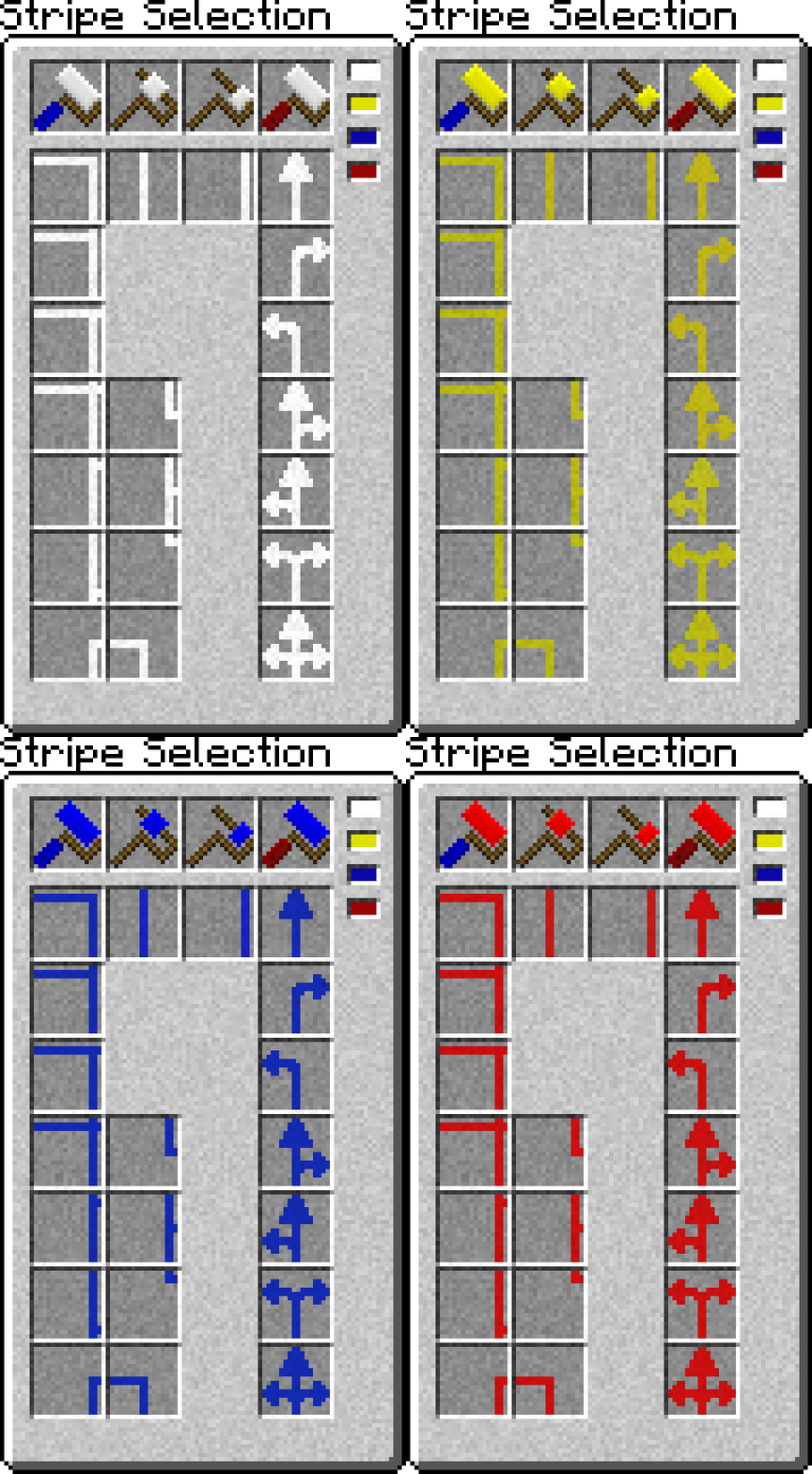
A combination of all rollers in all colors in one, by [Sneak] + [Using(Right click)] this item you'll open the 'Selection Screen', here you can select a color and any available stripe to set configure your master paint roller to the correct pattern. The quickest and easiest way.
Planner paint roller:
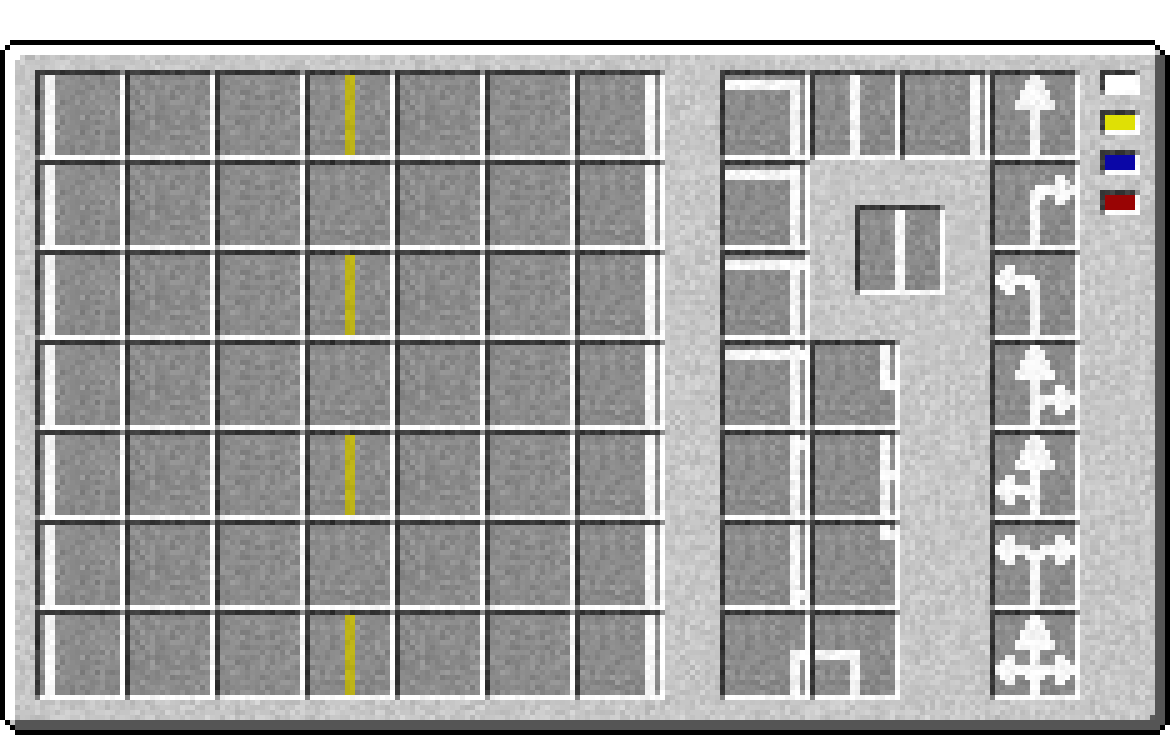
The ultimate tool for painting roads quick and easy is the planner paint roller, by [Sneak] + [Using(Right click)] this item you'll open the 'Quick Building Planner' where you can draw a road plan with any of the available stripes in any of the available colors. Simply click a color and a stripe and then click in an empty spot so set that up. You can turn your stripe around by clicking your selected stripe to the right and you can clear a stripe by clicking it again to the left part of the screen.
After planning your road you can use the planner paint roller to paint a max of 7x7 blocks at once.
More information, including tutorials and pictures, can be found HERE.
- Edition: Minecraft Java
- File type: .jar
- How to install: Install the matching mod loader (Forge, Fabric or NeoForge) for your Minecraft version. → Download the .jar. → Put it in the .minecraft/mods folder and launch that loader profile.
- Where to get it: Opens on CurseForge — not every file is mirrored on our own servers.
Install steps are the general flow for this file type — How to install Minecraft Java mods & modpacks walks through it step by step.
- Ships as Roadworks 2-1.12.2-1.0.jar — drop this file into the mods folder
- Download size: 234 KB
- Download link checked 13 Oct 2026 — working
These come from our own check of the pack file, not from the source page.