
Custom Debug
Minecraft Java mod. Downloads from the MC Java Mods app on Android.
⬇ Download on CurseForge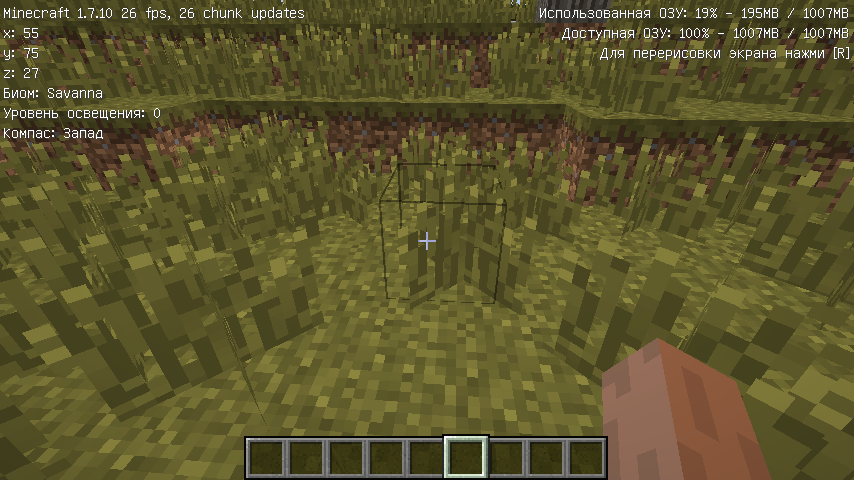
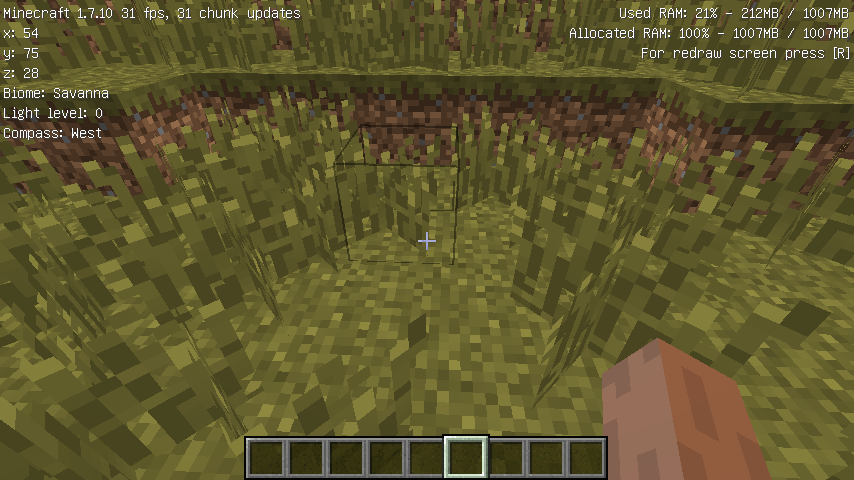
A simple modification for minecraft, which replaces the standard debugging screen on the f3 key for a more beautiful and understandable perception with a simple person. Significant simplification relaxes and removes unnecessary stress. There is no additional data understandable only jeb_.
1.3 Change log
The following functions are implemented:
-Compass
-Temperature
-The sides of the world
- Developer mode:
--Information about blocks
--Information about entities
Now you can customize it for yourself - the [P] key
Returned screen redraw (to be exact reloading of resources) - [R] key
coauthor: AndreoKvantum
- Edition: Minecraft Java
- File type: .jar
- How to install: Install the matching mod loader (Forge, Fabric or NeoForge) for your Minecraft version. → Download the .jar. → Put it in the .minecraft/mods folder and launch that loader profile.
- Where to get it: Opens on CurseForge — not every file is mirrored on our own servers.
Install steps are the general flow for this file type — How to install Minecraft Java mods & modpacks walks through it step by step.
- Ships as Customdebug_1.12_1.3.jar — drop this file into the mods folder
- Download size: 19 KB
- Download link checked 3 Nov 2026 — working
These come from our own check of the pack file, not from the source page.