
modchu_playerformlittlemaid
Minecraft Java mod. Downloads from the MC Java Mods app on Android.
⬇ Download on CurseForge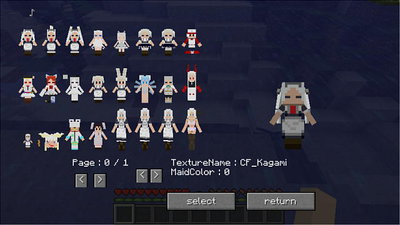
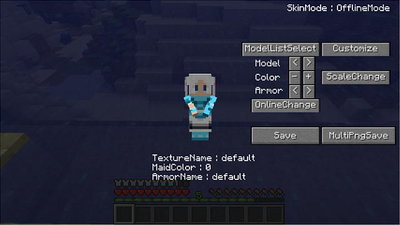
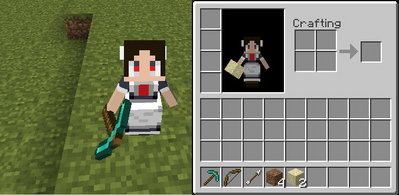
This Mod allows you to change the model of the player.
Models that can be changed must be added separately Mod
[modchulib] (Required)
[MultiModel_DefaultModelSet] (Required)
[MultiModelSet] (Optional)
By introducing it you can change to those models.
Method
1) Start Minecraft and enter the world.
2) Press the keyboard @ key. (The shortcut for @ key can be changed from gui option)
3) PlayerFormLittleMaid's Gui comes out so you can set it and change it.
4) Please enjoy.


Video
I am Japanese.
I am not good at English.
I am using machine translation.
Support will be done only in Japan forum.
URL[https://forum.civa.jp/viewtopic.php?t=668]
- Edition: Minecraft Java
- File type: .jar
- How to install: Install the matching mod loader (Forge, Fabric or NeoForge) for your Minecraft version. → Download the .jar. → Put it in the .minecraft/mods folder and launch that loader profile.
- Where to get it: Opens on CurseForge — not every file is mirrored on our own servers.
Install steps are the general flow for this file type — How to install Minecraft Java mods & modpacks walks through it step by step.
- Ships as modc_PlayerFormLittleMaid_mc1_5_2-1_12_2-v36a.jar — drop this file into the mods folder
- Download size: 206 KB
- Download link checked 13 Oct 2026 — working
These come from our own check of the pack file, not from the source page.