Hit Range Mod
Minecraft Java mod. Downloads from the MC Java Mods app on Android.
⬇ Download on CurseForge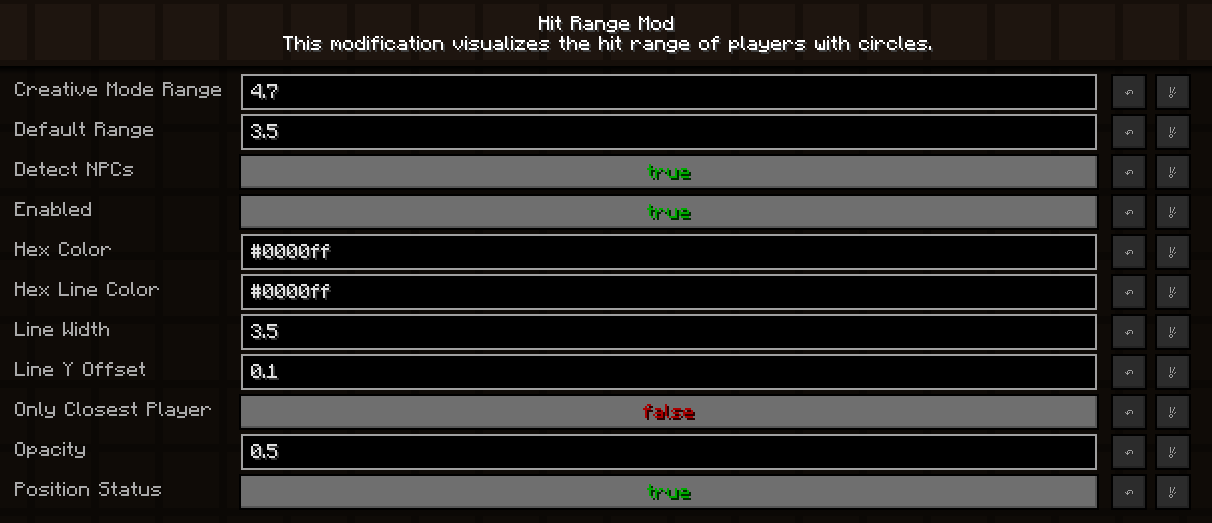
Hit Range Mod [Forge 1.7.10 + 1.8.9]
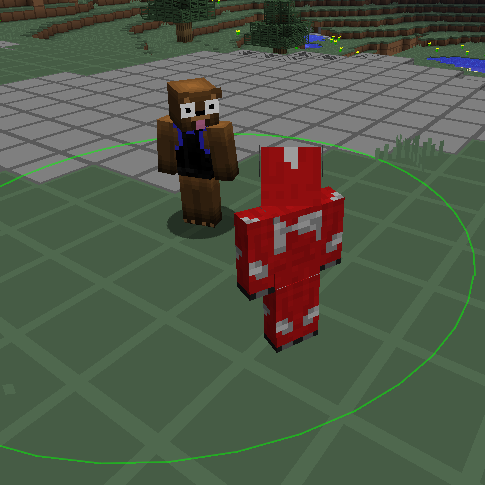
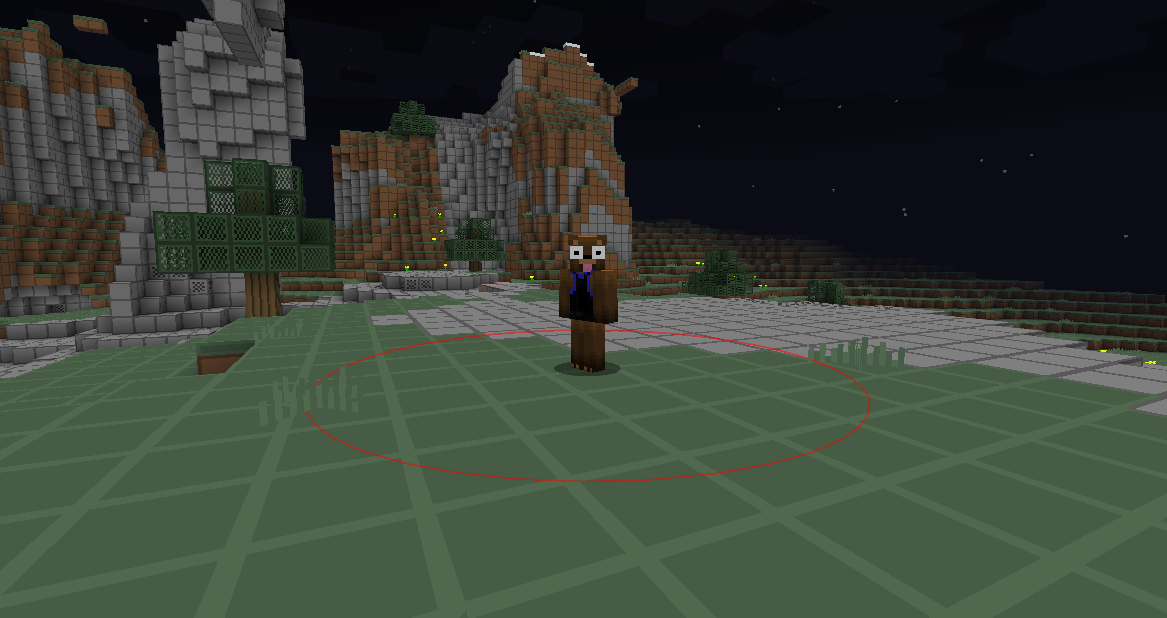
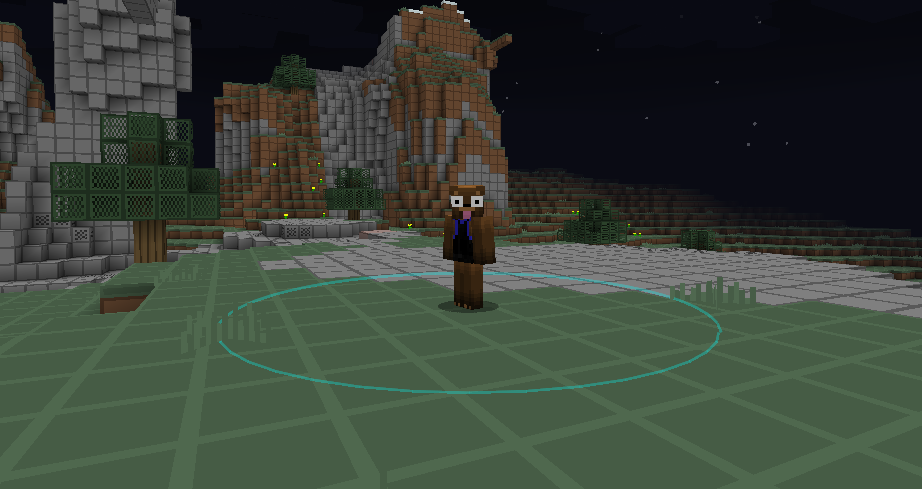
This modification visualizes the hit range of players with circles.
What does this modification exactly do?
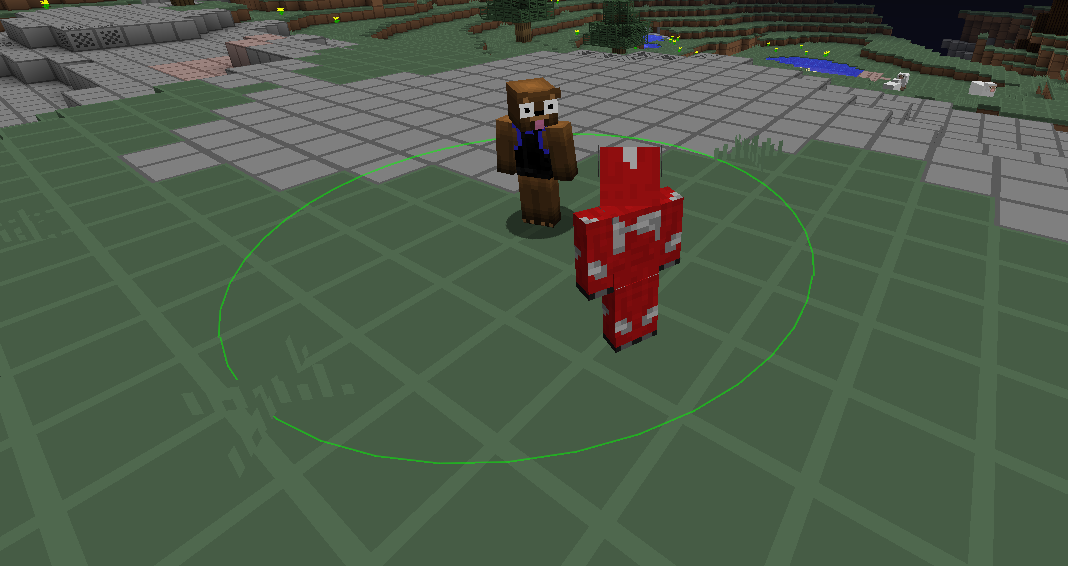
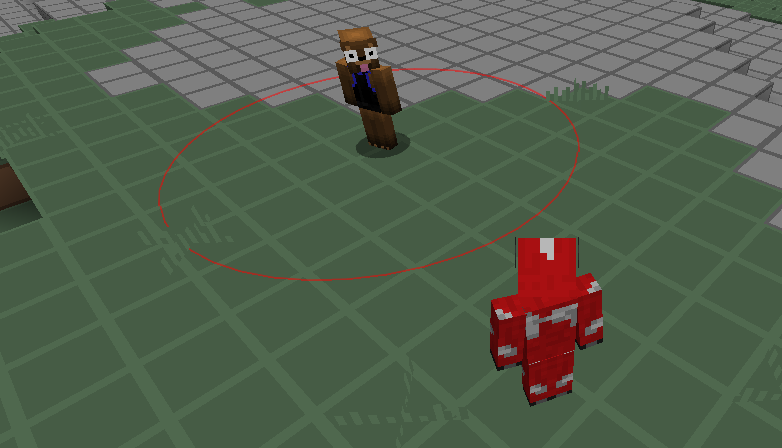
As already stated above, this modification visualizes the hit range by drawing circles around every player. It is quite easy to understand if you take a look at the images below.
You can customize the circles and modify their radius, as well as disable this modification (configuration or by pressing the H key) without uninstalling it.
A circle isn't drawn if you're dead, the player is dead, the player is invisible (to you), the player is a spectator (1.8), the player is sleeping, the player is sitting inside a vehicle or if you can't see the player.
In addition, there's a configuration option to detect simple NPCs so that no circe is drawn around them. You can also configure if you want to have a circle drawn around all players or only the closest one.
Please note that the hit range visualization might not always be accurate because of ping / latency and other factors.
How does it look like?


Do other players need to have this modification installed? Does it work on every server?
No, other players don't need to have this modification installed! This modification works on every server.
Requirements
- You need Minecraft Forge 1.7.10 or 1.8.9.
Configuration
You can configure this modification when you are currently running Minecraft Forge:
Main Menu -> Hit Range Mod -> Config or Game Menu -> Mod Options -> Hit Range Mod -> Config
Installation
First, install Minecraft Forge for 1.7.10 or 1.8.9. Second, download this modification and put the downloaded JAR file into the mods folder in your .minecraft folder. That's it, you're done!
Note: Version 1.0 and 1.1 are no longer available for download because they were beta releases and therefore unstable. Version 1.2 and above are recommended to use.
- Edition: Minecraft Java
- File type: .jar
- How to install: Install the matching mod loader (Forge, Fabric or NeoForge) for your Minecraft version. → Download the .jar. → Put it in the .minecraft/mods folder and launch that loader profile.
- Where to get it: Opens on CurseForge — not every file is mirrored on our own servers.
Install steps are the general flow for this file type — How to install Minecraft Java mods & modpacks walks through it step by step.
- Ships as HitRangeMod-1.2 [1.8.9].jar — drop this file into the mods folder
- Download size: 13 KB
- Download link checked 13 Oct 2026 — working
These come from our own check of the pack file, not from the source page.