
ModsJava
MissileWars
Java mod listed for Minecraft 1.13–1.16. Downloads from the MC Java Mods app on Android.

MissileWars is a minigame system for Minecraft Bukkit based servers. It is competitive, round-based, and can be played alone or in a team. The setup is highly configurable and supports parallel game instances with different settings and their own lobby and arenas.
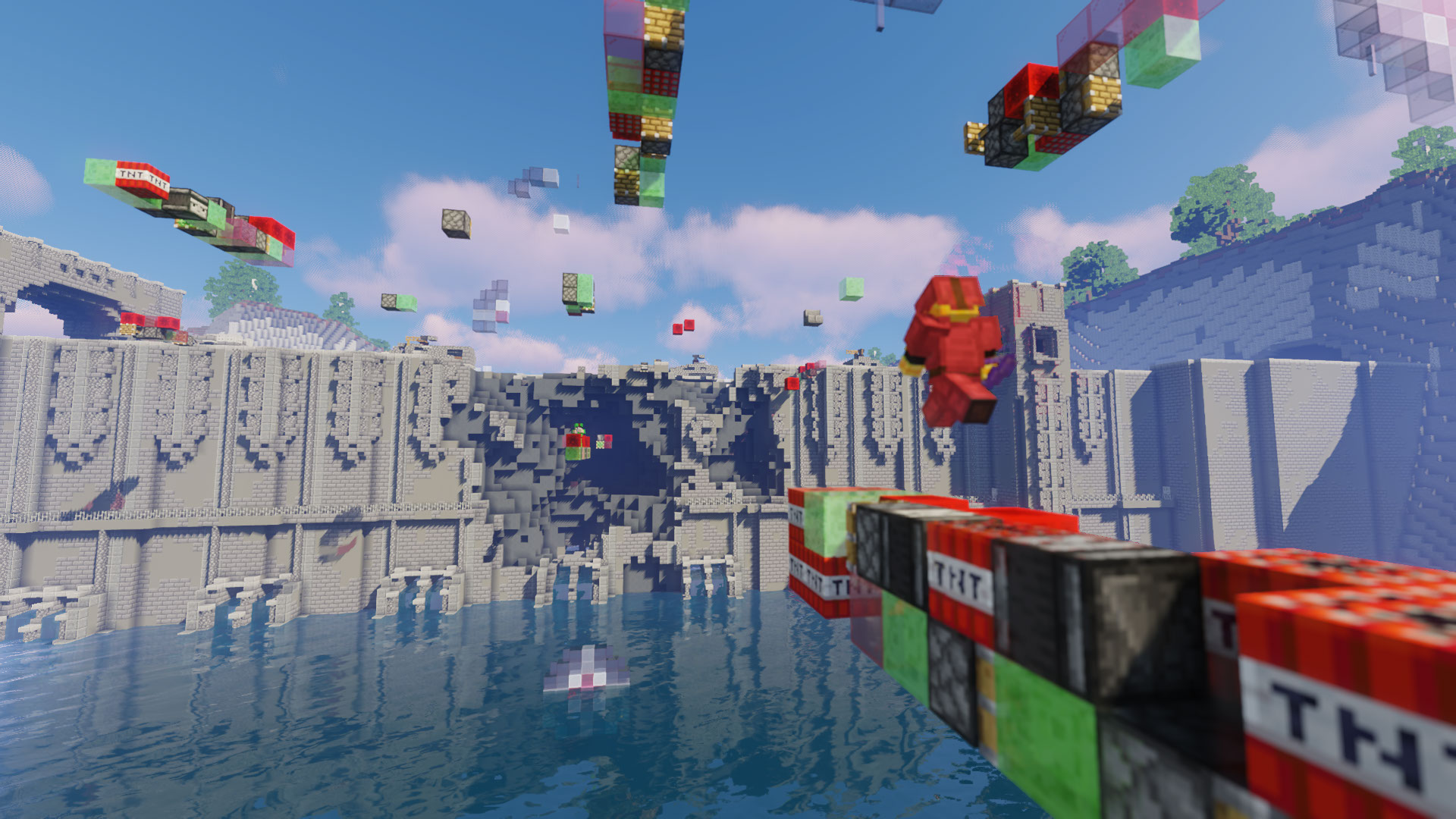
With special items you can place TNT-slime Missiles, of which you'll also be able to ride of them. The goal is to destroy the portal of the enemy team and protect your own. You can spawn Shield structures and get fireballs and a bow to defend yourself.
## Features
* hight-configurable (messages, games, lobbies, arenas)
* temporary loading of arena world from a template with auto-reset after game end
* WorldEdit / FAWE support for Missile & Shield schematic pasting
* PAPI placeholders
* Usability via good command feedback and GUIs (Chest menus)
* Good performance and stability
* Admin commands for lobby and arena area setup and locations
* mostly well documented
* custom plugin support via [Discord](https://discord.com/invite/JXwPe6NjRC)
* active in development based of experience on our [own Minecraft server](https://redstoneworld.de)
## Commands and Permissions
See: https://github.com/RedstoneFuture/missilewars/wiki/Commands-and-Permissions
Quick facts
- Edition: Minecraft Java
- File type: .jar
- Minecraft versions listed: 1.13, 1.13.1, 1.13.2
- How to install: Install the matching mod loader (Forge, Fabric or NeoForge) for your Minecraft version. → Download the .jar. → Put it in the .minecraft/mods folder and launch that loader profile.
- Where to get it: Opens on Hangar — not every file is mirrored on our own servers.
Install steps are the general flow for this file type — How to install Minecraft Java mods & modpacks walks through it step by step.
MissileWars is a free Minecraft Java mod. Compatible with Minecraft 1.13, 1.13.1, 1.13.2, 1.14 and newer. Downloaded 64 times (via Hangar). Download it and open it directly in the game.