Simply Gems
Minecraft Java mod. Downloads from the MC Java Mods app on Android.
⬇ Download on CurseForge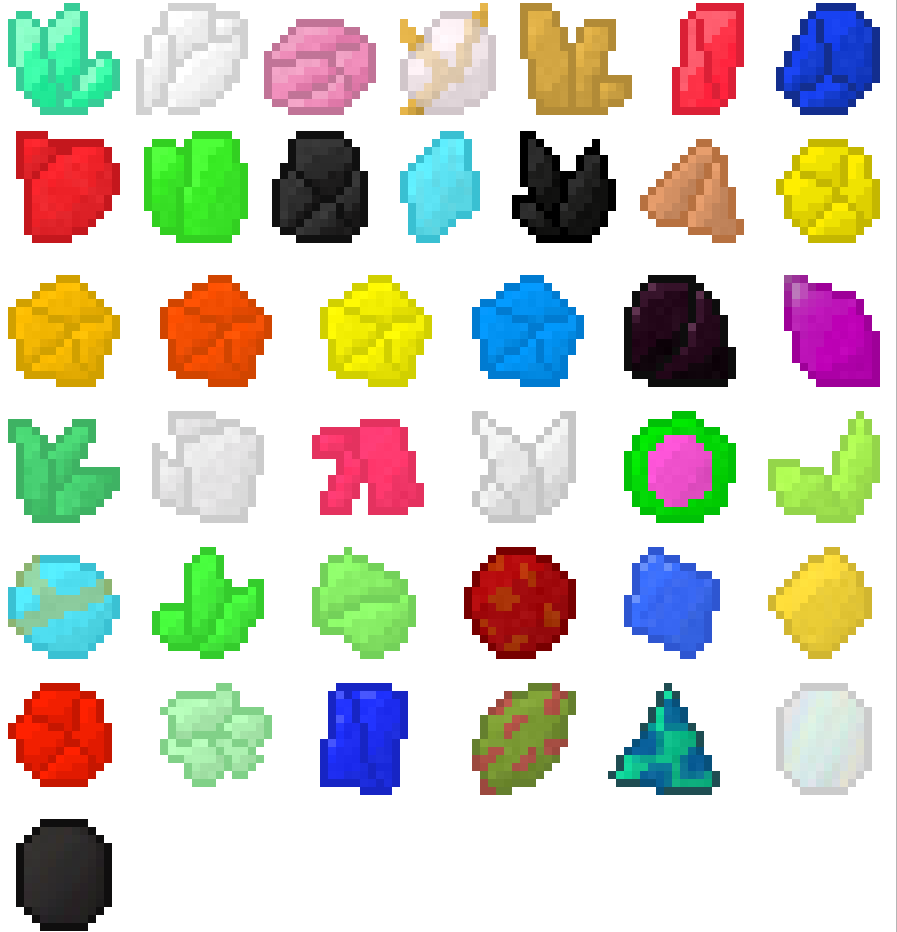
 The Idea
Simply Gems is designed to be an accessible source of recipe materials for modpack creators and mod developers. It takes away the need of adding gems so it leaves more time to work on the actual project.
 Extra Uses
Every gem has been oredicted under "gem[Gemname]" and because of this, some mods will recognize a few gems and give access to more features. Ores do not spawn on their own so they are fully customizable. If you do not like a gem, you can just leave it out of the world generation and nobody will have to deal with it.
 Gem List
Phosphophyllite 
Morganite 
Goshenite
Rutile - 2 types

Red Beryl 
Benitoite
Cinnabar
Jade 
Bortz 
Euclase 
Neptunite
Yellow Diamond
Zircon - 4 types


Obsidian Gem
Amethyst 
Alexandrite 
Antarcticite 
Padparadscha 
Ghost Quartz 
Cairngorm
Watermelon Tourmaline 
Sphene 
Hemimorphite 
Peridot 
Green Diamond 
Ruby
Sapphire
Topaz
Chrysoberyl
Blue Zoisite
Red diamond 
Unakite
Azurite 
Opal - 3 types


This is currently not complete, and is missing a few planned features right now, and some textures will likely be changed.

- Edition: Minecraft Java
- File type: .jar
- How to install: Install the matching mod loader (Forge, Fabric or NeoForge) for your Minecraft version. → Download the .jar. → Put it in the .minecraft/mods folder and launch that loader profile.
- Where to get it: Opens on CurseForge — not every file is mirrored on our own servers.
Install steps are the general flow for this file type — How to install Minecraft Java mods & modpacks walks through it step by step.
- Ships as simplygems-1.1.jar — drop this file into the mods folder
- Download size: 197 KB
- Download link checked 23 Nov 2026 — working
These come from our own check of the pack file, not from the source page.